Need help?
Do you have a question about the Hegel H600 and is the answer not in the manual?
Connect your speakers for the best audio experience.
Connect various audio sources to the amplifier.
Connect the power cord to the amplifier.
Power on the amplifier to begin operation.
Control audio sources and volume using front panel selectors.
Understand power on/off and reboot functions.
Manage sleep mode, auto standby, and Wake on LAN.
Device automatically checks for and installs updates in standby.
Connect your speakers to the designated outputs.
Utilize the BNC Digital Out (DAC loop).
Details on BNC, Coaxial, Optical, USB, and Network inputs.
Details on Balanced XLR and Unbalanced RCA analog inputs.
Understand fixed and variable line level outputs.
Connect the amplifier to the AC power outlet.
Configure inputs for Home Theater use.
Digital inputs activate and switch automatically upon signal detection.
The DAC maintains the original signal resolution.
Maximum supported resolutions for digital inputs.
List of audio file formats supported by UPnP.
Plug-and-play USB DAC for computer audio.
Information on Master Quality Authenticated audio playback.
Connect the amplifier to your local network via Ethernet.
Access the network settings page via IP address.
Interpreting the network status display.
Steps to resolve network connectivity issues.
Stream audio wirelessly using Apple AirPlay.
Stream high-resolution audio from Tidal.
Stream from local files or services using UPnP/DLNA.
How to enter and navigate the device menu.
View hardware and firmware versions.
Check network name and IP address.
Adjust standby and auto-sleep settings.
Configure behavior for incoming digital signals.
Set max volume, startup volume, and USB volume.
Configure TV remote for Hegel device control.
Set inputs to function as Home Theater inputs.
Configure DAC-loop for external DACs and digital output.
Reset the device to default factory settings.
How to exit the device menu.
Description of functions for each button on the remote.
Overview of the remote's compatibility and features.
Instructions for inserting batteries into the remote.
Recommended methods for connecting a subwoofer.
Advice on powering off and optimal listening temperature.
Guidance on connecting the TV and audio settings.
Detailed technical specifications of the H600 amplifier.
Guidelines for safely unpacking and repacking the unit.
Ensure proper ventilation and avoid overheating.
Prevent damage and hazards from incorrect wiring.
Use the correct power source and voltage.
Caution against listening at high volumes to prevent hearing damage.
Safe methods for cleaning the amplifier.
Use the device only for its intended indoor purpose.
Emphasize servicing by qualified technicians only.
Explains the 2-year warranty against defects.
Contacting dealers, distributors, or Hegel for support.
Meaning of the 'Works with Apple' badge.
Information on Apple trademarks.
Information on MQA trademarks.
Note on TV remote compatibility.
Technical specifications may change without notice.
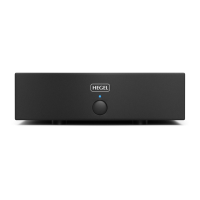
The Hegel H600 is a reference integrated amplifier designed to deliver high-end sound and ease of use within a minimalist, high-quality housing. Its core philosophy is to add as little as possible to the music signal, aiming to keep it as close to the original as possible by minimizing distortion and noise. This approach ensures that the music's quality is limited only by the recording itself. The H600 is a powerful amplifier capable of driving a wide range of speakers with confidence and ease, offering an immensely wide and deep soundstage, incredible dynamic range, and tremendous bass control to reveal all the details and nuances in music.
The H600 serves as a central hub for a high-fidelity audio system, integrating amplification and a comprehensive suite of digital and analog inputs, along with extensive streaming capabilities. It functions as a digital media renderer, allowing users to stream from various sources.
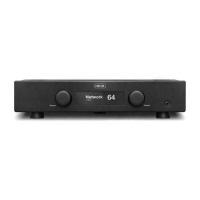
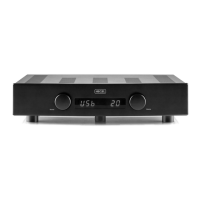
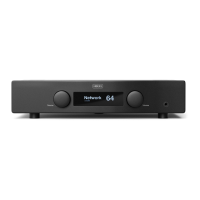
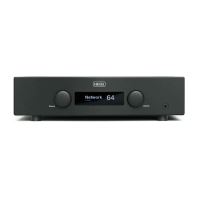
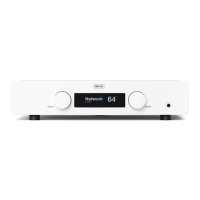
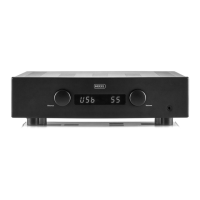
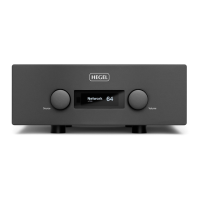
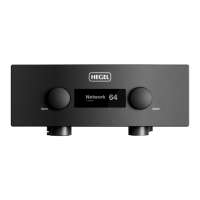
The amplifier features a straightforward front panel with a source selector and a volume selector. The source selector is used to change the input source by turning the wheel. Pressing it pauses or plays, and pressing and holding it enters the device menu. The volume selector adjusts the output volume by turning the wheel. Pressing it toggles mute on/off, and it also serves to exit the menu.
The H600 can be switched on and off using a power button located on the underside of the amplifier, towards the front. Pressing and holding this button reboots the amplifier. Upon powering up, the device undergoes a brief calibration period, during which outputs are muted, indicated by a flashing volume display. It's recommended to wait 30 seconds after switching off before powering it on again.
In compliance with EU Energy Efficiency Directives, the H600 automatically enters standby mode after 15 minutes of not sensing a signal or detecting a very low signal on the speaker outputs. This "Sleep/Auto Standby" feature can be adjusted or disabled through the Device Menu. Additionally, the amplifier supports "Wake on LAN," allowing it to automatically wake up when it receives an ethernet (LAN) signal. This feature is disabled by default but can be activated in the "Auto In" settings within the Device Menu.
The H600 is designed to automatically check for and install new updates when placed in standby mode, ensuring it always has the latest features and performance enhancements.
The H600 offers a wide array of connection options:
All digital inputs, except USB, feature input sense. This means the H600 can detect a signal on an input and automatically switch to that active input. This functionality can be configured in the "Auto In" settings of the Device Menu.
The H600 incorporates a bit-perfect DAC, ensuring that the resolution and content of incoming digital signals are not altered. It supports a wide range of resolutions and formats across its digital inputs, including MQA (Master Quality Authenticated) for playing back MQA audio files and streams, delivering the sound of the original master recording. The display indicates when an MQA stream or file is being decoded and played.
The plug-and-play USB DAC is designed for seamless integration with computers (PC or Mac), allowing users to enjoy music directly from their devices.
To utilize its network and streaming features, the H600 must be connected to a local network via an Ethernet cable (not supplied) to a router. The amplifier has its own Network Configuration page, accessible by entering its IP address in a browser, where users can change network name and IP settings. The network status is displayed on the amplifier's screen.
The H600 supports a comprehensive list of streaming options:
The Device Menu provides access to various settings and information. It is entered by pressing and holding the "PLAY" button on the remote for 5 seconds (or using the source selector on the front panel). Navigation is done using "PREV" and "NEXT" buttons, with "PLAY" to select.
The recommended method for connecting a subwoofer is via the variable line output. If the subwoofer has "high-level" speaker wire terminals, this option can also be used, and is often recommended by subwoofer manufacturers.
The best way to connect a TV is through one of the optical inputs. If there's no sound, users should check the TV's sound output settings, ensuring it's set to "optical" or "digital out" and the signal is "PCM" or "stereo."
The included RC8 remote control can operate the H600 and other Hegel products (CD players, preamplifiers) and most connected media players. It features buttons for streaming control (PREV, PLAY, NEXT), DAC input selection (DAC+), power/display control (PWR, DISP), CD player control (PREV, PLAY, NEXT, STOP), and input/volume control (IN+, IN-, VOL+, VOL-, MUTE).
Before cleaning, the amplifier should be unplugged from the AC outlet. Fingerprints or stains can be removed with a cloth lightly damped with warm water or a mild detergent suitable for cleaning mirrors and windows.
For proper cooling, the H600 must be placed on a flat, hard surface, never on a carpet or similar material that could obstruct airflow. A minimum space of 10 cm should be maintained from the rear, top, and side panels, with the front side of the enclosure left open. If the amplifier overheats, it will automatically switch off and reset the volume to 0 when it cools down. The surfaces of the amplifier may become hot during use, so caution is advised when moving or lifting it.
Hegel products should only be opened or serviced by certified technicians. Opening the product by non-authorized personnel will void the warranty due to the risk of severe electric shock and potential damage.
All Hegel products come with a 2-year warranty against defective materials and workmanship, limited to the region of original purchase. The purchase receipt serves as the start date for the warranty, and no registration is required. Support is available through dealers, distributors, or directly from Hegel via email or social media.
 General
| Frequency Response | 5 Hz - 100 kHz |
|---|---|
| Signal-to-Noise Ratio | More than 100dB |
| Damping Factor | More than 2000 |
| Minimum Load | 2 Ohms |
| Total Harmonic Distortion | <0.005% |
| Inputs | XLR, RCA |
| Analog Inputs | 2 x XLR, 2 x RCA |
| Digital Inputs | 1 x Coaxial (S/PDIF), 3 x Optical (S/PDIF), 1 x USB, 1 x Network |
| Line Level Output | 1 x Unbalanced Fixed (RCA), 1 x Unbalanced Variable (RCA) |
| Outputs | 1 x headphone output |

 To Next Page