Need help?
Do you have a question about the Hegel H95 and is the answer not in the manual?
Guide on connecting speakers for optimal audio experience, emphasizing listener-speaker distance.
Illustrates various methods to connect audio sources like analog, digital, USB, and network.
Instructions for connecting the power cord and switching the amplifier on.
Details on connecting speakers and variable line level outputs to the amplifier.
Description of the standard analog RCA inputs (Analog 1 and Analog 2) for audio sources.
Guidance on AC power connection and overview of digital input options like Coaxial, Optical, USB, and Network.
How to access and navigate the amplifier's feature and settings menu using the remote control.
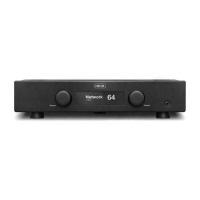
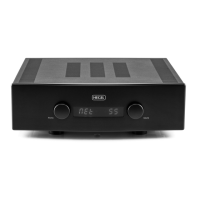
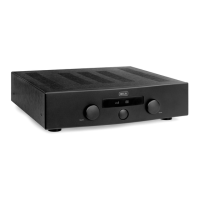
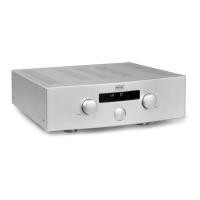
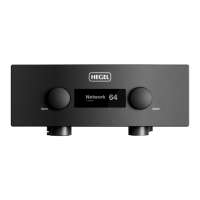
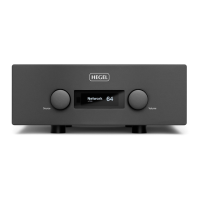
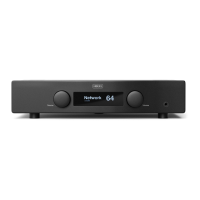
The Hegel H95 is an integrated amplifier designed to deliver a high-quality audio experience with a focus on minimal distortion and noise. It combines an amplifier, digital-to-analog converter (DAC), and network streaming capabilities into a single, compact unit. The design philosophy emphasizes adding as little as possible to the music signal, aiming for a reproduction that is close to the original recording. Its minimalistic Scandinavian design ensures it blends seamlessly into various interiors.
The H95 serves as the central hub for your audio system, capable of receiving audio signals from various sources, processing them, and amplifying them to drive passive speakers. It features both analog and digital inputs, allowing connection to a wide range of audio devices, from traditional CD players to modern digital streamers and computers.
The amplifier section is designed to provide clean and powerful sound to your speakers. It incorporates Hegel's proprietary amplifier circuit, which is protected by a US patent, ensuring reliable and high-performance operation. The H95 also includes a built-in DAC, enabling it to convert digital audio signals from sources like computers, network streamers, or digital transports into analog signals for amplification.
One of the key features of the H95 is its network connectivity. This allows the amplifier to function as a Digital Media Renderer, receiving and playing media files from UPnP/DLNA compatible media players. It also supports popular streaming services like AirPlay and Spotify Connect, enabling users to stream music wirelessly from their compatible devices (smartphones, tablets, computers) directly to the amplifier. This network functionality extends to software updates, ensuring the device can be kept current with the latest features and improvements.
The H95 also includes a headphone output, allowing for private listening. When headphones are connected, the speaker outputs are automatically muted, and the headphone volume control becomes active.
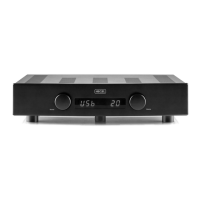
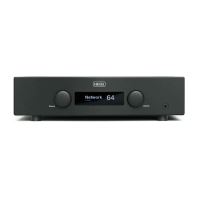
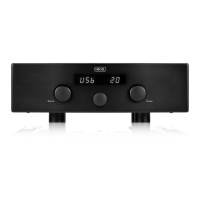
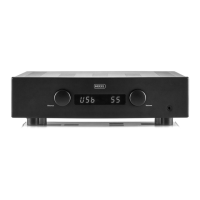
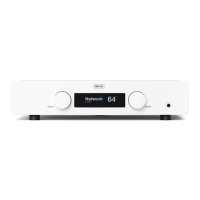
The H95 is designed for ease of use. The front panel features two knobs: one for input selection and one for volume control. These functions can also be controlled via the included Hegel RC10 remote control. The volume level is displayed on the front panel, ranging from 0 (mute) to 99 (maximum volume). The amplifier powers up at a default volume of 20, which can be customized through the device's menu.
Connecting Speakers: For optimal audio performance, it is recommended to place speakers equidistant from the listener. The H95 provides both right and left speaker outputs, clearly marked for easy connection.
Connecting Sources: The amplifier offers a variety of input options:
Power Connection: Always ensure the amplifier is powered off before connecting any audio or power cables. The AC power connector includes a fuse holder, and the unit is designed for 230V/115V/100V AC depending on the country.
Remote Control (RC10): The RC10 remote control provides comprehensive control over the H95, including power on/off (standby), mute, volume adjustment, input selection, and media playback controls (skip, play/pause) for most media players when connected via USB. The remote uses a CR2032 battery and requires the removal of a plastic protection strip before first use.
Device Menu and Configuration: The H95 has a menu system accessible by pressing and holding the "Play" button on the remote for 5 seconds. Navigation is done using the "Vol+" and "Vol-" buttons, and selection with the "Play" button. This menu allows users to:
Troubleshooting: For network issues, try disconnecting and reconnecting the power cord for at least 30 seconds. If problems persist, a factory reset can be performed through the amplifier's menu. For MAC users experiencing no sound via USB, check the System Preferences > Sound > Output settings and select "TE7022 Audio w/ SPDIF".
Cleaning: The H95's front panel and top cover can be cleaned with a cloth moistened with warm water and a mild detergent suitable for cleaning mirrors and windows. Avoid harsh chemicals or abrasive materials.
Software Updates: The H95 supports over-the-air software updates, ensuring the device can receive new features, bug fixes, and performance improvements. Users are advised to regularly check for updates through the device menu.
 General
| Frequency Response | 5 Hz - 100 kHz |
|---|---|
| Signal-to-Noise Ratio | >100 dB |
| Minimum Load | 2 Ohms |
| Damping Factor | >2000 |
| Power Output | 60W per channel (8 Ohms) |
| Inputs | 1 x Coaxial, 3 x Optical, 1 x USB, 1 x Network |
| Outputs | 1 x RCA (Pre-out), 1 x Headphone Out |
| Dimensions | 100mm x 430mm x 310mm (H x W x D) |
| Input Impedance | 47 kOhms |

 To Next Page