5
OPERATION GUIDE
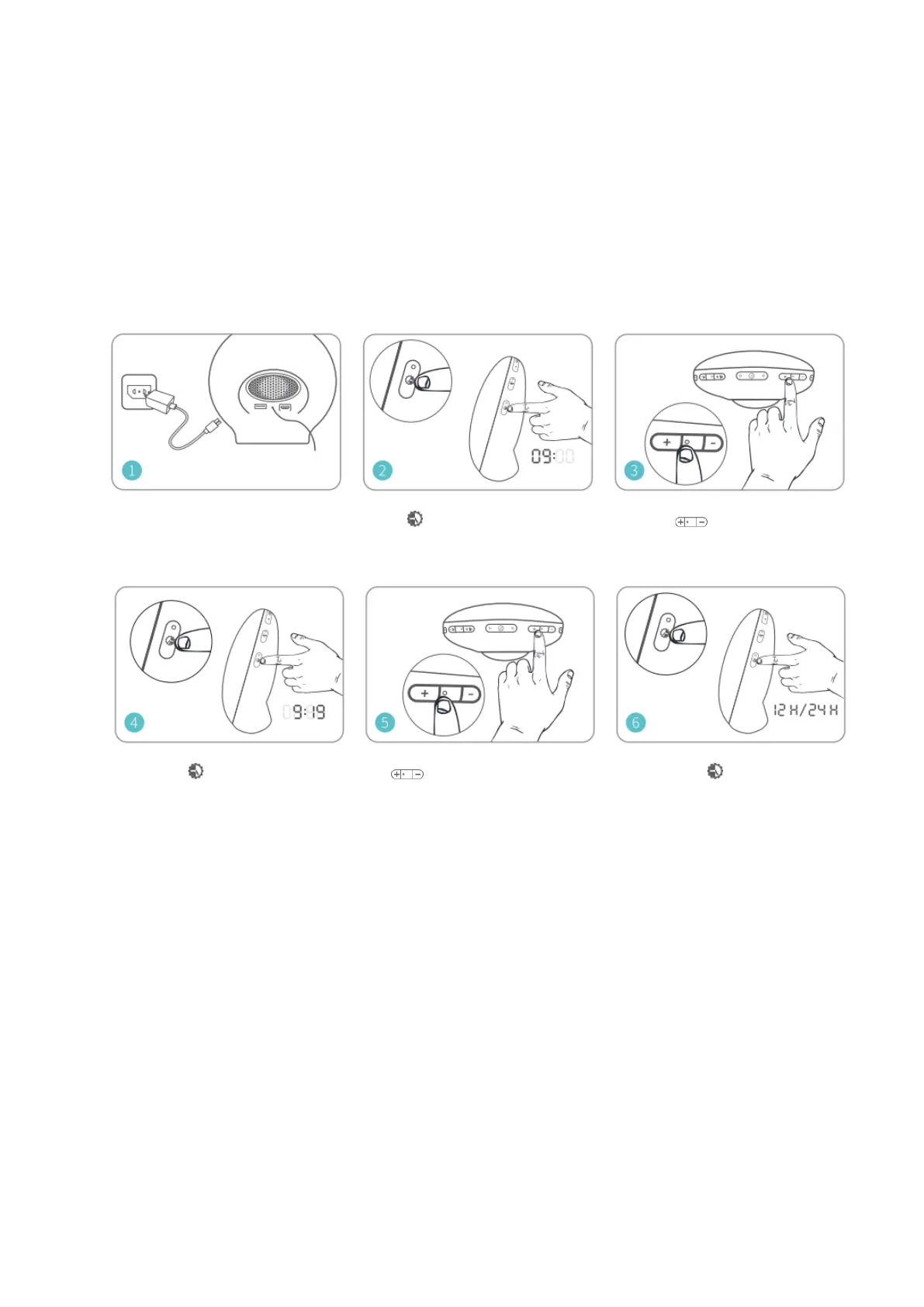
First use- setting the clock time:
You have to set the clock time when you plug in the appliance for the first time.
Set the time
Plug in the power and start Hold for 3 seconds until the Use to adjust the
setting. hour time begins to blink. Hour.
Press the again to confirm Use to adjust the minutes. Press the once more
the hour time and move to the to confirm the minutes
minutes. And move to choose
the time format.
Note: When the 12-hour time format is selected, PM or AM will be displayed.


 To Next Page