9
Turn on radio
In time state, press to switch on/ switch off FM radio. Long press for three
seconds to set FM frequency. Short press to set radio volume.
Turn off radio
In radio-on state, press to turn off FM radio.
Note: To get a good radio signal, fully unwind antenna and move it around until you
receive the best reception.
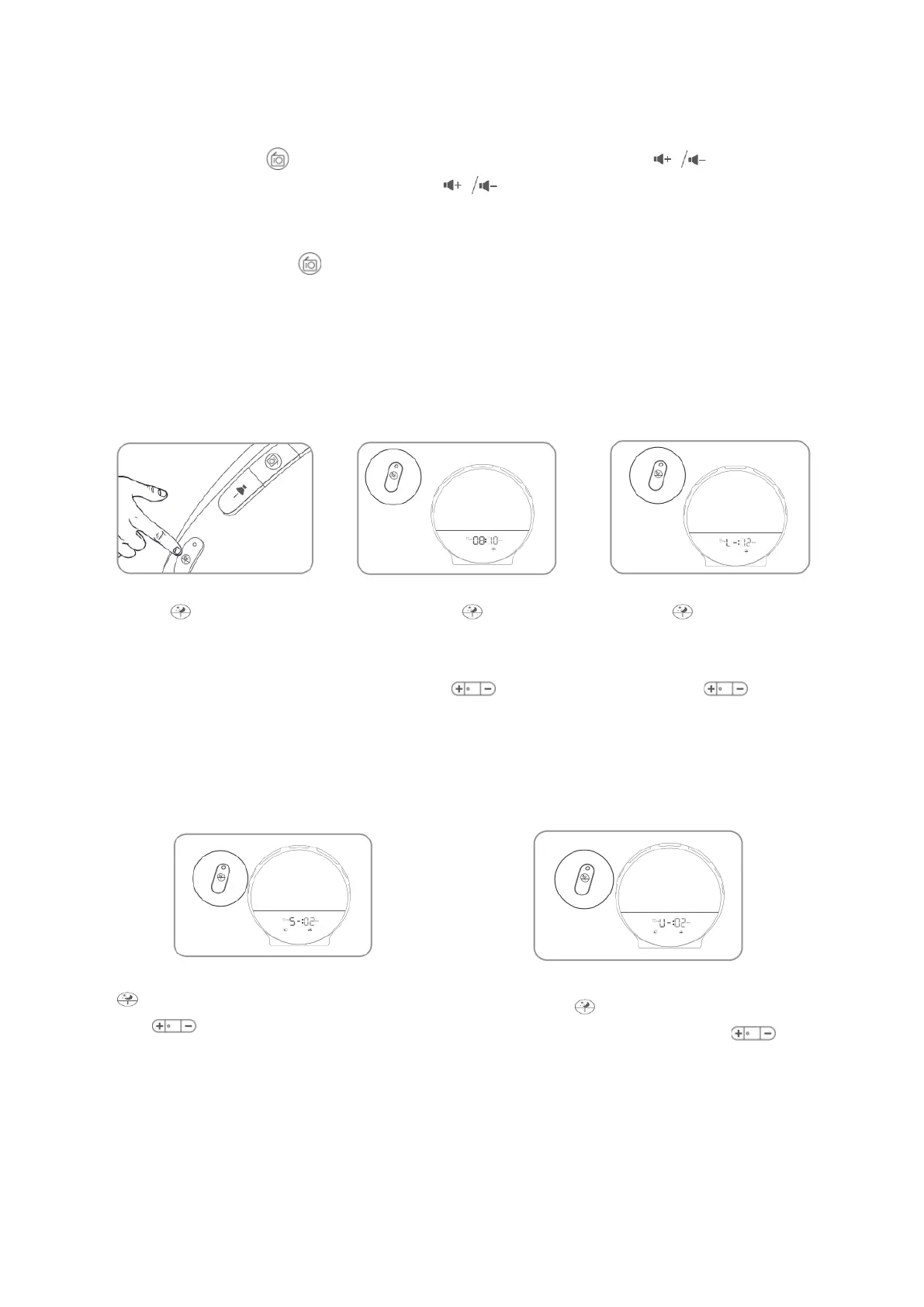
SETTING THE SLEEP TIMER
Press to initiate sleep Long press to set the Press second time
timer. simulated sunset time, to set the sleeping light
and press to adjust and press to adjust
the timer. the light intensity.
Press third time to set the sleeping music,
and press to choose the sound. You can
use the natural sounds or the FM radio as a
sleeping sound, the wake-up light has three
built-in natural sounds.
Press fourth time to set the sleeping
sound volume, and press to adjust
the volume.


 To Next Page