18
check the moments when there was a visitor pressing the Doorbell Button,
motion or human detected.
Notes:
• Tap Cloud to play the videos recorded on the encrypted cloud if you’ve
subscribed to a cloud plan. Please go to > Cloud storage service to subscribe
to, check, renew and change a cloud plan, or enter the activation code.
• If you have installed a memory card and subscribed to the cloud plan, the videos
will be recorded in the memory card and cloud at the same time.
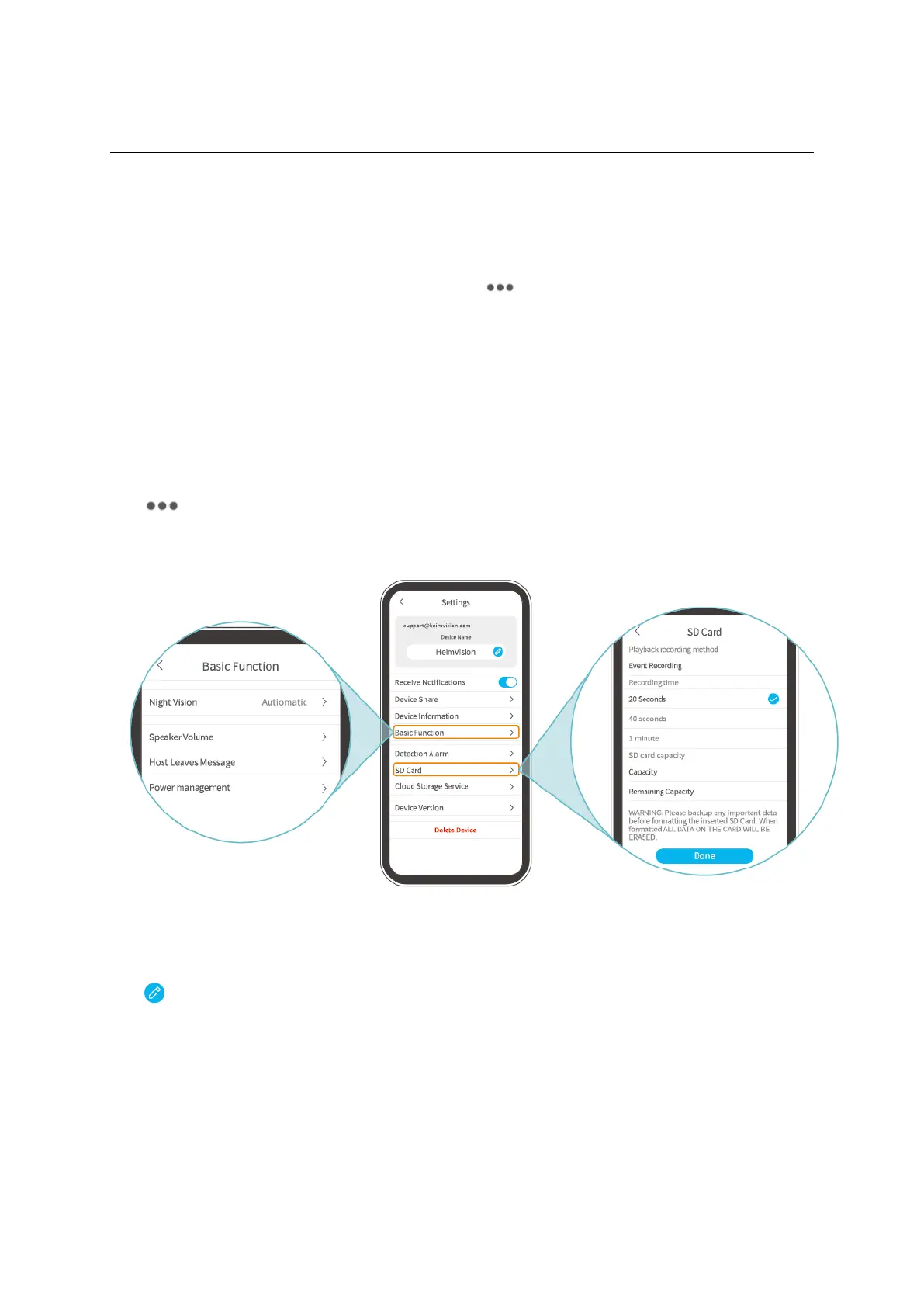
Settings
Tap to access the detailed settings for the doorbell.
Device Name:
Tap to edit the name of your doorbell.
Receive Notifications:
Turin it on and allow HeimLife App to push notifications to your mobile device.
Device share:
Tap to start sharing your doorbell with your family members.
Device Information:
Check the information about the doorbell, including network, signal strength, virtual ID


 To Next Page