14
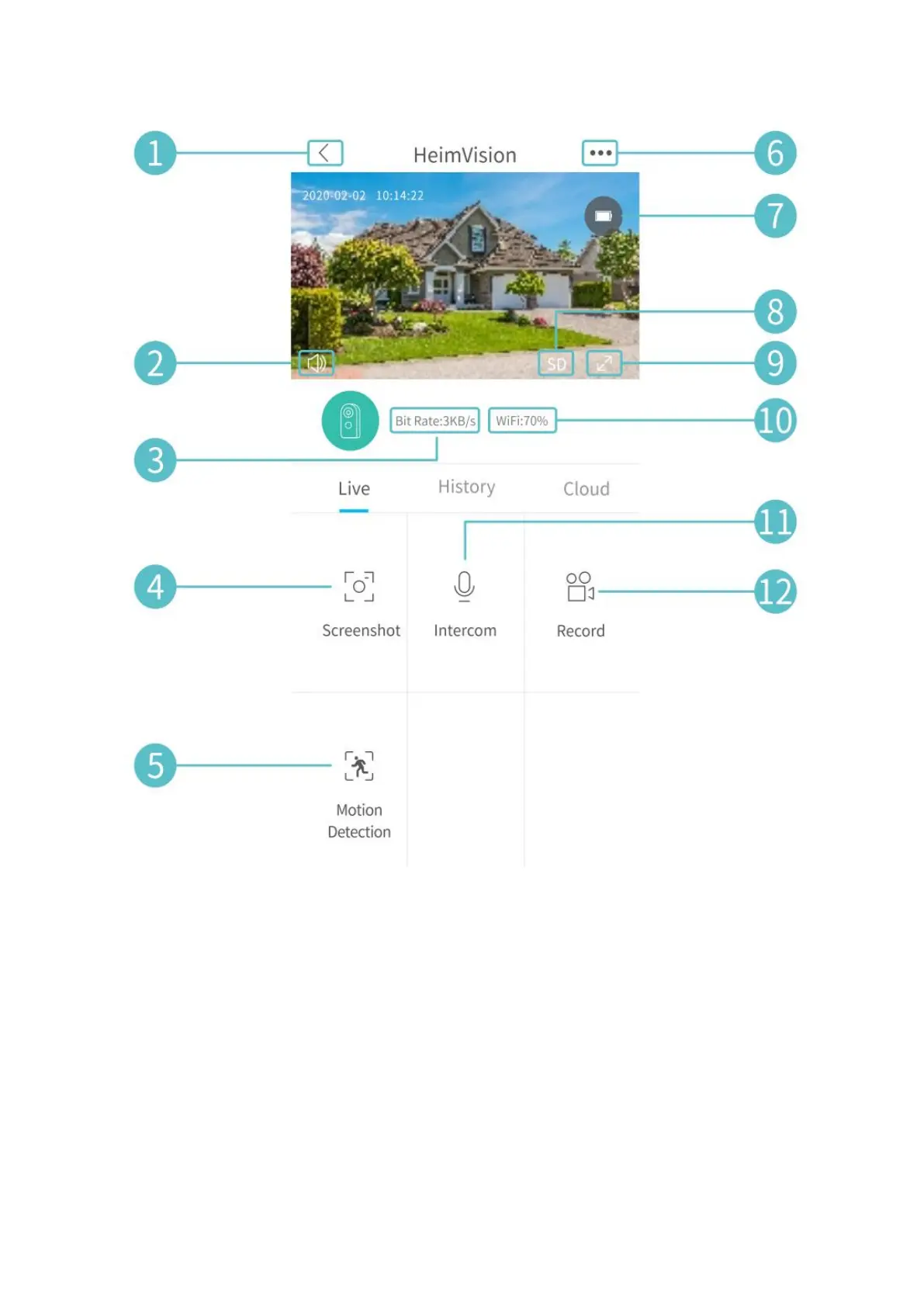
1. Back to the main interface.
2. Turn on/off the live audio from the camera.
3. Real-time bit rate of the live video.
4. Tap to capture a photo and save to Me > Picture & Videos.
5. Motion Detection on/off.
6. Detailed Settings.
7. Battery status of the camera. If the battery icon shows red, please charge the
camera timely.
8. Toggle between SD and HD; SD is recommended for smoother streaming.
9. Full screen.
10. Wifi Signal: If it is less than 70%, please check your network and keep the camera
and your router closer.
11. Tap and hold to talk with people near the camera.


 To Next Page