16
Video Playback
Video Playback in Memory Card
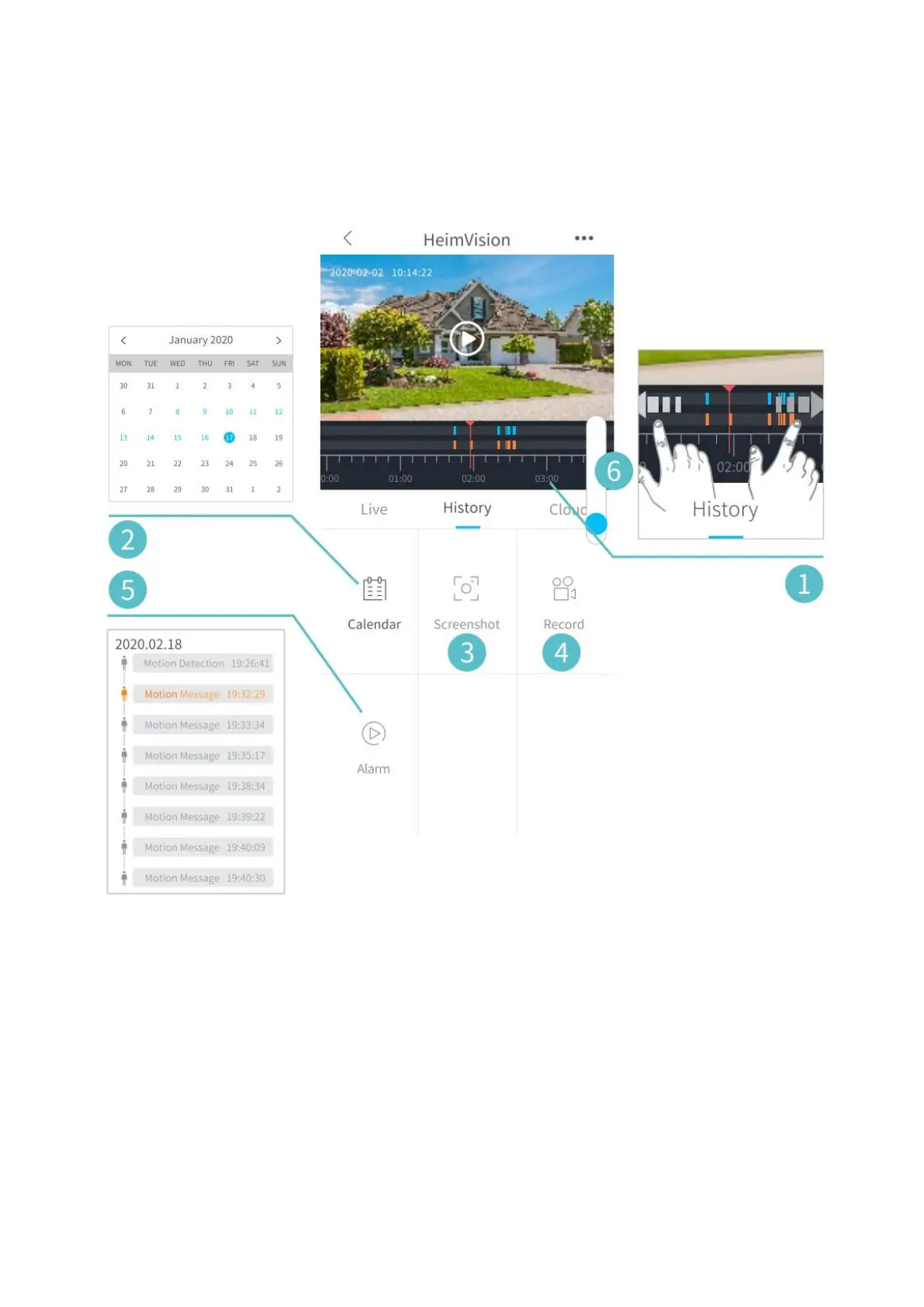
Tap History to play the videos recorded in the memory card if you’ve installed a memory
card.
1. Timeline: Slide leftward or rightward to check the videos. Blue bars stand for the
videos recorded when the camera detects motions cause by people or animals, while
red bars stand for the moments when the event occurred to wake up the camera to
start recording.
2. Tap the date with blue background to play the video recorded on that day.
3. Screenshot: Slide to the blue bar, then tap to capture a photo and save to Me >
Picture & Videos.
4. Record: Slide to the blue bar, then tap to start recording a video; tap again to end and
save it to Me > Picture & Videos.
5. Alarm: Check the moments when the motion detection is triggered.
6. Timeline zoom in/out.


 To Next Page