9
Tip:
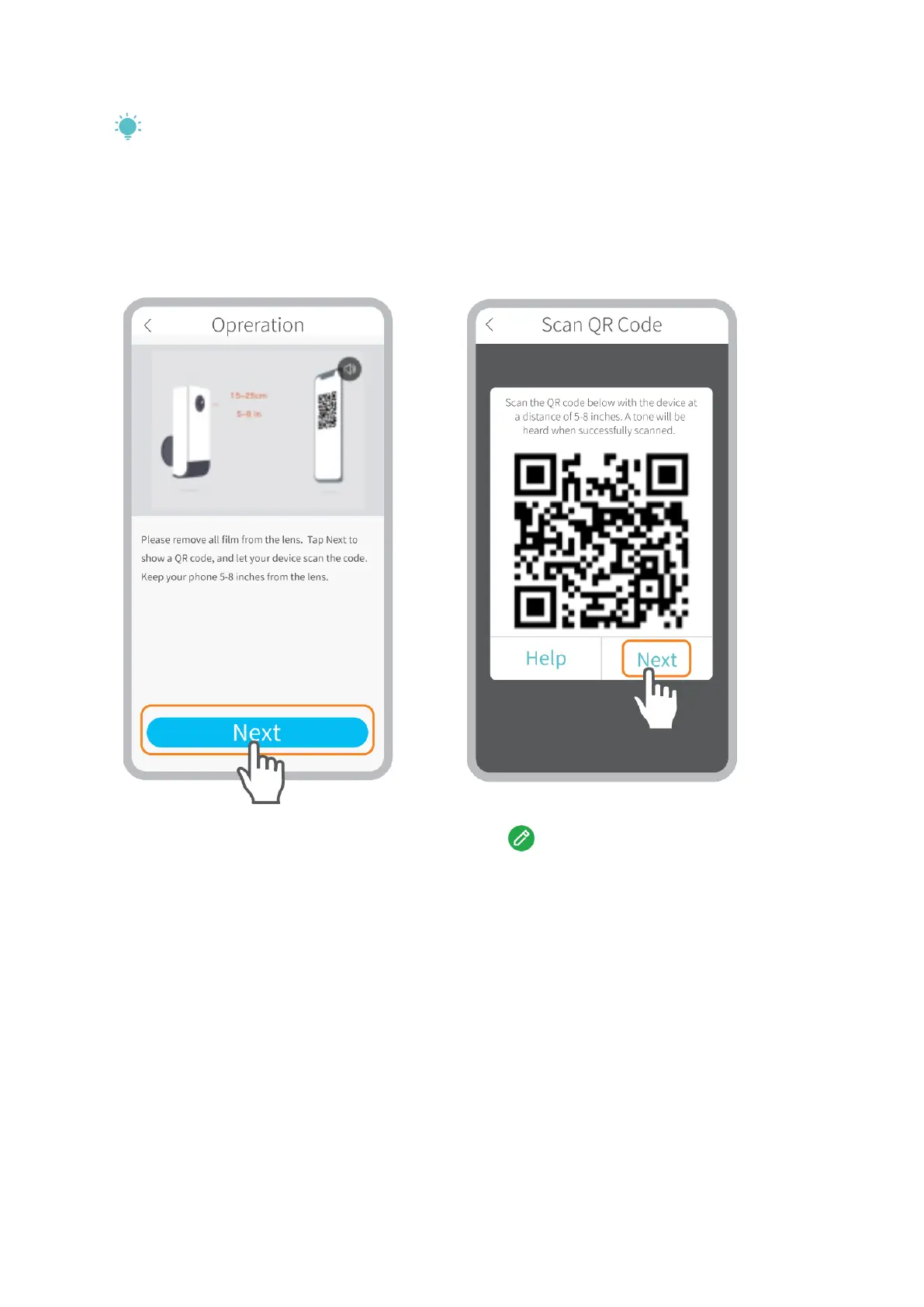
If you didn’t hear the beep, please tap Help > More Options to connect it by AP Hotspot.
Step 4:
Wait for connection after scanning. Device Found stands for a successful connection,
then tap Done to start the experience.
The camera is connecting to your Tap to edit the name of the
wifi. camera.
Connecting by AP Hotspot
Step 1:
If the camera can’t be connected by scanning the QR code, a prompt of The device not
found will be displayed on the interface of Wifi Setup. Please tap other methods to
connect the camera by AP Hotspot.


 To Next Page