TEMPERATURE CONTROL
Temperature control of fresh food storage compartment
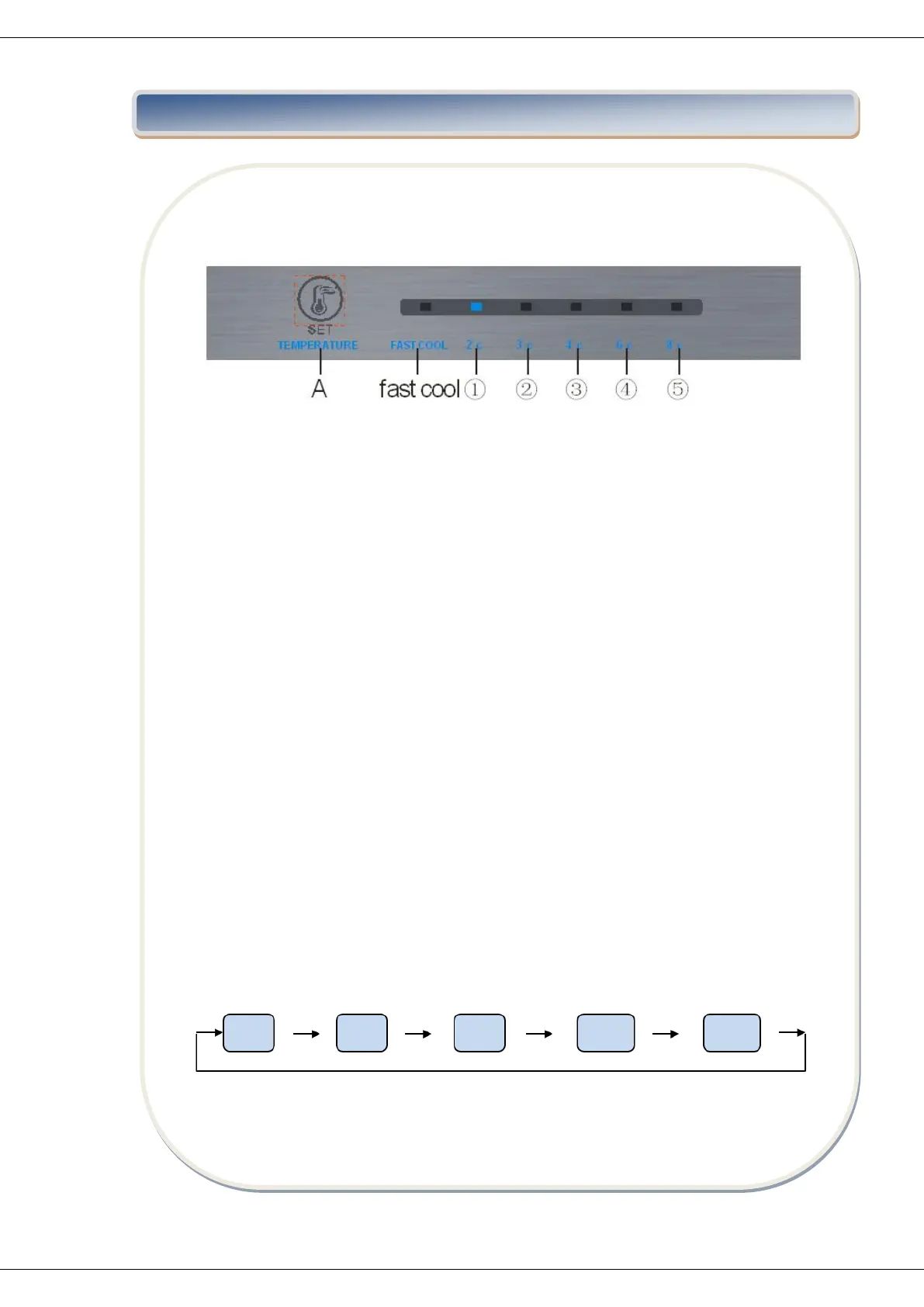
Key
A. SET: gear setting key
Display screen
1 – Gear 1
2 – Gear 2
3 – Gear 3
4 – Gear 4
5 – Gear 5
Display
For the first power-on, the display screen (including the key light) will be displayed in full
for 3s, and then the gear in the middle displays the state of running
Display of normal running
On the occurrence of a failure, the corresponding LED light will give a combined display of
failure code (loop display);
Where there is no failure, the LED light will display the current running gear of the
refrigerator.
Gear setting
The gear will be changed once every time when you press the key SET. Then, the
refrigerator will run under the setting value after 15s.


 To Next Page