OPERATING THE FAN
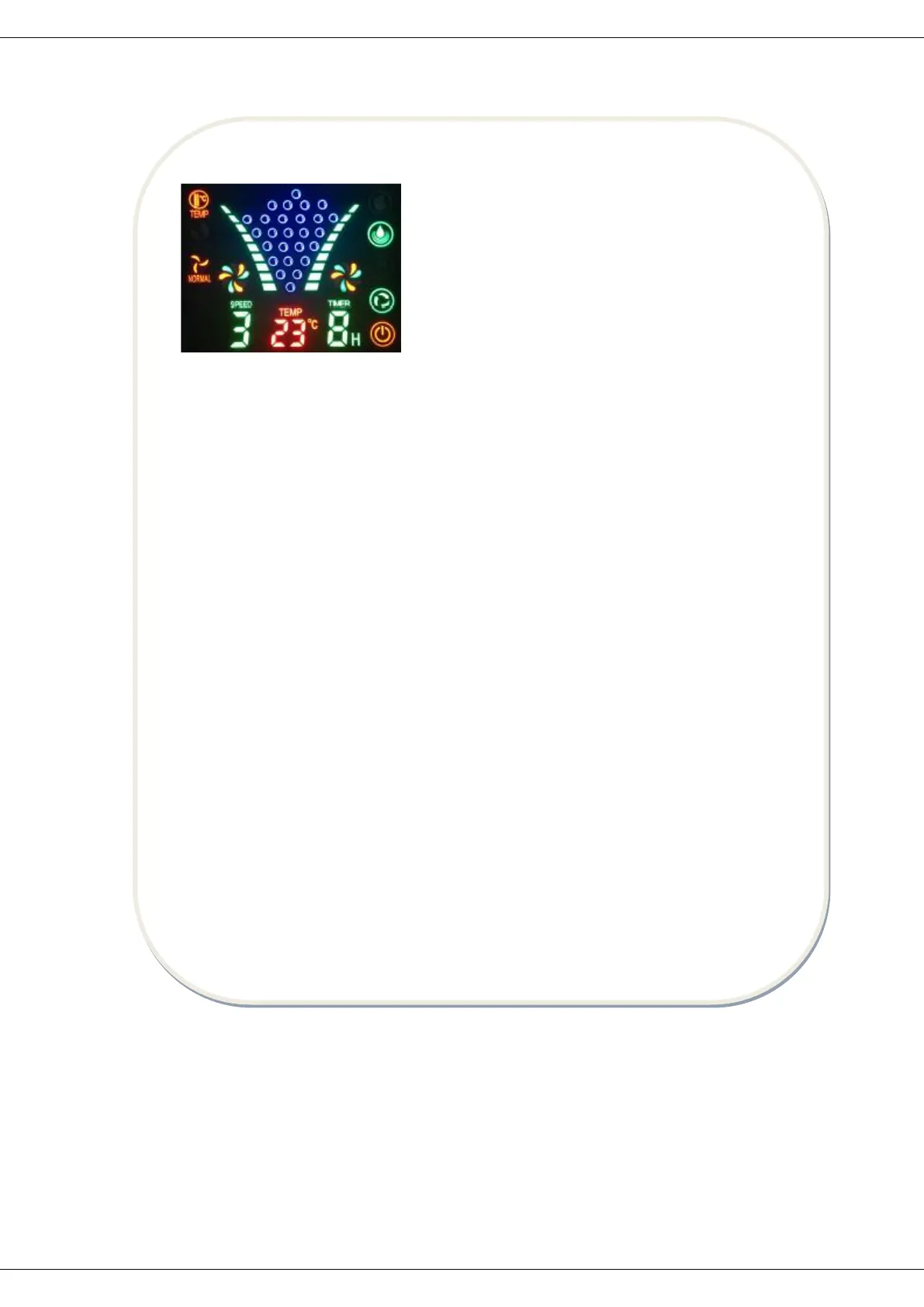
1. Insert the plug to the electrical outlet; make sure that the indicator light is on as
shown above.
2. Press “ON/SPEED” button to choose the wind speed- Low, Mid, High that matches
the light on the LED screen.
3. Press “MODE” button to choose the wind type, meanwhile the corresponding light
switches on.
“NORMAL”: Wind blow based on Low/Mid/High speed.
“NATURAL”: Imitate the blow of natural wind based on strong and soft wind.
“SLEEP”: the first half and hour after running as strong and soft natural wind. It becomes
mid natural wind. The second half an hour it changes to soft natural wind until the end of
preset time.
4. Press “ROTATE” button to change the wind direction, meanwhile the corresponding light
switches on. Press this button again to stop rotating.
5. Press “TIMER” button to set the time using the timer function. To set a time of 1 hour
you need to press the button once and to set 8 hours of running time you need press 8
times and the number of hour will be changed every time.
6. Press “MIST” button, the light is on, the mist will spread out of the front mist plate.
7. Press “MOSQUITO REPELLENT”, the light turns on, the tablet is vaporized and emits a
distinct smell that repels the mosquitoes.
8. Press “OFF” button, it switches off the fan and all fan functions return to initial
condition.
When using REMOTE COTROL, it must be directed at the infrared port, it may not operate
properly. Remove the batteries out of the remote control if you do not intend to use the
remote control for a long period of time, unremoved batteries may damage your remote
control.


 To Next Page