Finding an Address
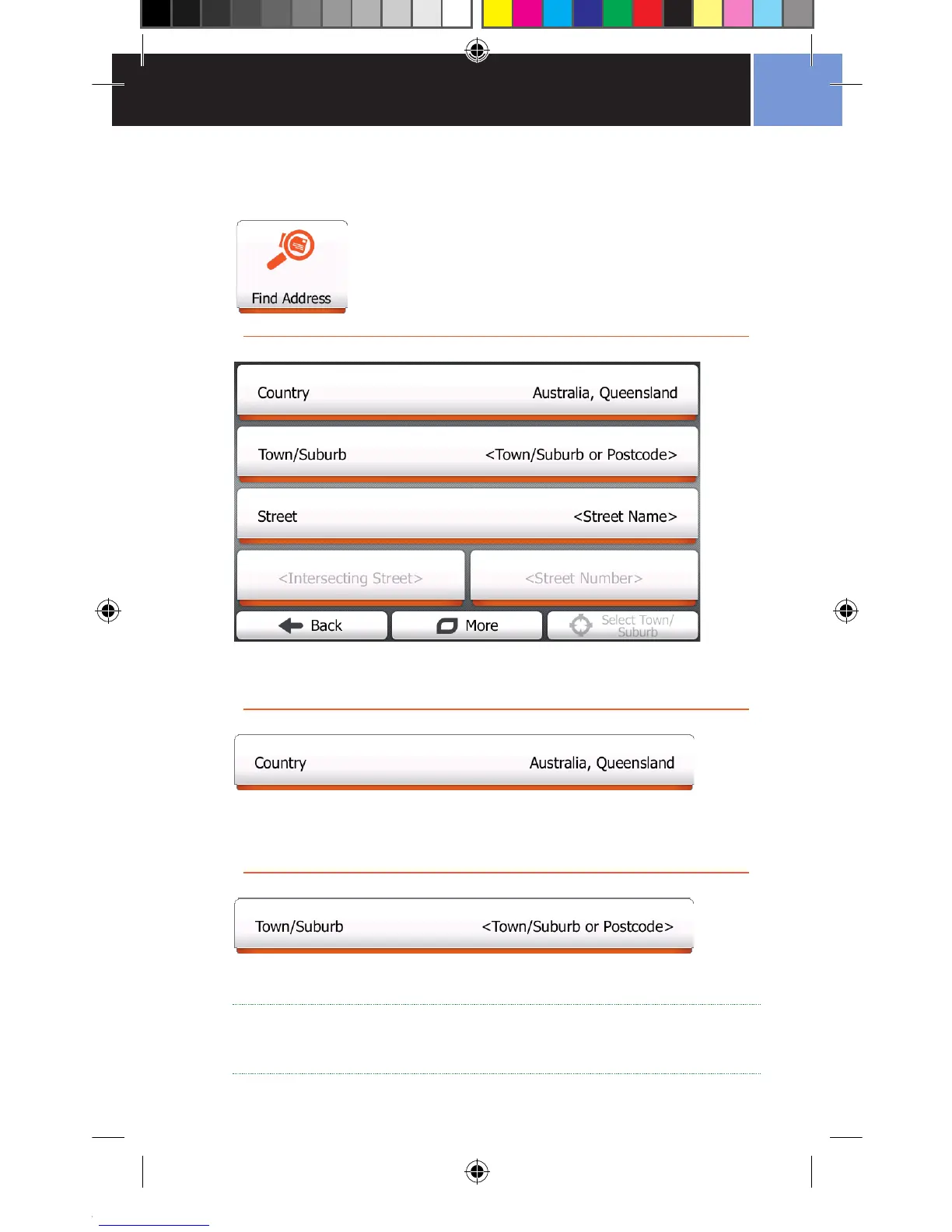
Tap the Find Address button on the Find Menu.
The Find Address screen allows you to specify where you want to go by
entering the address details of your destination.
The Country selection will, by default, show you the Country and State where
you are currently located. If you need to, change the Country/State by tapping
the Country button, and entering data with the on screen keyboard.
Choose the Town/Suburb by tapping the Town/Suburb Selector, and
entering data with the on screen keyboard.
TIP: If you are not sure of the exact Town/Suburb name you can leave
this blank. However, searching may be slower as the entire state will
be searched.


 To Next Page