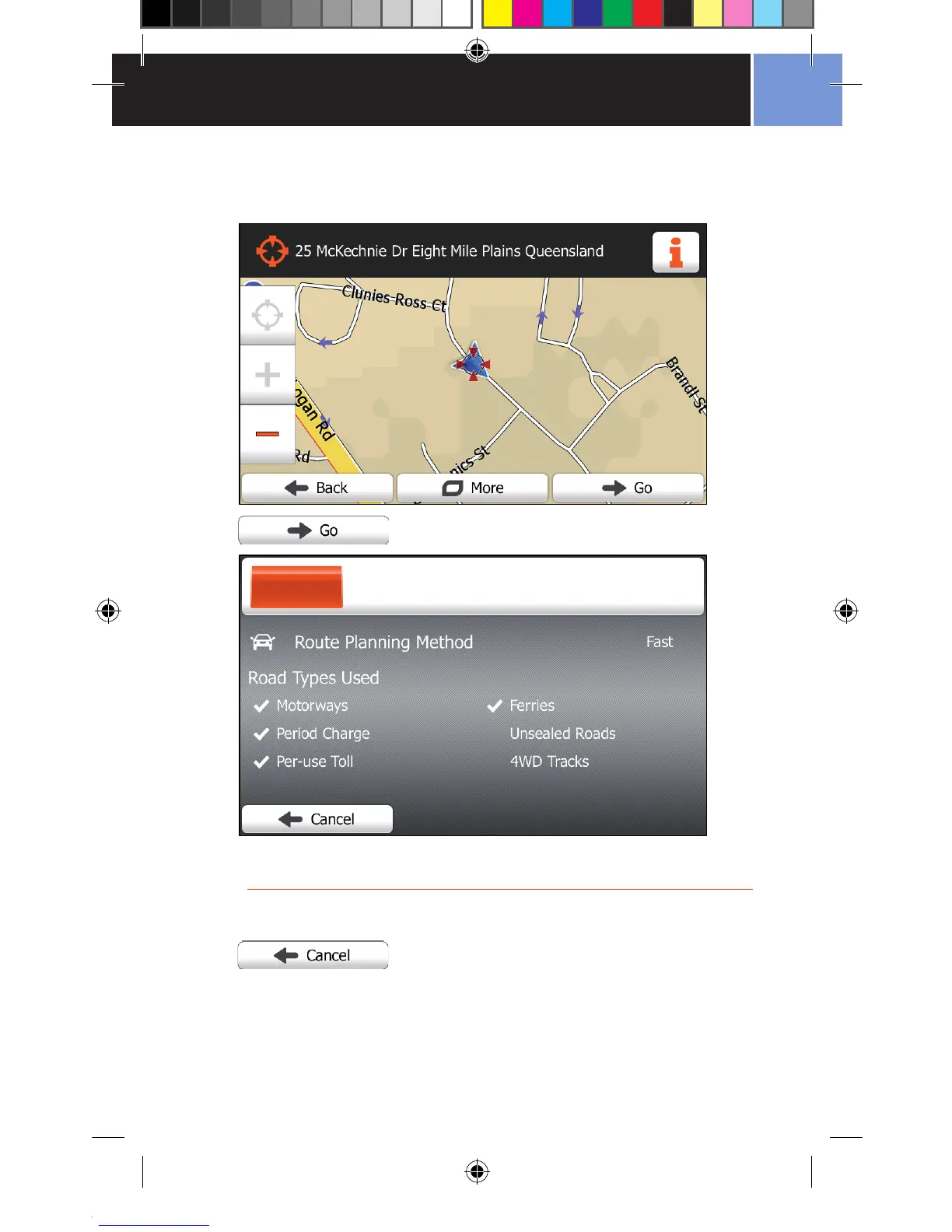
You will then see a 2D map view of the address you have selected, with the
selected address marked with a cursor.
Tap the Go Button to calculate a route to your selected destination.
The route to your destination is now calculating.
If you change your mind, you can tap the Cancel Button to return to the
previous screen, and choose a new destination.
The Route Planning screen shows a summary of route options while calculating
the route. These options can be changed on the More Menu > Settings >
Route Settings screen.


 To Next Page