12
EN
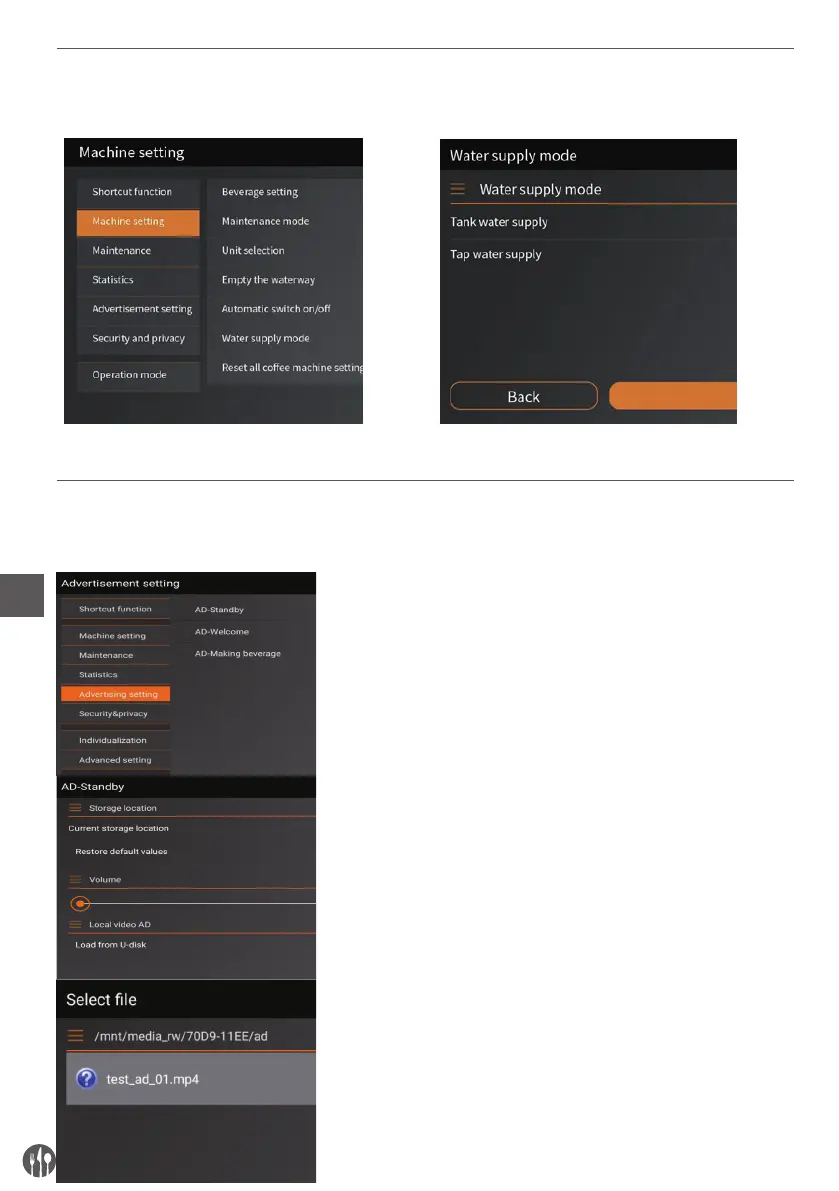
WATER SUPPLY MODE SETTING
Enter “Machine setting” and select “water supply” Enter “Water supply” setting and select “Tap water supply”.
ADVERTISEMENT SETTING
AD-Standby setting
After entering the program settings, click the ‘advertisement setting’.
Then select ‘AD-standby’ setting.
Enter ‘AD-standby’ and select ‘Load from U disk’
Select the video to set and then confirm (MP4 format, no other formats
are supported now.)


 To Next Page