EasyManua.ls Logo

Henny Penny AHC-993 - User Manual

Henny Penny AHC-993
65 pages
Print Icon
To Next Page IconTo Next Page
Loading...
Henny Penny
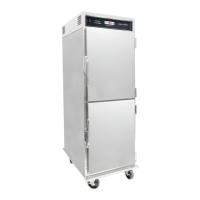
Humidied Holding Cabinets
With Automatic Water Fill
Model AHC-993
Model AHC-990
TECHNICAL MANUAL

Questions and Answers

  • S
    Steven KnightSep 23, 2025
    What does 'CALL SERVICE, WATER HEATER FAILURE' mean on Henny Penny AHC-993?
    • E
      Elizabeth BradleySep 23, 2025
      Check the heater relay and heater of your Henny Penny Commercial Food Equipment. This error is caused by a faulty relay or heater.
  • A
    Amanda KingAug 23, 2025
    What to do if Henny Penny AHC-993 displays 'E-5 AIR TEMP TOO HOT'?
    • R
      Riley CopelandAug 23, 2025
      To resolve the 'E-5 AIR TEMP TOO HOT' error on your Henny Penny Commercial Food Equipment, begin by turning the switch to the OFF position, and then back to ON. If the display continues to show 'E-5', inspect the heating circuits and temperature probe. After the unit cools down, the controls should return to normal. If 'E-5' persists, have the PC board replaced. This error can be caused by a faulty relay, PC board, or air probe.
  • C
    Carlos RivasAug 25, 2025
    How to troubleshoot 'E-6A AIR TEMP SENSOR FAILED OPEN' on Henny Penny AHC-993 Commercial Food Equipment?
    • S
      Susan EllisAug 26, 2025
      If your Henny Penny Commercial Food Equipment displays 'E-6A AIR TEMP SENSOR FAILED OPEN', turn the switch to the OFF position, then back to ON. Check the temperature probe and repair or replace it. Once the temperature probe is repaired or replaced, the controls should return to normal. If 'E-6' persists, have the PC board replaced. This error typically indicates a faulty air probe.
  • J
    John HoustonAug 27, 2025
    What does 'E-6B AIR TEMP SENSOR FAILED SHORTED' mean on Henny Penny AHC-993?
    • M
      mrichardsonAug 27, 2025
      If your Henny Penny Commercial Food Equipment displays 'E-6B AIR TEMP SENSOR FAILED SHORTED', turn the switch to the OFF position, then back to ON. Check the temperature probe and repair or replace it. Once the temperature probe is repaired or replaced, the controls should return to normal. If 'E-6' persists, have PC board replaced. This error is caused by a faulty air temperature probe.
  • R
    robert00Aug 27, 2025
    What to do for 'E-17 HUMIDITY SENSOR FAILED' on Henny Penny AHC-993 Commercial Food Equipment?
    • S
      Samuel CarrollAug 28, 2025
      If your Henny Penny Commercial Food Equipment displays 'E-17 HUMIDITY SENSOR FAILED', turn the switch to the OFF position, then back to ON. Check the humidity sensor. Once the humidity sensor is repaired, or replaced, the controls should return to normal. If 'E-17' persists, have PC board replaced. This error is caused by a faulty humidity sensor.
  • N
    nicholas65Sep 18, 2025
    Why is Henny Penny AHC-993 showing 'WATER PAN NOT FILLING, CHECK WATER SUPPLY'?
    • J
      Joseph Montoya MDSep 18, 2025
      If your Henny Penny Commercial Food Equipment displays 'WATER PAN NOT FILLING, CHECK WATER SUPPLY', turn the water supply on. Adjust the flow control valve. Check the solenoid relay. Check the solenoid valve. This can be caused by the water supply being turned off, reduced water flow, a bad fill solenoid relay, or a bad fill solenoid.
  • J
    jbennettSep 15, 2025
    What to do if Henny Penny AHC-993 shows 'E-80 VENT STUCK OR BAD SWITCH'?
    • A
      Austin NewtonSep 15, 2025
      If your Henny Penny Commercial Food Equipment displays 'E-80 VENT STUCK OR BAD SWITCH', check the vent on rear of module for obstructions, or have vent activation switch replaced. Loosen vent acorn nuts if necessary. This can be caused by a vent on rear of module stuck or faulty vent activation switch.
  • B
    Brian MitchellSep 16, 2025
    What to do when Henny Penny Commercial Food Equipment says 'WATER LEVEL LOW, PLEASE ADD WATER'?
    • P
      Paul DownsSep 17, 2025
      If your Henny Penny Commercial Food Equipment displays 'WATER LEVEL LOW, PLEASE ADD WATER', fill the water pan, located at the bottom of the unit, to the maximum water fill mark. Note that this warning will not shut down the heat or humidity. The issue is that the water pan is low on water or empty.
  • D
    Danielle AlvarezSep 6, 2025
    Why is my Henny Penny AHC-993 Commercial Food Equipment steaming or making product soggy?
    • W
      William LeeSep 7, 2025
      If your Henny Penny Commercial Food Equipment is steaming excessively or the product is soggy, decrease the humidity setpoint in Special Program Mode. Ohm out the probe and replace if necessary. Replace the humidity sensor. Replace the relay. If the vent is stuck closed, replace the vent motor, or the vent motor relay. Check alignment and condition of mechanical vent parts. Loosen vent acorn nuts if they are too tight. This can be caused by a humidity setpoint that is too high, a faulty water heater probe, a bad humidity sensor, a relay stuck closed, or a vent stuck closed.
  • J
    Jeremy OsborneSep 4, 2025
    How to fix 'E-54A CPU TEMP SENSOR OPEN' error on Henny Penny AHC-993?
    • R
      robert13Sep 4, 2025
      If your Henny Penny Commercial Food Equipment is overheating and displaying 'E-54A CPU TEMP SENSOR OPEN', turn the switch to the OFF position, then back to ON. Re-initialize the control (see Programming Section). If the error code persists, have PC board replaced. The cause is a faulty PC board.

Summary

Troubleshooting Guide

Troubleshooting Introduction

Overview of the troubleshooting section and its purpose.

Safety Precautions

Highlights critical safety warnings and alert symbols used in the manual.

Troubleshooting Procedures

Details the systematic approach to identify and resolve unit malfunctions.

Error Codes and Warnings

Lists error codes, their causes, and recommended panel board corrections.

Info Mode Functionality

Explains how to use Info Mode to access historic operational data.

Level 2 Programming Functions

Programming Introduction

Introduces Level 2 programming modes for troubleshooting assistance.

Tech Mode Operations

Details accessing and using Tech Mode for diagnostics and calibration.

Stats Mode Data

Explains how to access and interpret operational statistics in Stats Mode.

Data Logging and Manufacturing Mode

Describes modes intended primarily for Henny Penny service use.

Maintenance and Component Replacement

Maintenance Introduction

Introduces maintenance procedures and provides general guidance.

General Maintenance Hints

Offers tips for using tools like multimeters during maintenance.

Humidity Sensor Service

Step-by-step guide for humidity sensor calibration and replacement.

Air Temperature Probe Replacement

Procedure for replacing the air temperature sensing probe.

High Limit - Air Heater Replacement

Instructions for replacing the air heater high limit safety device.

PC Board Replacement

Guide for replacing the main control panel or PC board assembly.

High Limit - Water Heater Replacement

Procedure for replacing the water heater high limit safety device.

Vent Motor Replacement

Steps for removing and replacing the unit's vent motor.

Water Pan Replacement

Instructions for removing and installing the water pan assembly.

Parts Identification and Ordering

Parts Information Introduction

Lists replaceable parts for Henny Penny AHC-993 and AHC-990 models.

Genuine Parts Usage

Emphasizes the importance of using only genuine Henny Penny parts.

Ordering Parts Procedure

Details the information required when ordering replacement parts.

Replacement Parts Warranty

Outlines the warranty coverage for replacement parts.

Recommended Spare Parts

Lists recommended spare parts for distributors and service vans.

Henny Penny AHC-993 Specifications

General IconGeneral
BrandHenny Penny
ModelAHC-993
CategoryCommercial Food Equipment
LanguageEnglish

Related product manuals