UK
US
6.3 Creating and playing a loop from a track
that is loaded and playing.
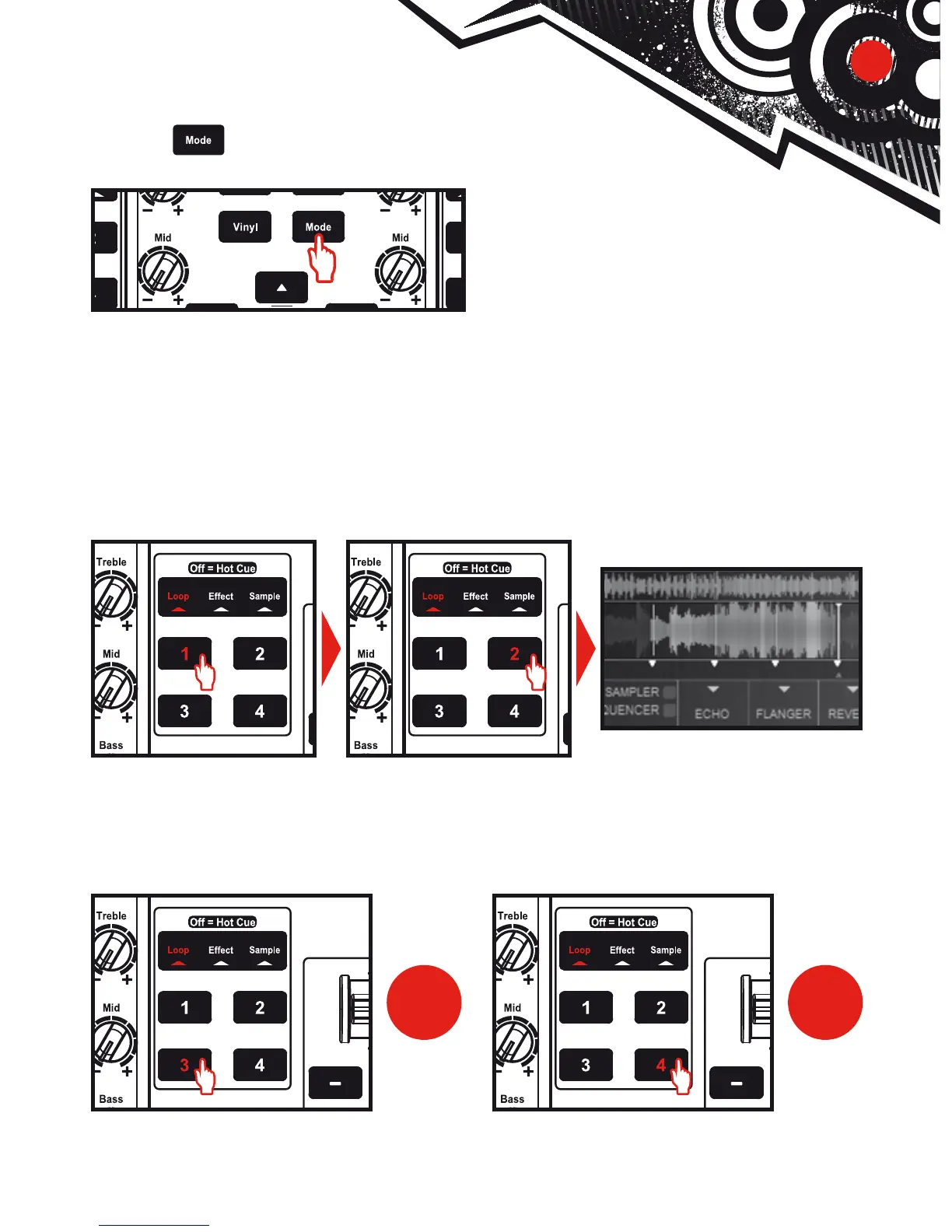
Press the button to select Loop mode.
When a track is playing, press button 1 to create the start of the loop (or “loop in” point),
and then press button 2 at the moment where you want to mark the end of the loop (or
“loop out” point).
Use the vertical lines in DJUCED™ (1 line = 1 beat), as well as the music being
played, to help you determine the best place for the end of the loop.
DJUCED™ plays a part of the track as a loop. Press button 2 to exit the loop and return to
normal playback.
Press button 3 to divide the loop length in half, and button 4 to double the length
of the loop.




 To Next Page