
 Need help?
Do you have a question about the Hercules UNIVERSAL DJ and is the answer not in the manual?
Instructions for connecting headphones to the front panel audio jack.
Instructions for connecting speakers to the rear panel outputs.
Steps to activate and create a loop using the controller pads.
How to increase or decrease the length of an active loop using the encoder.
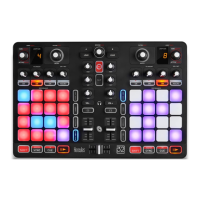
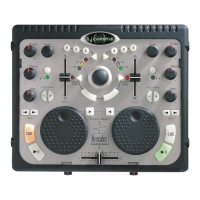
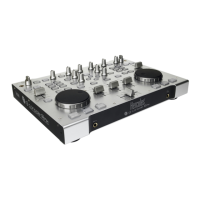
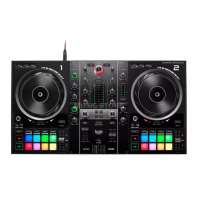
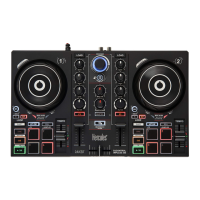
The Hercules Universal DJ is a versatile 2-deck DJ controller designed for seamless mixing across various platforms. It integrates Bluetooth® wireless technology, allowing users to mix with their computer, iPad, or Android tablet. The device supports a "dual screen" mode, where the DJUCED™ 40° software runs on a computer, and the DJUCED™ Master app operates on a tablet or smartphone, extending control capabilities.
The core function of the Hercules Universal DJ is to provide a comprehensive interface for DJing. It features two jog wheels with pressure detection, enabling precise scratching and track manipulation. Each deck includes dedicated controls for synchronization, setting cue points, and play/pause functions. The device offers a 3-band equalizer for sound shaping, scratch on/off toggles, and a record mix function for capturing performances. Easy transitions are facilitated by two high-pass filters.
Navigation through music files and folders is managed via a browser knob, with dedicated "LOAD A" and "LOAD B" buttons for loading tracks onto the respective decks. The controller also includes a crossfader for smooth transitions between tracks.
For advanced mixing, the Hercules Universal DJ incorporates 8 pads per deck, which can be assigned to various functions through a mode selector. These modes include:
The device provides a 6.35 mm headphones output for monitoring (channels 3-4) and a corresponding volume control. For main audio output, it offers RCA mix outputs (channels 1-2) and a 3.5 mm mix output (channels 1-2). Auxiliary RCA inputs (channels 1-2) allow for connecting external audio sources.
The Hercules Universal DJ supports three primary modes of operation, selectable via a mode switch located at the back of the device:
Laptop Mode: In this mode, the controller connects to a computer via USB and utilizes the DJUCED™ 40° software. This setup provides a full-featured DJing experience, with the computer handling the primary software interface and audio processing. The Hercules Universal DJ control panel, installed on the computer, allows for fine-tuning of jog wheel settings (enabling/disabling, sensitivity, touch sensitivity), output balance, and channel volumes.
Multi-screen Mode: This mode extends the computer-based DJUCED™ 40° experience by allowing a smartphone or tablet (running the DJUCED™ Master app) to act as a remote control. The controller remains connected to the computer via USB, while the tablet/smartphone connects wirelessly via Bluetooth®. This setup offers enhanced flexibility, enabling remote control of certain DJUCED™ 40° functions from a mobile device.
Tablet Mode: In this standalone mode, the Hercules Universal DJ connects to a USB power source (or a computer's USB port for power) and pairs directly with an iPad or Android tablet running the DJUCED™ App via Bluetooth®. The tablet becomes the primary control interface, allowing users to mix music directly from their mobile device without a computer.
Headphones are connected to the front panel, and users are advised to adjust the volume carefully to prevent hearing damage. Speakers are connected to the rear panel via RCA or 3.5mm outputs.
Music files are loaded into DJUCED™ 40° by browsing folders and files using the rotary browser knob and "LOAD A" or "LOAD B" buttons. The software automatically analyzes the BPM of loaded tracks. DJUCED™ 40° supports popular audio formats like mp3, wav, wma, and aif, provided the necessary codecs are installed on the computer.
Monitoring allows DJs to preview and prepare the next track without the audience hearing it. This involves using the headphones output and dedicated "Headphones" buttons on each deck. The "Cue" button is used to set a temporary playback point.
Mixing involves seamlessly transitioning between tracks. This is achieved by loading tracks onto both decks, adjusting volume faders, and using the crossfader. The "Sync" button helps synchronize BPMs for smooth transitions. An alert is displayed when a track is nearing its end, prompting the DJ to prepare the next mix.
The device supports scratching when the "Scratch" button is activated. Users can manipulate the jog wheels to perform scratching effects.
HotCue points are markers placed within a track for instant playback from specific locations. Up to 8 HotCue points can be set and triggered using the pads. HotCue points can also be deleted.
In FX mode, pads trigger various effects, and an encoder modulates their intensity. The DJUCED™ 40° software displays the active effects. Mapping configurations for effects can be customized in the software settings.
In Sample mode, pads trigger short audio samples. The pad lights up for the duration of the sample.
In Loop mode, pads activate loops of preset lengths. The encoder allows for increasing or decreasing the loop length (doubling or halving it).
Users can create playlists within DJUCED™ 40° to organize tracks by genre or theme. Tracks can be added to playlists by highlighting them and clicking the "create playlist" button, or by dragging and dropping files.
The Hercules Universal DJ is designed for durability and ease of use.
 General
| Channels quantity | - channels |
|---|---|
| Digital sound processing | - bit |
| AUX in | Yes |
| Headphone connectivity | 3.5 mm |
| USB 2.0 ports quantity | 1 |
| Product color | Gray |
| Backlight color | Blue |
| Video capability | - |
| Number of jog wheels | 2 |
| Minimum RAM | 2000 MB |
| Minimum processor speed | 2000 MHz |
| Mac operating systems supported | Mac OS X 10.7 Lion, Mac OS X 10.8 Mountain Lion, Mac OS X 10.9 Mavericks |
| Windows operating systems supported | Windows 7 Enterprise, Windows 7 Enterprise x64, Windows 7 Home Basic, Windows 7 Home Basic x64, Windows 7 Home Premium, Windows 7 Home Premium x64, Windows 7 Professional, Windows 7 Professional x64, Windows 7 Starter, Windows 7 Starter x64, Windows 7 Ultimate, Windows 7 Ultimate x64, Windows 8, Windows Vista Business, Windows Vista Business x64, Windows Vista Enterprise, Windows Vista Enterprise x64, Windows Vista Home Basic, Windows Vista Home Basic x64, Windows Vista Home Premium, Windows Vista Home Premium x64, Windows Vista Ultimate, Windows Vista Ultimate x64 |
| Cables included | RCA, USB |
| Equalizer bands quantity | 3 |
 Weight and Dimensions
| Depth | 230 mm |
|---|---|
| Width | 400 mm |
| Height | 45 mm |
| Weight | 1500 g |



 To Next Page