BASIC TINTWISE® OPERATIONS
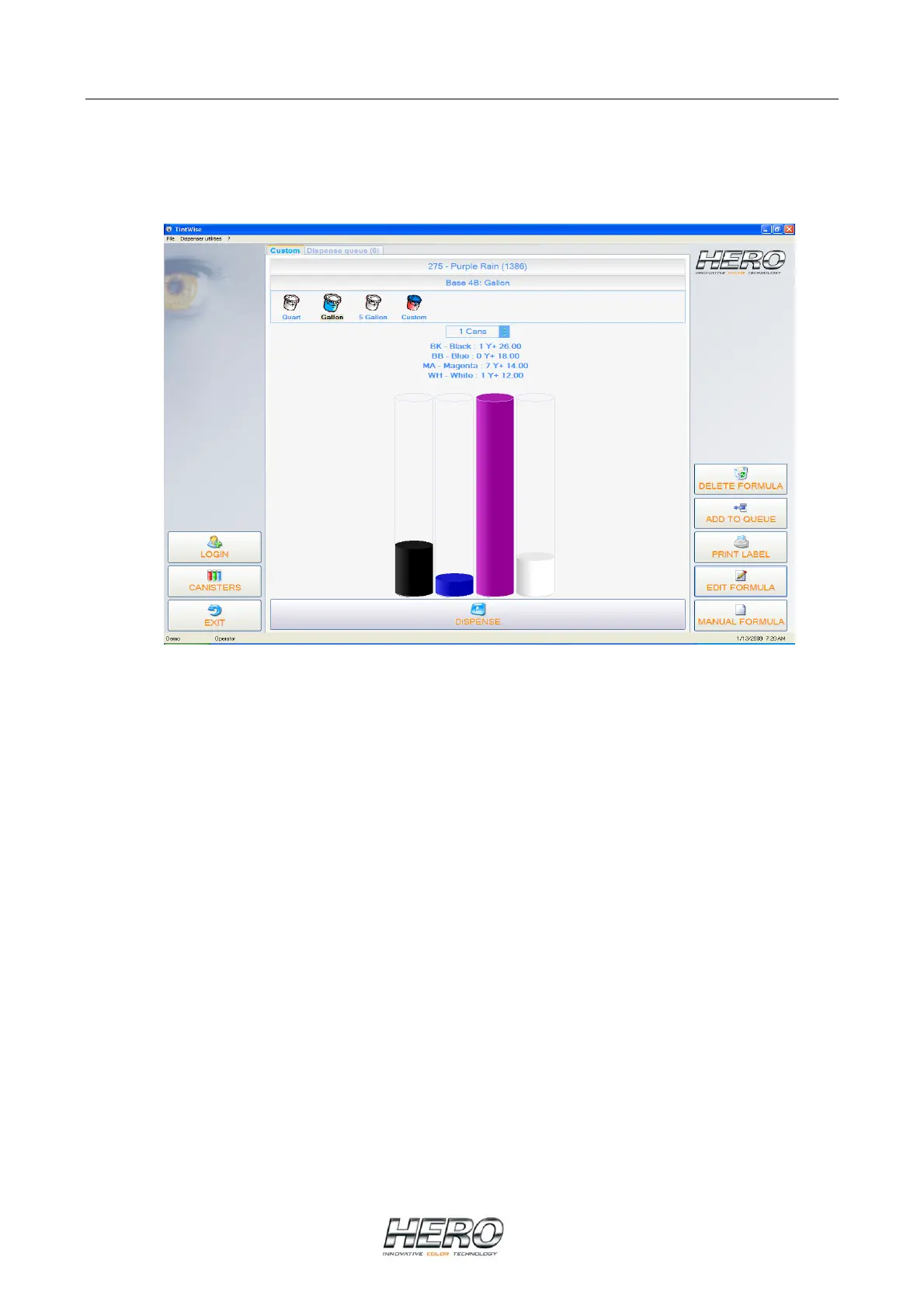
Main Dispense Screen
LOGIN - Allows login of different user levels. A password is required.
CANISTERS - Selecting this button will take you to the canister screen where you can purge,
agitate, and change the canisters’ levels.
EXIT - Exits TintWise® program.
DELETE FORMULA - This will allow you to delete a formula out of the queue (when the queue is
enabled).
ADD TO QUEUE - Allows you to add the current formula being displayed to the queue (when the
queue is enabled).
PRINT LABEL - Allows you to print a can label (when a printer is enabled in TintWise).
EDIT FORMULA - Allows you to edit the formula currently being displayed.
MANUAL FORMULA - Allows a manual or custom formula to be entered and dispensed.


 To Next Page