BASIC TINTWISE® OPERATIONS (Cont.)
To start with a clean page, click on the blank page icon located next to the first colorant
listed on the left side.
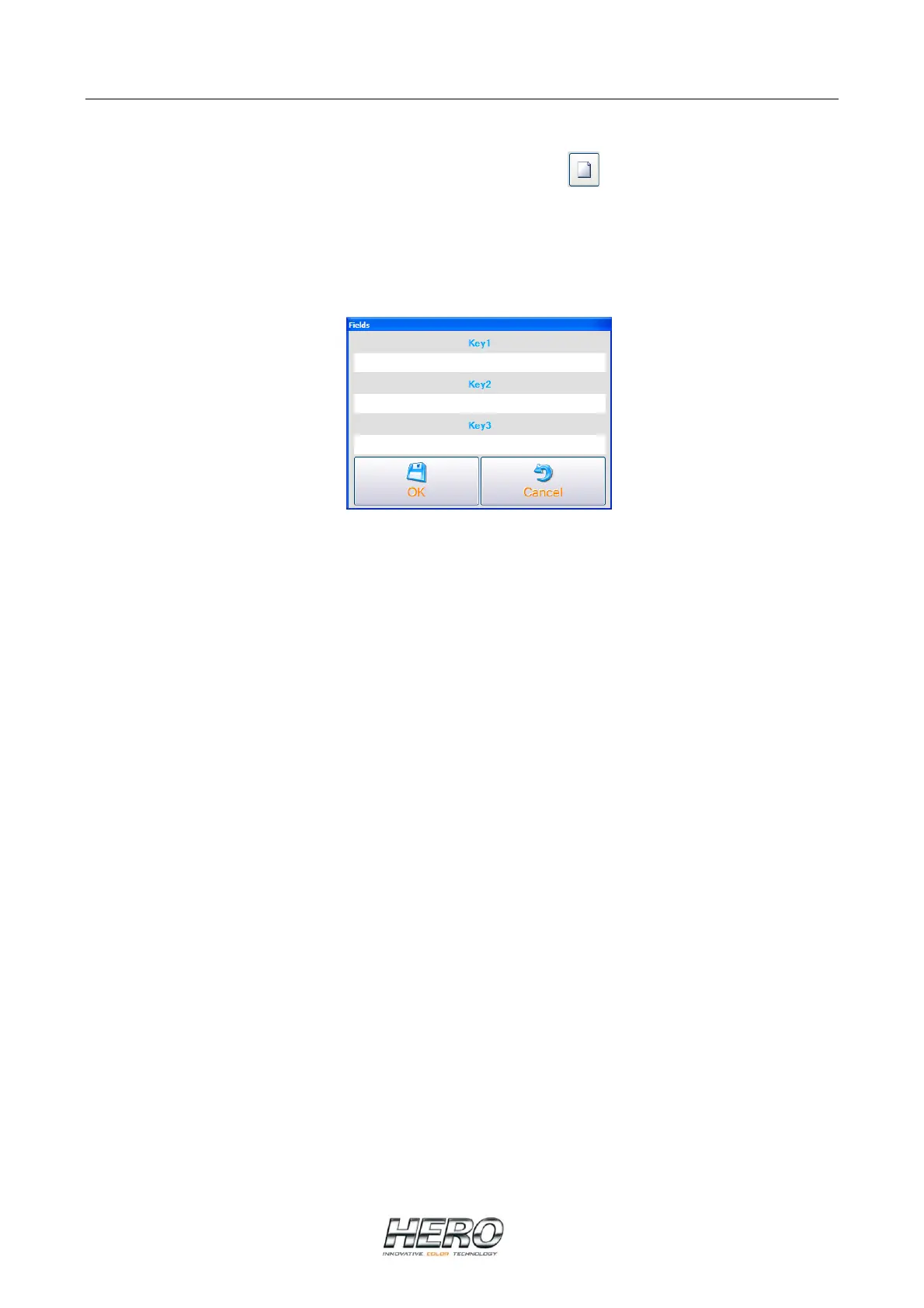
To save the formula, either before or after dispensing, click on Save at the bottom of the window.
The following window will appear:
Three (3) fields are displayed as “Key1”, “Key2”, and “Key3”. These labels or titles can be
changed as per a store’s needs (contact HERO customer service @ 800-494-4376 for further
details).
These fields represent 3 different ways to save formulas using, for example, a customer’s name
(Key1), formula name (Key2) and telephone number (Key3). Enter the appropriate customer
information in one or all of the fields (only 1 field needs to have information entered into it in
order to save the formula) and click OK. Click Exit to go back to the Main Dispense Screen.
To see or retrieve saved formulas, select the Custom tab from the top of the window. To
dispense a formula double click on it to return it to the Main Dispense Screen.


 To Next Page