BASIC TINTWISE® OPERATIONS (Cont.)
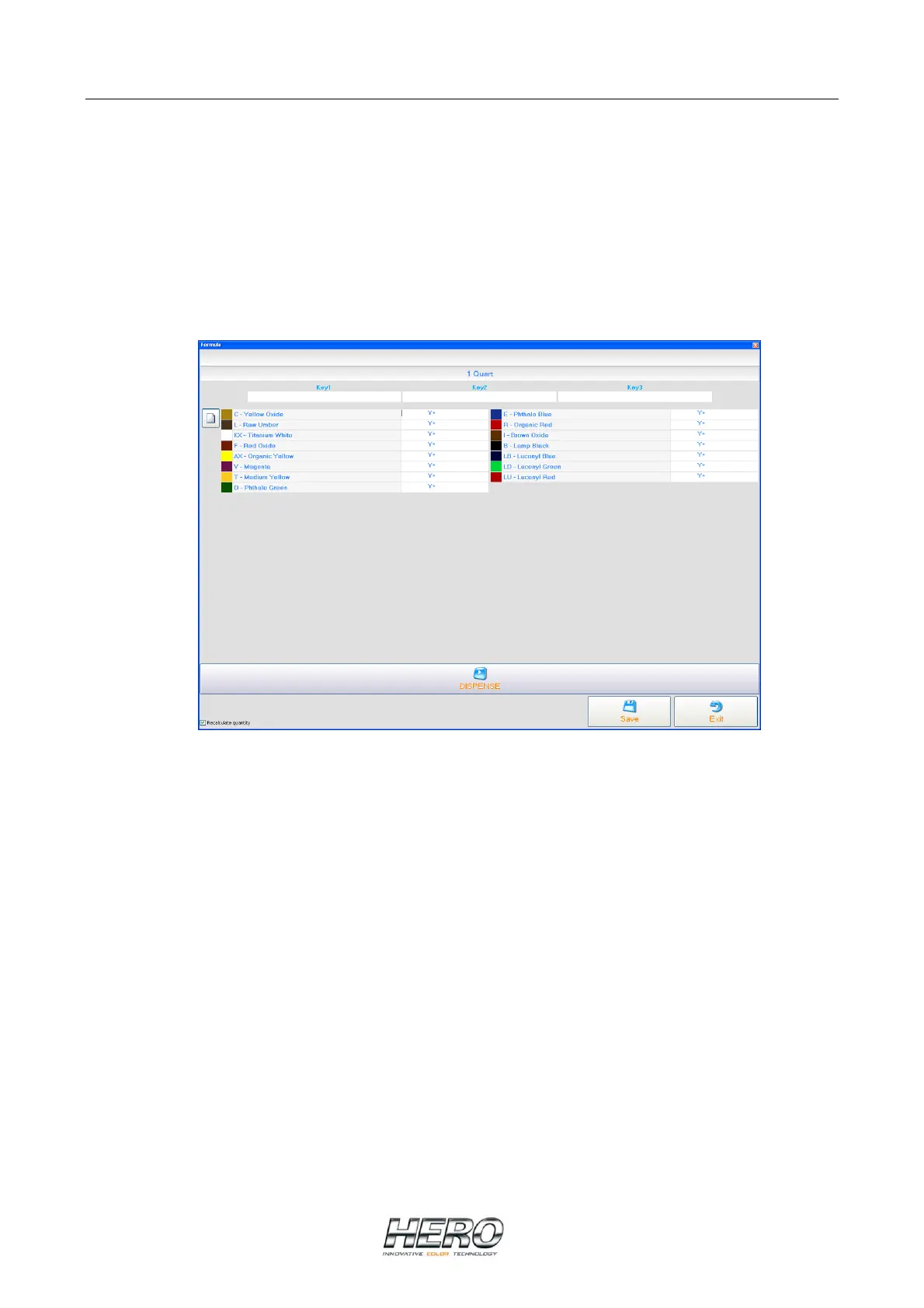
Manual Formula Screen
To start, select the appropriate paint collection, product and can size from the tabs at the top of
the window, if TintWise® has and internal database. If the database resides only in your color
matching computer, then only the can size should be selected.
Enter the amount to be dispensed by clicking on the colorant square, name or on the space to
the left of the Y (or X) of the colorant to be dispensed and typing the appropriate number of
ounces. To enter the number of shots, click on the space to the right of the Y (ox X) of the
colorant to be dispensed and type the appropriate number.
Example: 3 Y+ 22 represents 3 ounces plus 22 shots of that particular colorant.
Note: For ¼, ½ or ¾ shots type .25, .50, or .75 respectively.
Repeat the same process for all colorants in the formula.


 To Next Page