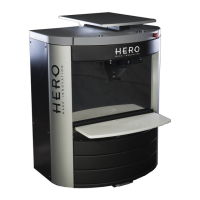
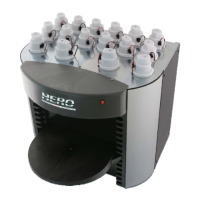
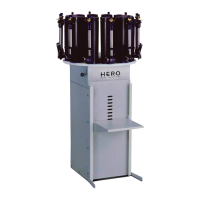
CUSTOMER MAINTENANCE PROCEDURES
DAILY:
✓ Keep all colorant canisters full but do NOT overflow. Maintain at least 1” of space
between the colorant level and the canister brim.
✓ Using your dispenser’s software program (TintWise®), enter the quantity of colorant
added immediately after filing each canister. Do NOT wait until later.
✓ Clean up all spills immediately. Remove as much of the colorant as possible. Use
soapy water if necessary. Do NOT use harsh chemicals or other abrasive materials.
✓ NEVER add any product other than the appropriate colorant to each canister. Call the
HERO Help Desk if colorant or any other product is put into the wrong canister by
mistake.
✓ Purge all colorants daily. Watch for any colorants that do not purge properly or
dispense sideways. Contact the HERO Help Desk if standard cleaning procedures do
not rectify the problem.
✓ Clean the dispense nozzle using a damp towel and/or a soft bristle toothbrush. Wipe
the nozzle dry with a clean towel or rag. Do NOT insert foreign objects into the
dispense nozzles unless otherwise instructed by authorized personnel.
✓ Clean the nozzle cap/humidifier sponge. Wash these parts with warm water or soapy
water if necessary. Leave the nozzle sponge wet or moist.
✓ Ensure the can shelf or shelves work properly. Clean the can shelf or shelves with a
moist towel or rag. Use soapy water if necessary to remove stains.
✓ Do NOT stack boxes or other inappropriate objects on top of the dispenser. This is
your work area. Keep it clean and neat.
WEEKLY:
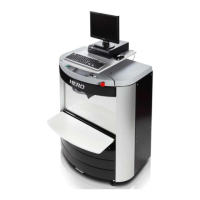
✓ Check all computer connections. Ensure that all cables are secure. Your dispenser
and PC should be connected to a dedicated electrical outlet. Shakers, mixers and
other devices should NOT be on the same circuit.
✓ Inspect the nozzle cap/humidifier sponge and replace as needed.
✓ Wipe down all of the dispenser exterior surfaces using a towel and warm soapy water.
Wipe surfaces dry.
✓ Do NOT use liquids to clean the computer keyboard, printer or other PC components.
Use only a compressed-gas duster. If necessary, the monitor screen may be cleaned
with a slightly damp towel.
DAILY PROCEDURE FOR CLEANING AUTOMATIC CAPPER
From the main TintWise® dispense screen, navigate to the canisters screen by pressing the
“Canisters” button on the left side.
Making sure you have a purge container placed below the nozzles, select the “Purge all”
button on the lower left corner to purge all the colorants.


 To Next Page
 Loading...