PCAP Multi Touch Screen Display with Dual OS User’s Manual
Page 9
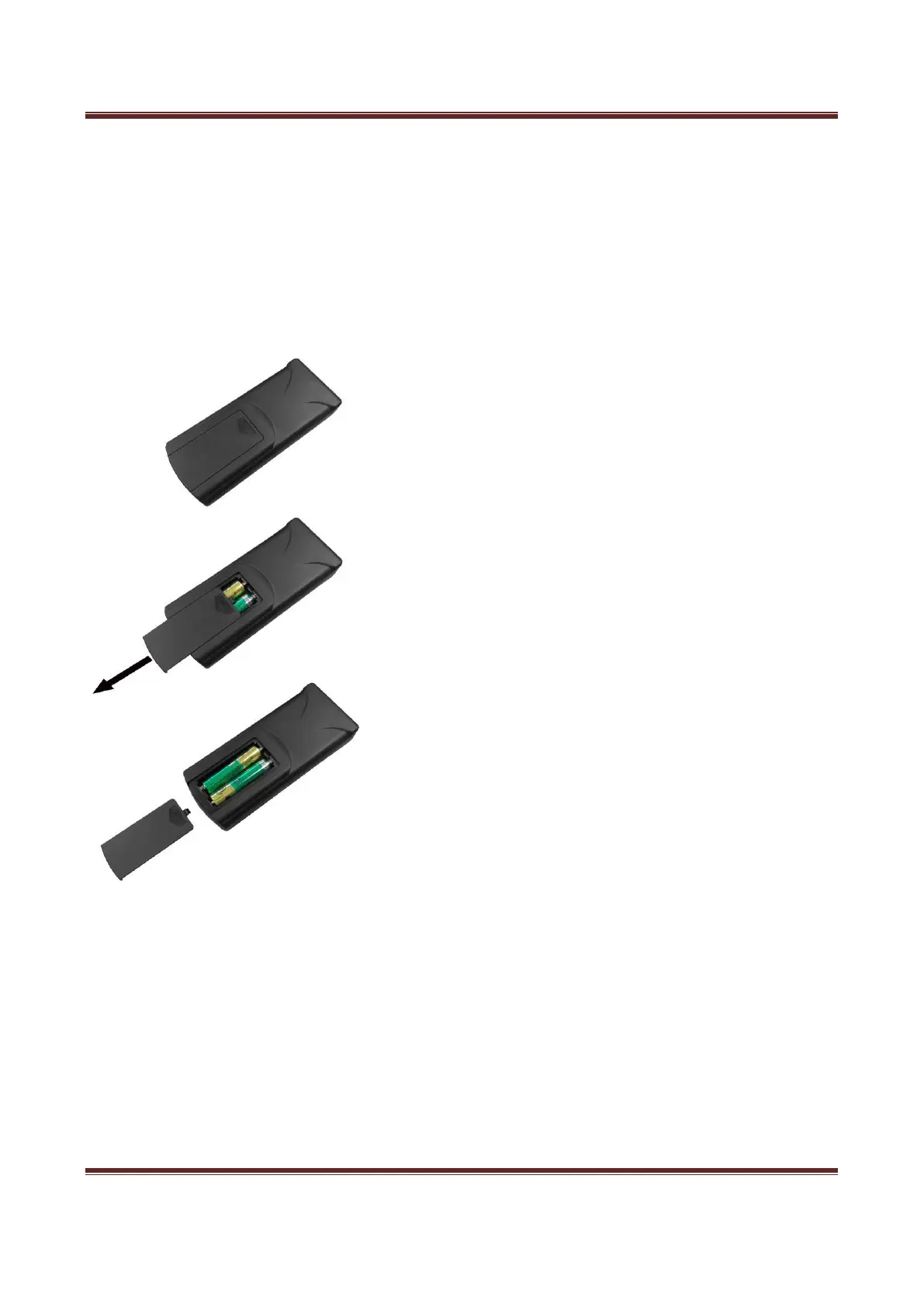
1.4 Replacing the Remote Control Battery
1. Slide the battery cover off, as shown below.
2. Remove the used batteries.
4. Insert the two new AAA batteries with their terminals corresponding to the indicators.
5. Put the cover back on.


 To Next Page