PCAP Multi Touch Screen Display with Dual OS User’s Manual
Page 14
Switching between inputs
One crucial feature that does not appear on the Main Menu is selecting the input source. This is
done by first pressing the “SOURCE” button on the remote control and then scrolling down to the
desired input source and select by pressing “PLAY”.
2.1 Inputs
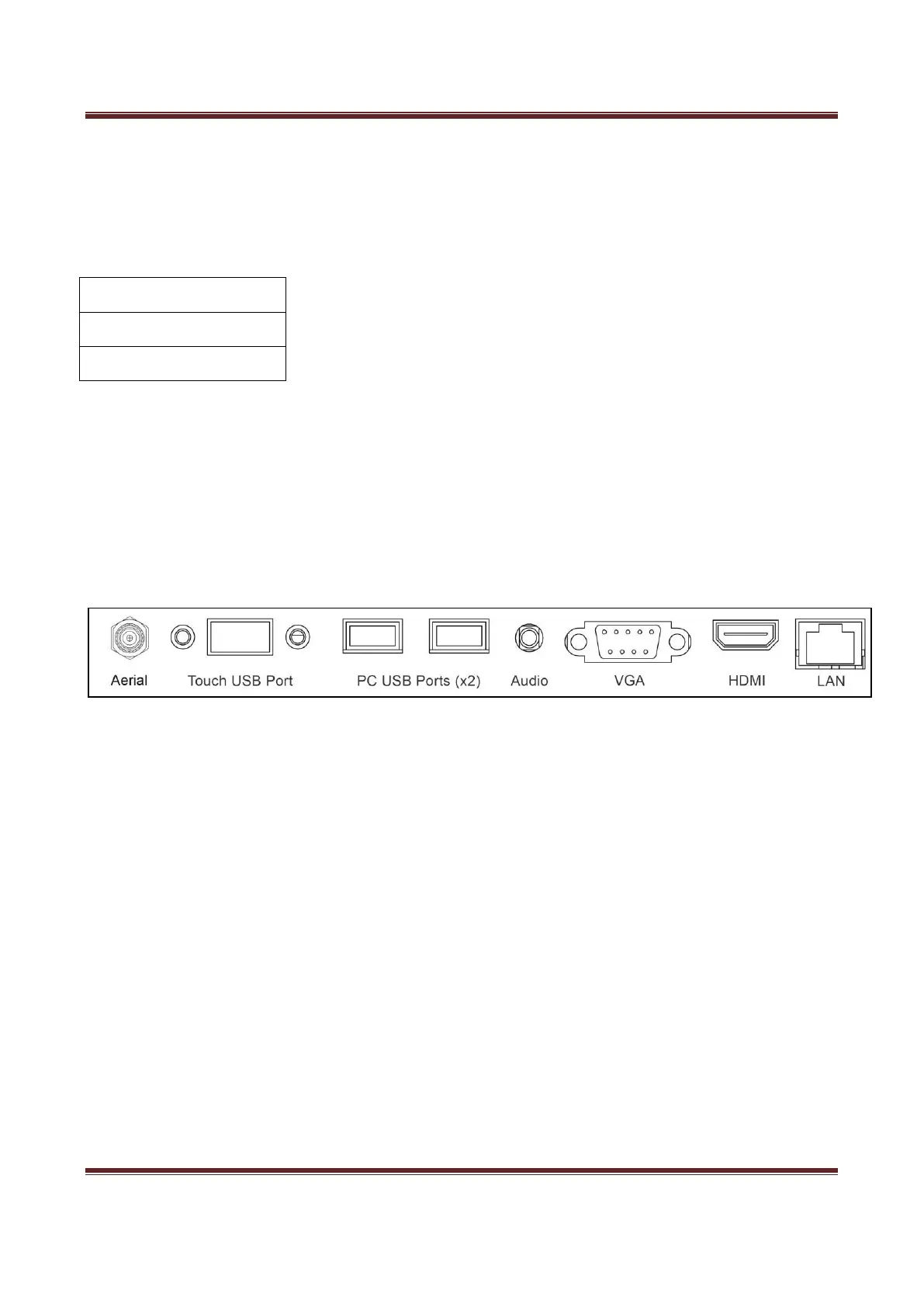
VGA (PC-RGB) – Video Graphics Array Signal Input
HDMI – High Definition Multimedia Interface Signal Input
OPS – Internal PC (for both Android and Windows Operating Systems)
Figure 3 Screen Inputs


 To Next Page