PCAP Multi Touch Screen Display with Dual OS User’s Manual
Page 6
1. Introduction
Congratulations on your purchase of our product. Please read carefully and follow all instructions
in the manual before first use.
The product should not be exposed to liquids dripping or splashing and no objects filled with
liquids, such as vases, should be placed on the product.
For user convenience, a number of operations can be performed through the remote control.
Attention:
1. Do not change any default setting when it is unnecessary.
2. Keep the product far away from water during installation and use.
1.1 Box Contents
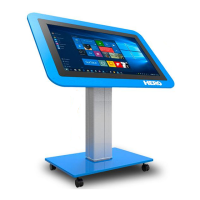
1xPCAP Multi Touch Screen (PC integrated)
1xPower Cable
1xWi-Fi Aerial
1xRemote Control (with AAA batteries)
1xUSB Male to Male Cable
1xCD (User Manual)
IMPORTANT: Please retain your screen’s packaging for the duration of your warranty.


 To Next Page