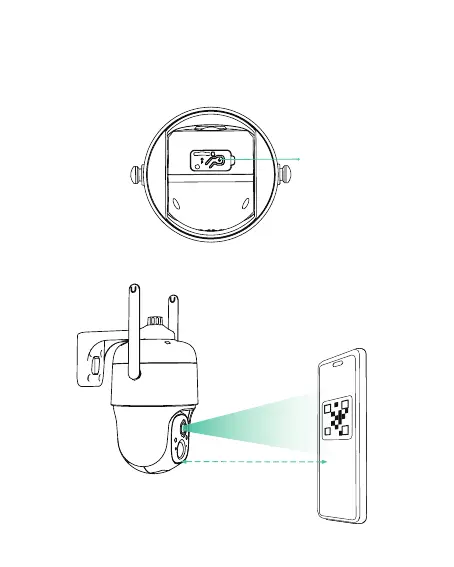
3) After pressing the camera switch for 6 seconds, the camera
will turn on. The camera will emit the scanning sound "Ding
Dong Ding Dong" after it is turned on (if you do not hear it,
please double click the power button).
Power button
about 7 inches (20cm)
08
4) Take the lens of the camera facing the QR code generated
on LongPlus about 20 cm (7 inches) until you hear a "Ding"
sound.



 To Next Page