7 of 18
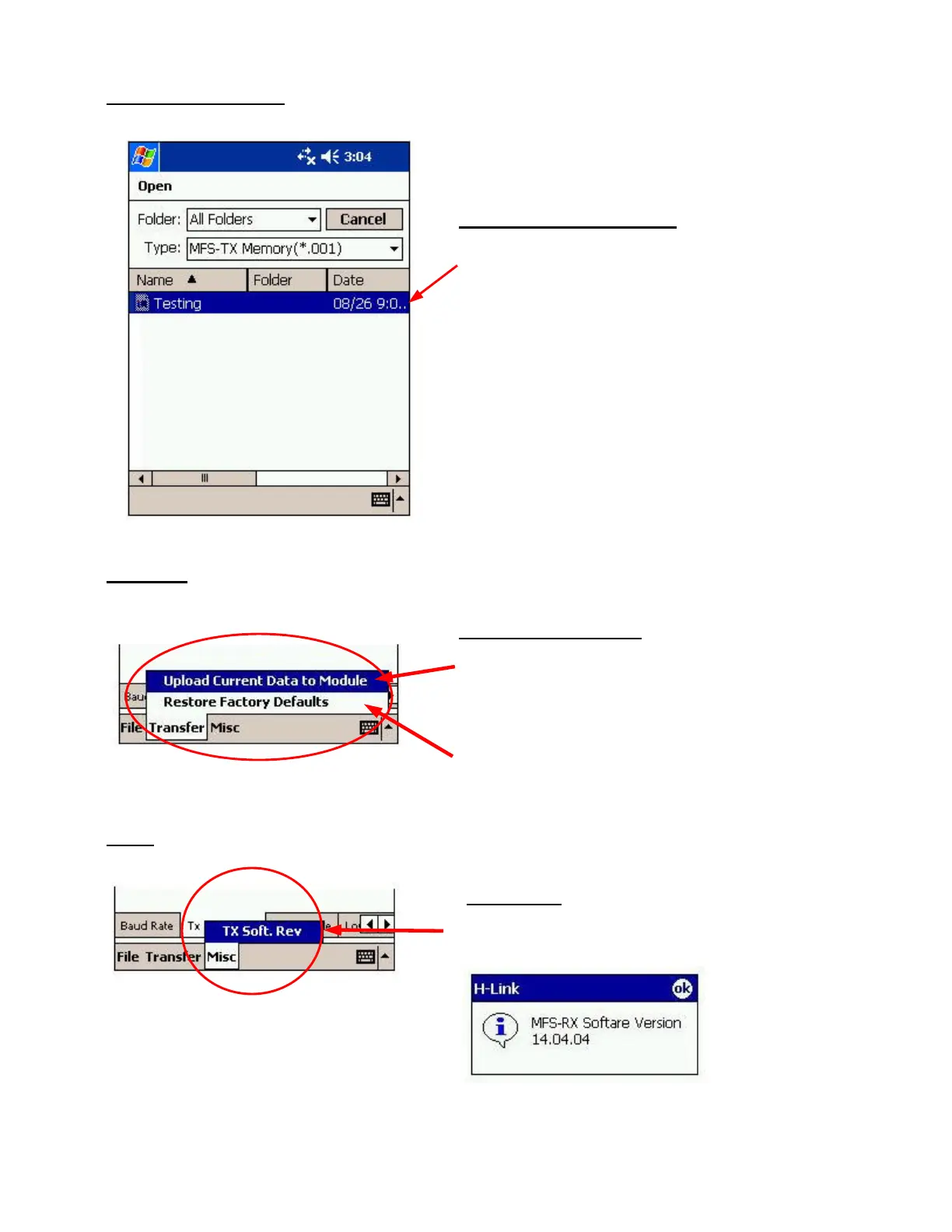
File - Load Settings:
Transfer:
Misc:
Using “Load Settings” option
This screen will display a list of files that are
available for loading.
Select the desired file to load it into the program;
otherwise click Cancel.
The Pocket PC will display a window indicating
that the settings were loaded.
This displays the current software revision for the
transmitter or receiver.
Upload Current Data to Module – transfers or
stores the current settings or adjustments from the
Pocket PC to the transmitter or receiver. Select this
option after making any adjustments.
Restore Factory Defaults – loads default settings
for the system as determined by Hetronic.


 To Next Page