EasyManua.ls Logo

HETRONIC RX BMS2-VC - User Manual

HETRONIC RX BMS2-VC
21 pages
Print Icon
To Next Page IconTo Next Page
Loading...
YOUR #1 PARTNER IN RADIO REMOTE CONTROLS
Operator Manual
Hetronic USA
4300 Highline Blvd., Bldg. A
Oklahoma City, OK 73108
405-946-3574 Fax 405-946-3564
OPMN_BMS2_0001.0
12/04
www.hetronic.com
Hetronic Canada
45 Sinclair Avenue
Halton Hills, Ontario L7G 4X4
+1-800-816-4459 Fax +1-905-702-0501
© 2004 Hetronic, Inc.
All rights reserved. No part of this publication may be reproduced, transmitted, transcribed, stored in a retrieval
system, or translated into any language in any form by any means without the written permission of Hetronic.
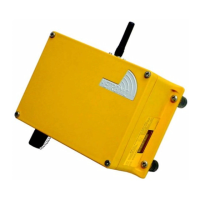
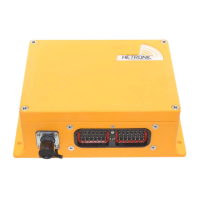
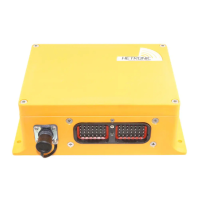
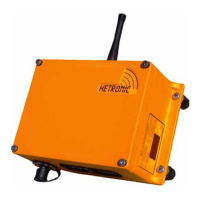
BMS-2 System
RX BMS2-PWM
RX BMS2-VC

Questions and Answers

  • N
    nmosesAug 21, 2025
    What to do if all crane/machine motions operate intermittently with HETRONIC RX BMS2-VC?
    • H
      Harold FranklinAug 22, 2025
      If all crane/machine motions operate intermittently when using the HETRONIC Receiver, consider the following: * Ensure the receiver antenna is tightened and replace it if necessary. * If using an external antenna, tighten the antenna and ground connection. * Control wiring must be run separately from power wiring. * Check all connectors inside the receiver and reseat if necessary.
  • V
    Vincent JohnsonAug 27, 2025
    How to fix HETRONIC RX BMS2-VC transmitter that won't transmit?
    • L
      lindaperkinsAug 27, 2025
      If your HETRONIC Receiver transmitter turns on but doesn't transmit (Power LED not flashing), here are a few things to check: * Replace the battery with a fully charged one. * Check the fuse and replace it if necessary. * Check the wiring on the key switch. Replace the key switch, wiring, or contact element if needed.
  • J
    Jason ReidSep 1, 2025
    What to do if some crane/machine motions operate intermittently with HETRONIC Receiver?
    • L
      Lori WalkerSep 2, 2025
      If some crane/machine motions operate intermittently when using the HETRONIC Receiver, consider the following: * Check wiring from receiver to plug and from plug to crane/machine motion actuator, as the crane/machine motion wiring may be loose. * Check all connectors inside the receiver and reseat if necessary. * Control wiring must be run separately from power wiring.
  • M
    Mary SmithNov 8, 2025
    What to do if HETRONIC RX BMS2-VC Receiver doesn't respond when the transmitter is on?
    • P
      pwhiteNov 9, 2025
      If the HETRONIC receiver isn't responding even when the transmitter's power LED is flashing, here's what you can check: * Ensure the E-Stop switch isn't engaged by pulling out the E-Stop pushbutton and pressing the Start/Horn pushbutton. * Verify the transmitter is within the receiver's range and press the Start/Horn pushbutton. * Make sure all control devices (joysticks, paddle levers, or switches) are in the center (neutral) position when activating the Start button. * Confirm the receiver has power. * Inspect the receiver for blown fuses and replace them if necessary. * Check the transmitter's E-Stop pushbutton for damage and the wiring to the contact element for broken or disconnected wires; repair or replace as needed. * Examine the wiring on the E-Stop module, decoder ...
  • J
    Jon LynchNov 13, 2025
    Why HETRONIC RX BMS2-VC Receiver system will not initialize?
    • M
      matthewsscottNov 14, 2025
      If your HETRONIC Receiver system fails to initialize after the normal start-up, consider these potential causes: * **E-Stop Reset:** You may need to push the Start button again. If initializing from an E-Stop condition, press the Start button twice: once to clear the E-Stop, and again to start the system. * **Joystick/Paddle Lever Position:** Ensure all joysticks and paddle levers are in the center position when activating the Start button. * **E-Stop Switch:** Make sure the E-Stop switch is disengaged (pulled out). Restart the system by pressing Start twice. * **Battery Charge:** Check the battery to ensure it's fully charged. Replace it if necessary. * **Receiver Power:** Verify power is applied to the receiver by checking the diagnostic Display on the side. Also, ensure the s...

Summary

Introduction to Hetronic Systems

Pre-Operation Safety Checklist

Essential safety checks and procedures before operating the system.

Hetronic System Components and Theory

E-Stop Functionality

Explanation of the critical Emergency Stop function and its operation.

Safety Guidelines and Precautions

Understanding Safety Alerts

Explains safety alert symbols and their meanings for hazard awareness.

Potential Sources of Danger

Identifies potential hazards and outlines essential precautions.

Operational Safety and Maintenance

Work Area Safety Standards

Guidelines for maintaining a safe work environment.

System Protective Features

Details electronic and mechanical safety features of the system.

Emergency Stop Procedure

Step-by-step instructions for stopping the system in an emergency.

Installation Guide

Receiver Mounting Instructions

Instructions for physically mounting the receiver unit securely.

Receiver and Output Wiring

Connecting the receiver wiring and its output connections.

Electrical Wiring Connections

Connecting power supply, engine start-stop, and other necessary wires.

System Operation Procedures

System Start-Up Procedure

Step-by-step instructions for safely starting the radio remote control system.

System Features Overview

System Adjustments and Configuration

Quick-Set System for Easy Setup

Overview of the Quick-Set system for installation and adjustment.

Software and Settings Management

Troubleshooting Common Issues

Troubleshooting Machine Response

Diagnostic Display Panel Codes

HETRONIC RX BMS2-VC Specifications

General IconGeneral
BrandHETRONIC
ModelRX BMS2-VC
CategoryReceiver
LanguageEnglish

Related product manuals