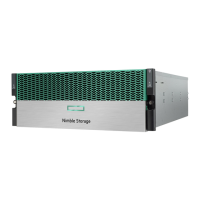
The HPE Apollo 2000 Gen10 Plus System is a dense, multi-server platform designed for high performance and workload flexibility in data centers. It offers a density-optimized, shared infrastructure with a flexible scale-out architecture, supporting a variety of workloads from remote site systems to large HPC clusters.
Chassis:
The system utilizes the HPE Apollo n2000 Gen10 Plus series chassis, which occupies 2U space in a rack.
- HPE Apollo n2400 Gen10 Plus Chassis: This model is designed for optimum power and cooling efficiencies, ideal for high-power processor configurations. It does not include drives, drive backplanes, or system interconnect assemblies.
- HPE Apollo n2600 Gen10 Plus Chassis: This model supports two storage configurations:
- 8 SFF SAS/SATA/NVMe drive configuration
- 24 SFF SAS/SATA drive configuration
Drives are allocated equally across all server nodes.
Server Node:
The system uses the HPE ProLiant XL225n Gen10 Plus Server, a 1U, dual-processor AMD server node. A 42U rack can accommodate up to 20 Apollo n2000 Gen10 Plus series chassis, totaling up to 80 1U servers per rack.
Technical Specifications:
- Environmental Specifications:
- Operating Temperature: 10°C to 35°C (50°F to 95°F) at sea level. Extended range: 5°C to 10°C (41°F to 50°F) and 35°C to 40°C (95°F to 104°F) at sea level.
- Nonoperating Temperature: -30°C to 60°C (-22°F to 140°F).
- Operating Relative Humidity (noncondensing): 8% to 90% at 28°C (82.4°F) maximum wet bulb temperature.
- Nonoperating Relative Humidity: 5% to 95% at 38.7°C (101.7°F) maximum wet bulb temperature.
- Altitude Derating: 1.0°C per 305 m (1.8°F per 1000 ft) to 3050 m (10,000 ft) is applicable. No direct sunlight allowed. Maximum rate of change is 20°C per hour (36°F per hour).
- Mechanical Specifications (Apollo n2600 Gen10 Plus Chassis):
- Height: 87.50 mm (3.44 in)
- Depth: 924.00 mm (36.38 in)
- Width: 440.00 mm (17.32 in)
- Weight (approximate maximum values):
- Empty chassis (without drives, power supplies, RCM module, server nodes, and server blanks): 13.17 kg (29.03 lb)
- 8 SFF drive configuration: 40.18 kg (88.58 lb)
- 24 SFF drive configuration: 46.73 kg (103.02 lb)
- Power Supply Specifications:
- HPE 1600 W Flex Slot Platinum Hot-plug Low Halogen Power Supply:
- Rated Input Voltage: 200 VAC to 240 VAC (or 240 VDC for China only)
- Rated Input Frequency: 50 Hz to 60 Hz
- Rated Input Current: 8.7 A at 200 VAC, 7.2 A at 240 VAC
- Rated Steady-state Power: 1600 W at 200 VAC to 240 VAC input (or 1600 W at 240 VDC input)
- Maximum Peak Power: 2200 W for 1 ms (turbo mode) at 200 VAC to 240 VAC input
- HPE 1800 W-2200 W Flex Slot Platinum Hot-plug Power Supply:
- Rated Input Voltage: 200 VAC to 240 VAC (or 240 VDC for China only)
- Rated Input Frequency: 50 Hz to 60 Hz (Not applicable to 240 VDC)
- Rated Input Current: 10.0 A at 240 VAC, 8.2 A at 240 VDC for China Only
- Rated Steady-state Power: 1800 W at 200 VAC, 2200 W at 240 VAC (or 1800 W at 240 VDC for China only)
- Maximum Peak Power: 1800 W at 200 VAC, 2200 W at 240 VAC (or 1800 W at 240 VDC for China only)
- HPE 3000 W 200–277 VAC Platinum Hot-plug Power Supply:
- Input Voltage Range: 200 VAC to 277 VAC
- Nominal Frequency Range: 50 Hz to 60 Hz
- Nominal Input Current: 15.8 A at 200 VAC, 11.7 A at 277 VAC
- Rated Steady-state Power: 2900 W at 200 VAC input, 3000 W at 208 VAC to 277 VAC input
- Maximum Peak Power: 3900 W for 4 ms max at 200 VAC to 277 VAC input
Usage Features:
- Server Node Orientation: The server node cover facilitates smooth entry and ejection. When installing, the node cover must face down with the release lever on the top side of the bay for left-side installation, and face up with the release lever on the bottom side for right-side installation.
- Drive Configurations: Drives are installed in specific drive boxes, each assigned to a server node. Drives should only be installed in the box corresponding to an installed server node. If only one drive is used, it should be installed in the bay with the lowest drive number.
- Drive Support: The chassis supports basic backplanes for SATA and SAS, and U.3 backplanes for SATA, SAS, and NVMe drives. The embedded storage controller supports SATA in AHCI mode. SAS drives require a Smart Array Gen10 type-p controller, and NVMe SSDs require a P1 secondary riser option for direct attach.
- Redundant Fan Option: The system supports up to seven non-hot-plug, dual-rotor fans. Fans 1, 2, 4, 6, and 7 are default for basic cooling, while fans 3 and 5 are optional for high performance cooling. Redundant fan support ensures continued operation even if a fan rotor fails.
- Power Supply Redundancy: The chassis can support up to two HPE Flexible Slot Power Supplies or HPE Performance Power Supplies. One power supply is required for system power-on, and two are needed for power redundancy.
- Rack Consolidation Management (RCM) Module (Optional): This module helps daisy-chain multiple chassis for iLO aggregation, facilitating rack-level power and system management by connecting to a ToR management switch or an APM. iLO ports on the RCM module support network speeds up to 1 GB/s.
- Apollo Platform Manager (APM) Module (Optional): The APM is a rack-level device that controls power caps for all enclosures in the rack. It supports user-defined groups for flexible zoning.
- HPE iLO 5: An embedded remote server management processor for monitoring and controlling servers from remote locations. It supports features like group health status, virtual media, power control, power capping, firmware updates, license installation, and configuration for iLO Federation.
- iLO Service Port: Allows physical access to the server for downloading Active Health System Logs to a USB flash drive or connecting a client (e.g., laptop) to access the iLO web interface, remote console, iLO RESTful API, and CLI.
- iLO RESTful API: A Redfish API conformant management interface for server configuration, inventory, and monitoring tasks via HTTPS operations.
- RESTful Interface Tool (iLOREST): A scripting tool that automates HPE server management tasks using the iLO RESTful API, offering interactive, scriptable, and file-based modes.
- iLO Amplifier Pack: An advanced solution for rapid server inventory, firmware, and driver updates, leveraging iLO advanced functionality for thousands of supported servers.
- Intelligent Provisioning: A single-server deployment tool embedded in ProLiant servers and HPE Synergy compute modules, simplifying server setup and providing a consistent deployment method.
- UEFI System Utilities: Provides options for configuring system devices, enabling/disabling system features, displaying system information, selecting boot mode, configuring memory options, and launching preboot environments.
- HPE Smart Storage Administrator (SSA): The main tool for configuring arrays on HPE Smart Array SR controllers, available in GUI, CLI, and Scripting formats, both offline and online.
- HPE InfoSight for servers: A secure web interface for monitoring supported devices, combining machine learning and predictive analytics with Active Health System and iLO for performance optimization and problem prevention.
- USB Support: Gen10 and Gen10 Plus servers support all USB operating speeds. External USB functionality can be disabled for security.
- Redundant ROM Support: The server has a single ROM with two separate images (current and backup) for safe firmware upgrades, allowing easy switching to an alternate ROM version if the new one is corrupted.
Maintenance Features:
- Chassis Information Pull Tab: Provides a QR code label for accessing the chassis mobile product page (https://www.hpe.com/qref/apollo2000gen10plus), which contains links to setup information, spare part numbers, QuickSpecs, troubleshooting resources, and other product links.
- Front Panel LEDs and Buttons:
- UID Button/LED: Solid blue indicates activated. Flashing blue indicates remote management/firmware upgrade in progress (1 flash/sec), iLO manual soft reboot initiated (4 flashes/sec), or iLO manual hard reboot in progress (8 flashes/sec). Off indicates deactivated.
- Health LED: Solid green indicates normal. Flashing green indicates iLO rebooting. Flashing amber indicates system degraded. Flashing red indicates system critical.
- Power Fault Codes: Specific LED flash patterns indicate power faults in subsystems like system board, processor, memory, PCIe slots, FlexibleLOM, storage controllers, power backplane, or power supply.
- Rear Panel LEDs and Buttons:
- Power Supply LED: Solid green indicates normal operation. Off indicates power unavailable, power supply failure, standby mode, or power supply error.
- iLO Link LED (on optional RCM module): Solid green indicates linked to network. Off indicates no network connection.
- iLO Activity LED (on optional RCM module): Solid green indicates linked to network. Flashing green indicates network active. Off indicates no network activity.
- HPE Smart Carrier Drive LEDs:
- Locate LED: Solid blue indicates drive identification by host application. Flashing blue indicates firmware update in progress or required.
- Activity Ring: Rotating green indicates drive activity. Off indicates no drive activity.
- Do Not Remove LED: Solid white indicates the drive should not be removed as it would cause logical drive failure. Off indicates removal will not cause logical drive failure.
- Drive Status LED: Solid green indicates a member of logical drives. Flashing green indicates rebuilding, RAID migration, strip size migration, capacity expansion, logical drive extension, or erasing. Flashing amber/green indicates a member of logical drives predicting failure. Flashing amber indicates not configured and predicting failure. Solid amber indicates failed, unsupported, or invalid. Off indicates not configured by RAID controller or a spare drive.
- Active Health System (AHS): Provides continuous health monitoring, logs configuration changes, offers consolidated health and service alerts with precise timestamps, and performs agentless monitoring. Data collected includes server model, serial number, processor, storage, memory, firmware/BIOS, and driver versions.
- Integrated Management Log (IML): Records hundreds of events with one-minute granularity, viewable from HPE SIM, UEFI System Utilities, Embedded UEFI Shell, or iLO web interface.
- Updating Firmware and System ROM: Can be done via the Firmware Update option in System Utilities or the fwupdate command in the Embedded UEFI Shell.
- Smart Update Manager (SUM): A tool for maintaining and updating firmware, drivers, and system software, identifying dependencies, deploying updates in the correct order, and supporting multiple remote nodes.
- Smart Update Tools (SUT): Performs online firmware and driver updates, polling iLO for update requests and orchestrating staging, deployment, and activation.
- Proactive Notifications: Hewlett Packard Enterprise sends notifications to subscribed customers 30-60 days in advance regarding hardware, firmware, and software changes, bulletins, patches, and security alerts.

 Need help?
 General

 To Next Page