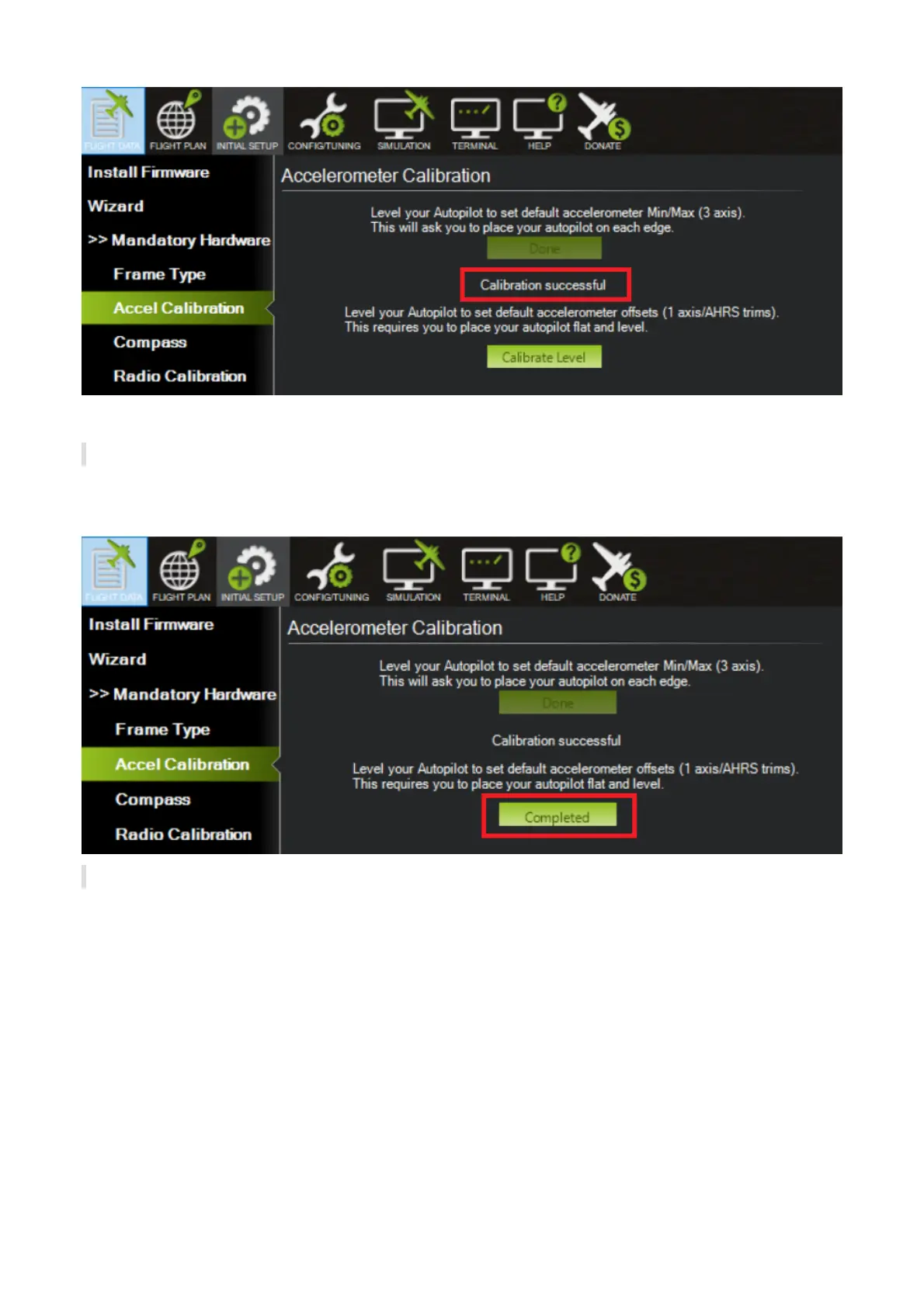
Level Calibration
Place the vehicle horizontally and click "Calibrate Level". The text in button will become "Completed" after
calibration successful.
Compass Calibration
Ensure the compass has been enabled.
1. Select "Enable Compasses" and "Compass1"
2. Select all 3 compass (only 2 if no external GPS module is connect). Select "External mounted" for
Compass #1 if there is an external GPS module connected. Otherwise, all 2 compasses are internal
compass inside The Cube.
3. Click "Start" to calibrate compasses. hold the vehicle in the air and rotate it so that each side (front,
back, left, right, top and bottom) points down towards the earth for a few seconds in turn. As the
vehicle is rotated the green bars should extend further and further to the right until the calibration
completes.


 To Next Page