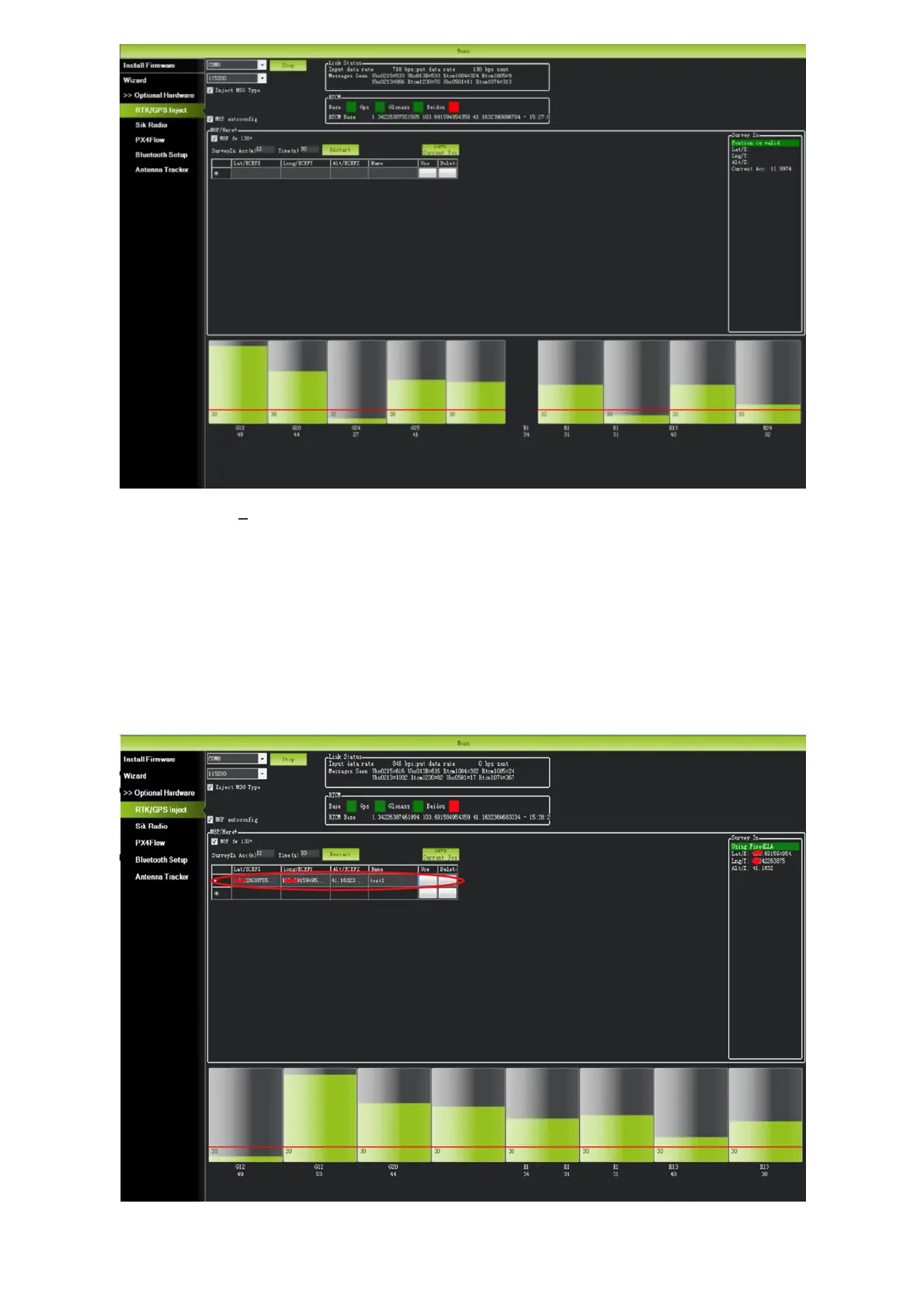
In the RTCM box it shows that the base status indicator is green and both the GPS and Glonass
satellite systems are green (if you want to change the satellite system, refer to the following
section). The box on the right says "Position is valid".
To store the current location in the Mission Planner: Click "Save Current Pos", enter a name in the
dialog box, and click "OK". As shown below, you can see your saved location in the list. Click the
"Use" button for the location you saved. The base station will enter the fixed mode and the status
will show "Using FixedLLA". In the future, if you set the base station in the same location, you do
not need to conduct survey again, just click the "Use" button that corresponds to the location you
have saved.
Rover Module and Flight Controller Setup


 To Next Page