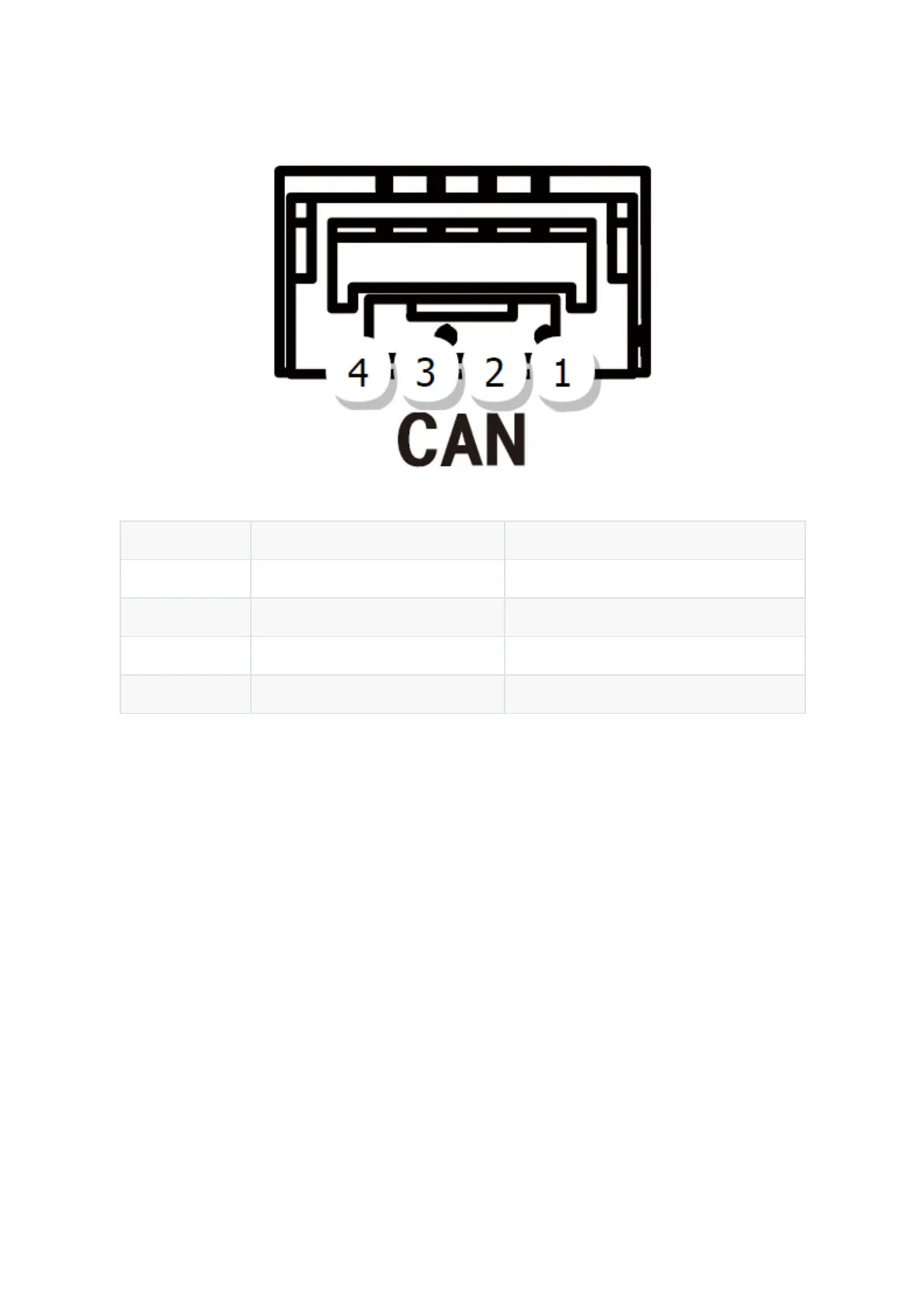
Pin Definition Cable Colour
1 VCC_5V Red
2 CAN_H White
3 CAN_L Yellow
4 GND Black
Pinout
Configuration
1. Using Ardupilot Firmware:
Using one Here3:
Connect the 4pin CAN cable connector to CAN1 or CAN2 port on flight controller.
power the flight controller and connect it to Mission Planner. Go to "Config/Tuning > Full
Parameter List" and modify the following paramters:
CAN_D1_PROTOCOL: 1
CAN_D2_PROTOCOL: 1
CAN_P1_DRIVER: 1
CAN_P2_DRIVER: 1
GPS_TYPE: 9
NTF_LED_TYPES: 231
Click "Write Params" when done. CAN functions will be available after rebooting the flight
controller.


 To Next Page