89
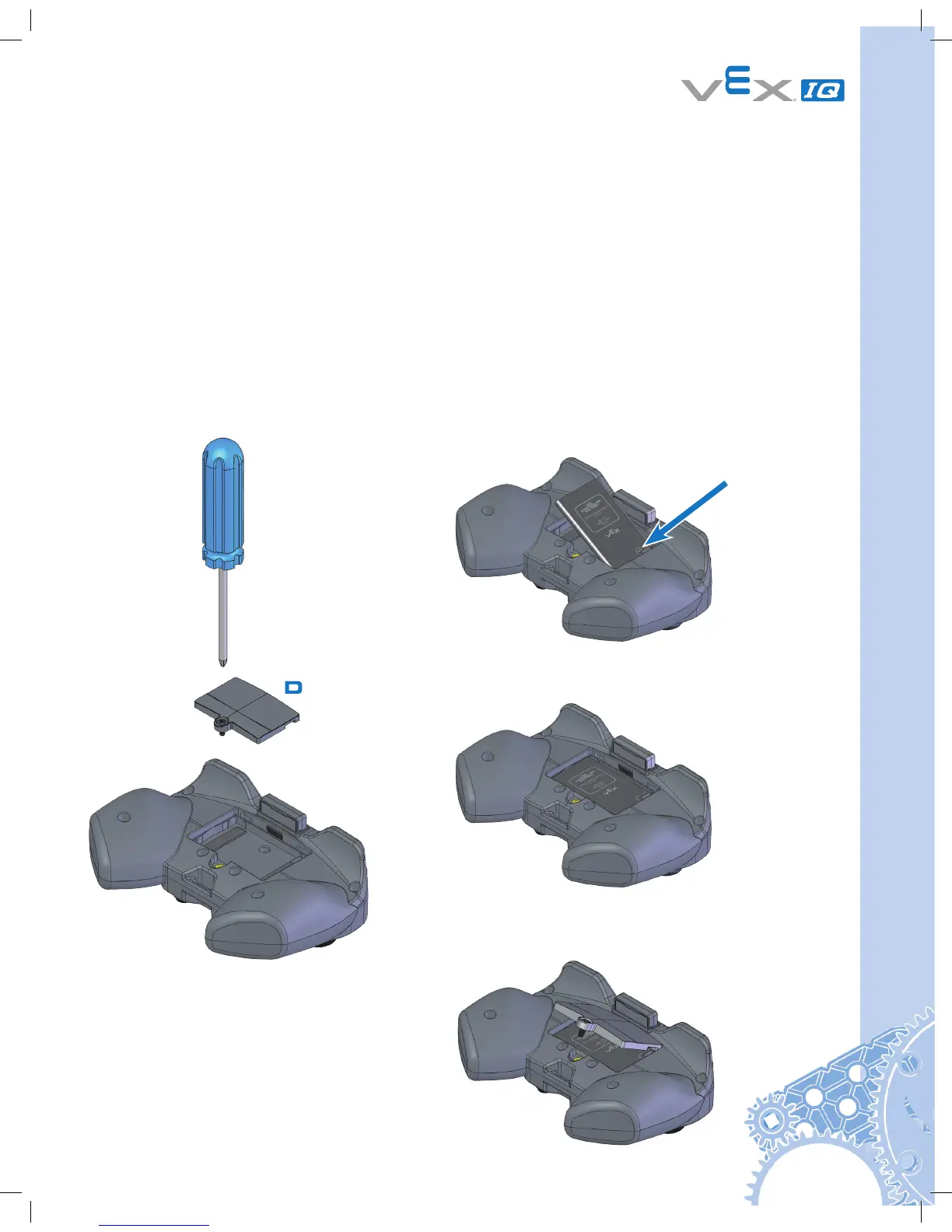
Gently slide
Battery under
plastic tab.
Remove
Battery
Door.
Push Battery
flat.
Reinstall
Battery door.
Step 1
Step 2
Step 3
Step 4
VEX Controller Setup
Controller Battery Installation and Removal
Items you will need:
• Controller P/N: 228-2530
• Small Phillips head screwdriver
• Controller Battery P/N: 228-2779
Notice: See the Appendices for Battery Safety and Disposal information
Remove the battery door on the back of the Controller using a small Phillips head screwdriver.
Gently install the Controller Battery, ensuring that the “+” and “-” contacts align with the power
connector also marked “+” and “-”. Reinstall battery door.


 To Next Page