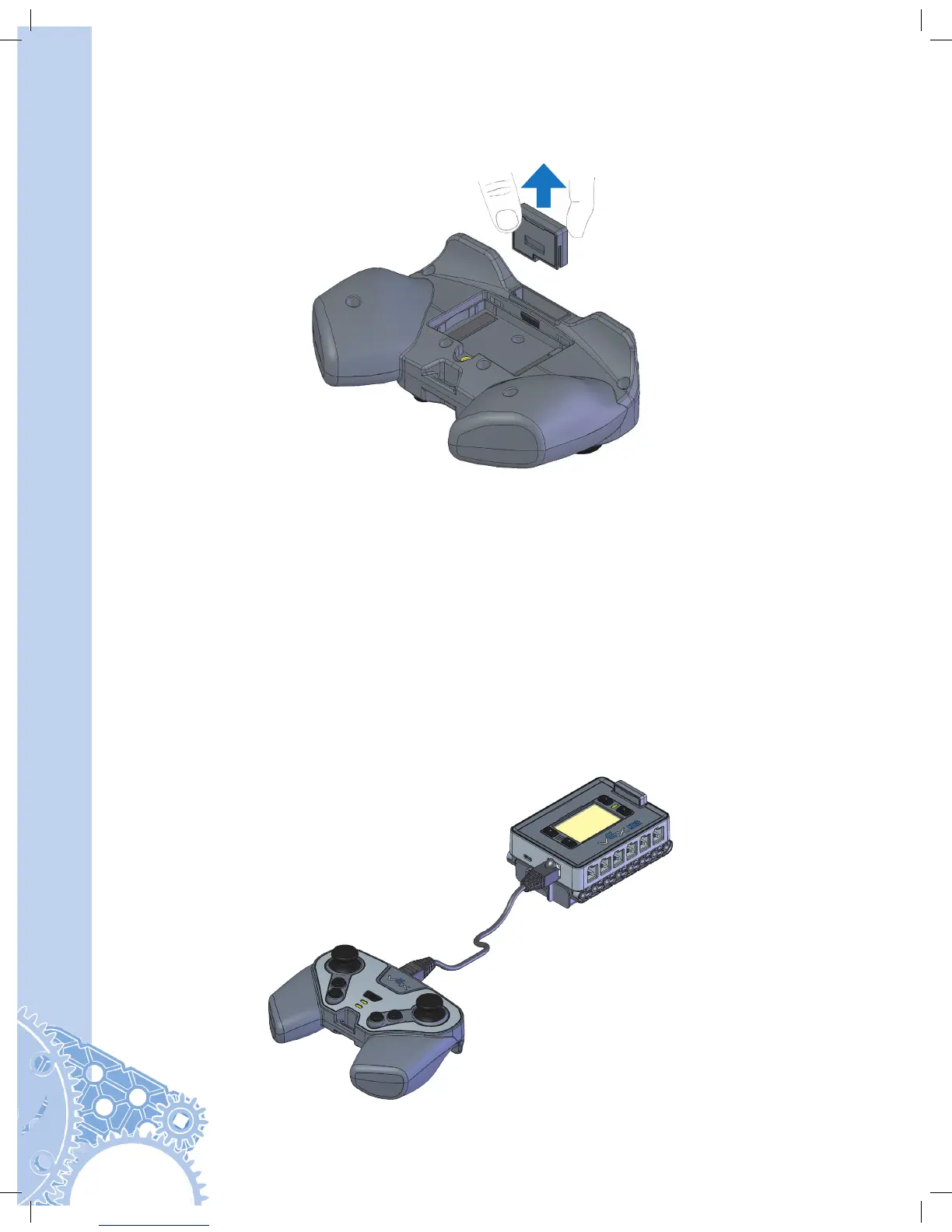
Removing the Radio should rarely, if ever, be done. To remove the Radio, first remove the
battery door using a Phillips head screwdriver. Pull firmly on the Radio to remove it.
Initial Wireless Setup
Items you will need:
• Robot Brain with Radio and Robot Battery installed
• VEX Controller with Radio and Controller Battery installed
• Tether Cable P/N: 228-2786
In order for the Robot Brain and Controller to communicate wirelessly, they must be paired
together. Before pairing these devices together, a radio and battery must be installed into
each of them. With both devices OFF, connect the Robot Brain to the Controller using the
Tether Cable.


 To Next Page