7
© HeyCafé Co., LTD. Version 1.0, Dec. 2019
JOG Button, pressing the JOG button will allow the user to incrementally correct the amount of coffee
powder in the filter basket holder.
Programming grinding time for single/ double/ triple cup mode:
The grinder was factory set with time values for single/ double/ triple dose grinding periods. These preset values
are obviously estimated, user should set his own times according the coffee grinding request. In general, as the
grind size setting is coarser, the grinding time of same desired dose, is shorter. Additionally, different type of
coffee blends and coffee shops are requiring different dose size for their cups (6.5-9.5gr per single cup. 11-18gr for
double cup. 14-24gr triple cup). The HC-600 ODG supports user’s need to modify grind time setting frequently.
To modify time setting of any of the preset modes, please follow these steps:
On any selected mode (LED is ON) The display shows your current set time (in seconds and tents of seconds). To
increase or decrease set time value, rotate the time setting dial knob. New time value will blink, confirm the new
time by pressing the relative mode selector button. If not confirming, then after3 seconds the time setting will
return to the previous setting.
Hands free:
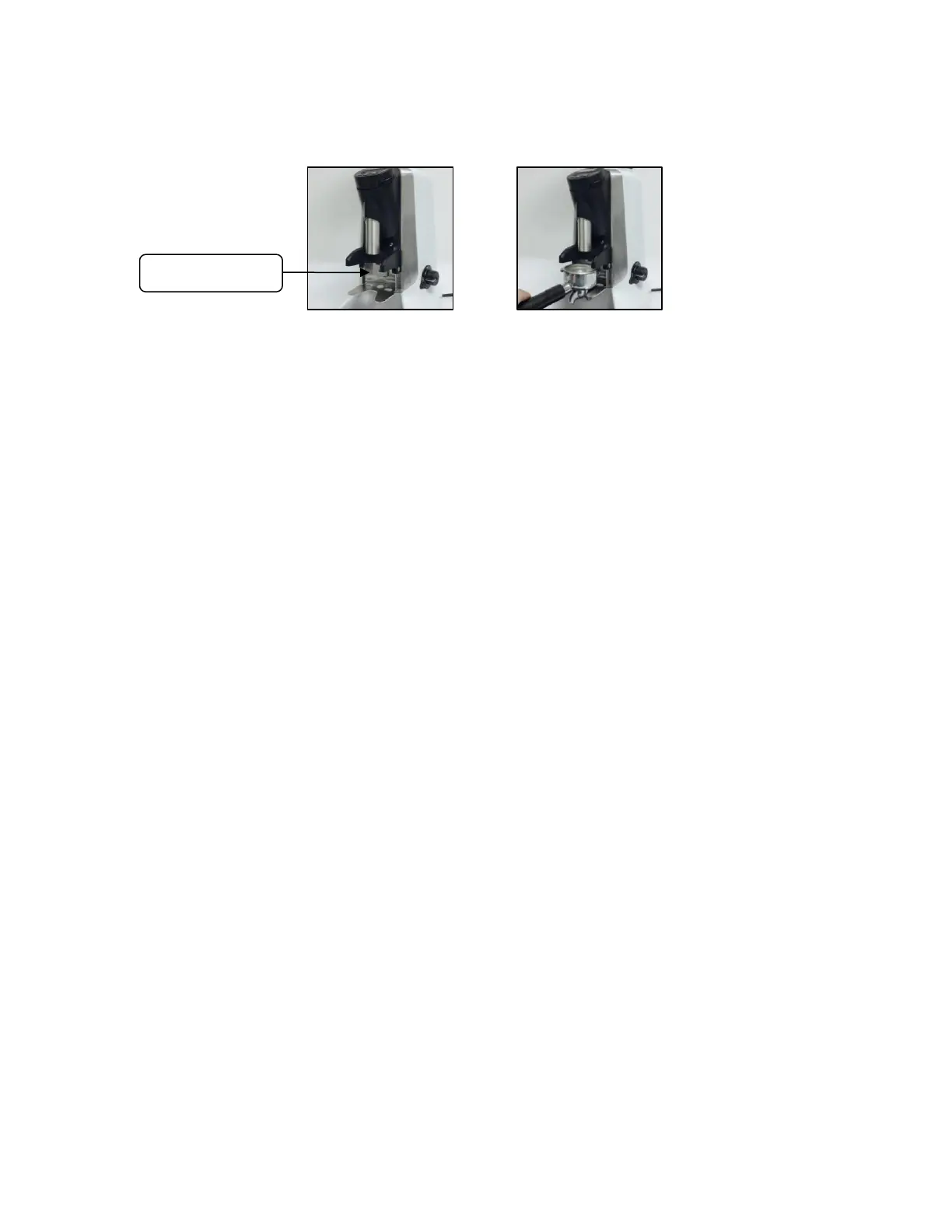
The grinder equipped with “hands free” feature to allow easier grinding operation.
The "hands free" function can be adjusted according the porta filter size.You can loose two sides screw to adjust
the porta folter holder by 2.5mm hexgon screw driver, the demand active screw also can be adjusted by 2mm
hexgon screw driver.Both of the screw driver will be provided in tooling bag.
Dose counting DISPLAY:
The HC-600 ODG V1 grinder is equipped with 3 independent dosing counters.
To view the content of each counter, a single press on the counter’s selector will display the next
counter’s content and at the same time the relative counter’s LED will turn on.
2 of the counters are resettable (middle and right side); the zero reset can be achieved by 5 sec
continues press on the counter selector will zero the relative counter.
On single cup mode each coffee demand will increase the counting on all the 3 counters in 1.
On double cup mode each coffee demand will increase the counting on all 3 counters in 2.
On triple cup mode each coffee demand will increase the counting on all 3 counters in 3.
Pressing the Jog button will not be counted.
Grind size setting adjustment
The grinding blades’ distance was factory pre adjusted to satisfy different common coffee grinds (from super
fine to coarse) corresponding gap distance from 0.05mm to 0.75mm.
Turning the grinding dial incrementally counterclockwise will make the grind finer and turning it clockwise will
make the grind coarser. (Fig 5.5)
Grind a small amount of coffee and test its coarseness with your espresso machine.
As coffee beans’ qualities and characteristics are changing from time to time it is recommended repeating this
adjustment once in a while.


 To Next Page
 Loading...