Protoss-PW11 User Manual
http://www.hi-flying.com - 17 -
Does not support Wi-Fi repeater function that means device works in AP+STA(STA connects to
router), PC connects to device AP, but can not access to internet (If need this router function,
use PW21/HF2211/HF2221)
3.1.4. IOTService Software
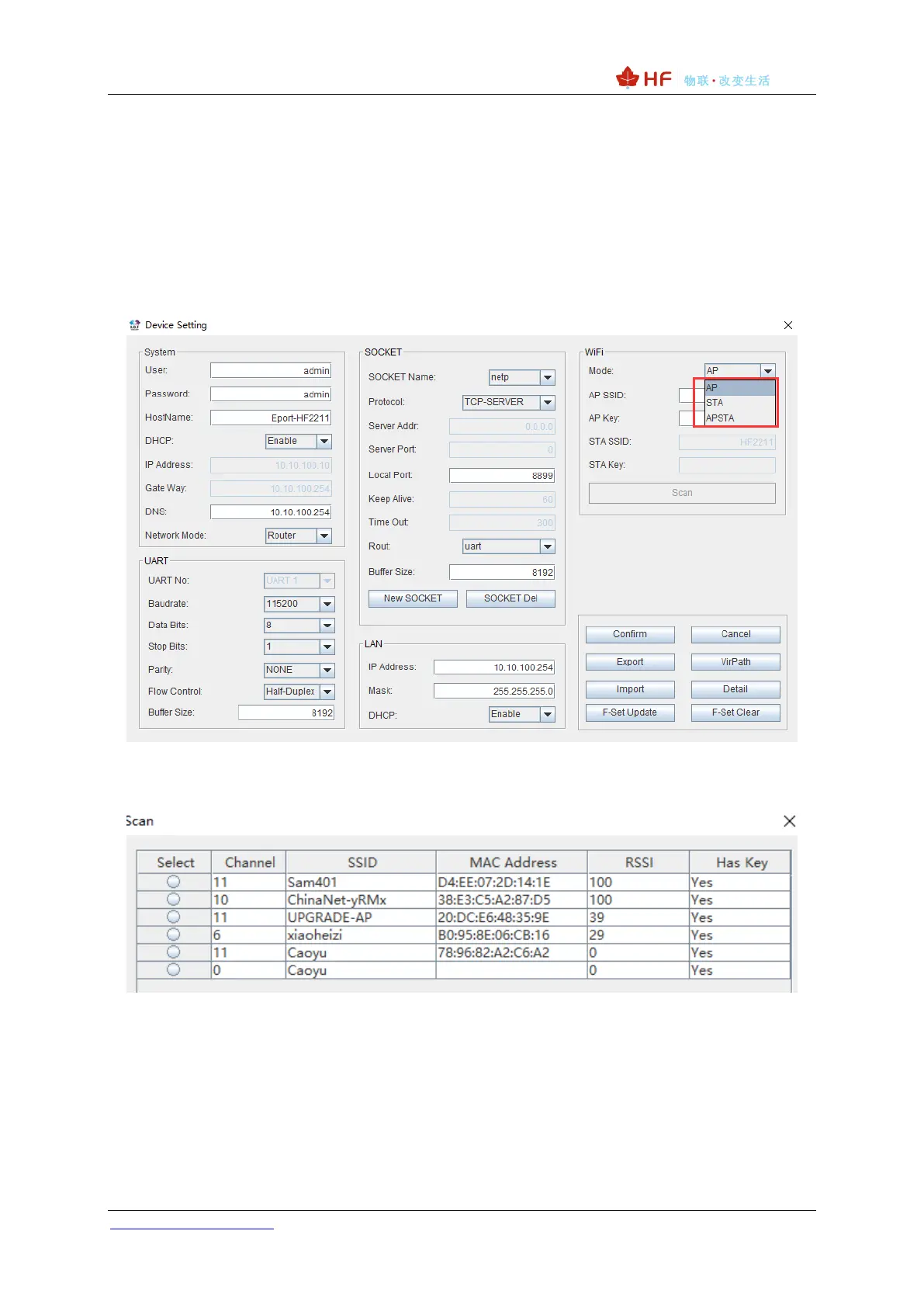
Open the IOTService after PC connect to the AP hotspot generated by product, then config the
parameter.
Figure 9. Config Wi-Fi Parameter
Figure 10. STA Scan Parameter
3.1.5. Webpage Configuration
Use PC to connect with product’s AP. Input the default IP(10.10.100.254, default username and
password: admin/admin) to login the webpage to configure the parameter.

 To Next Page
 Loading...