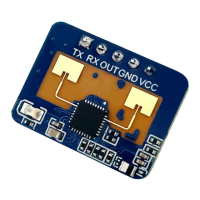
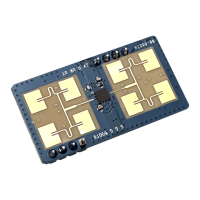
HLK-LD2410B
manual
5.3 Description of Visual Configuration Tool
In order to facilitate users to quickly and efficiently test and configure the module, a PC-side PC configuration tool is provided. Users can use this tool software to
connect to the serial port of the module, read and configure the parameters of the module, and also receive the detection results reported by the module. Data, and real-
time visual display, which greatly facilitates the use of users.
How to use the upper computer tools:
1. Correctly connect the module serial port with the USB to serial port tool;
2. Select the corresponding serial port number in the upper computer tool, set the baud rate to 256000, select the engineering mode, and click to connect the device;
3. After the connection is successful, click the start button, and the graphical interface on the right will display the test results and data;
4. After connecting, when the start button is not clicked, or click stop after starting, the mode parameter information can be read or set;
Note: After clicking start, the parameters cannot be read and configured, and the configuration can only be performed after stopping.
The interface and common functions of the upper computer tool are as follows:
The ball is the output indicator of the target state: red represents a man-made moving target, and purple represents a man-made stationary target;
Green means no one
Page 9 of 20


 To Next Page
 Loading...