5
Multifunction Button Operation
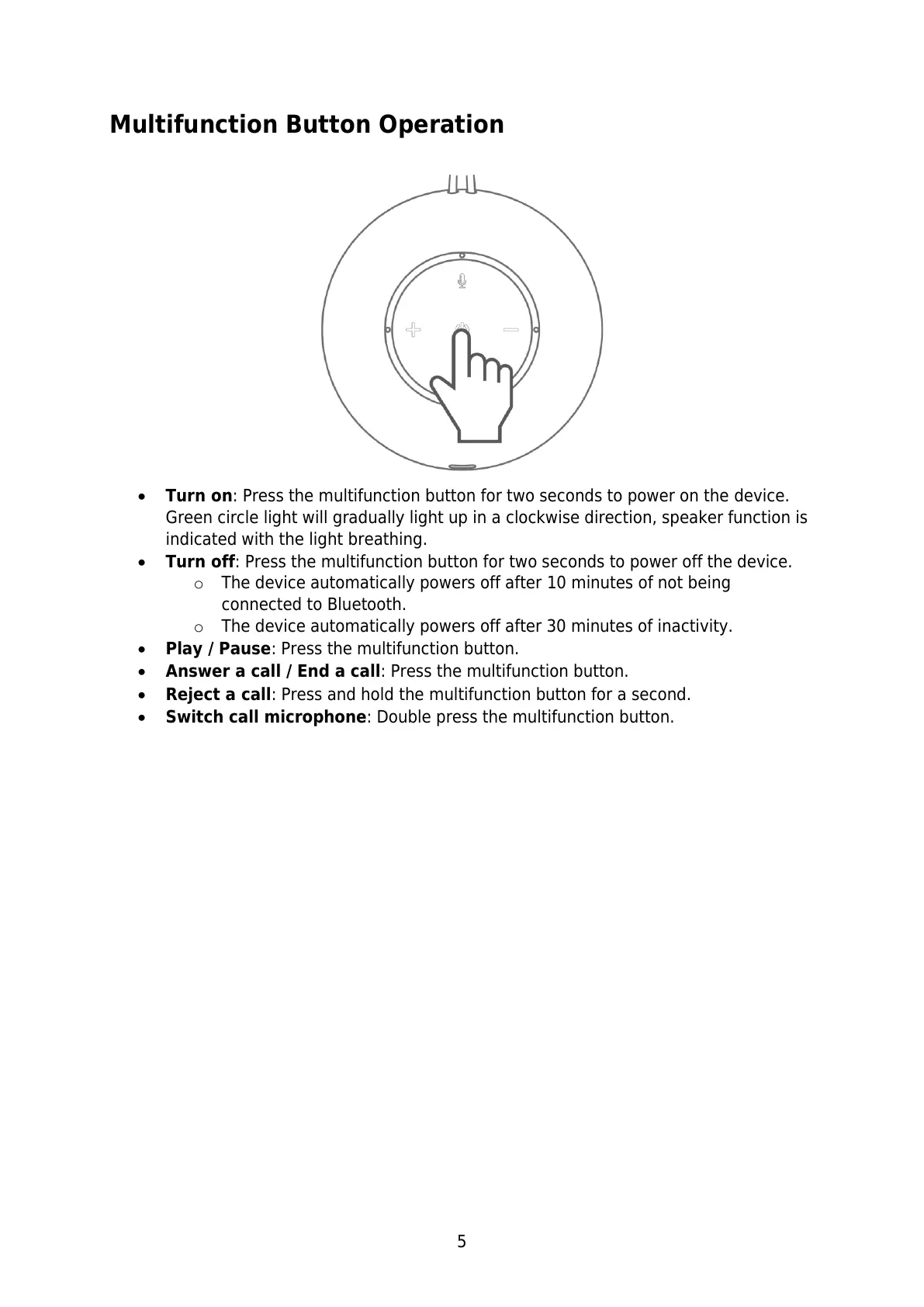
Turn on: Press the multifunction button for two seconds to power on the device.
Green circle light will gradually light up in a clockwise direction, speaker function is
indicated with the light breathing.
Turn off: Press the multifunction button for two seconds to power off the device.
o The device automatically powers off after 10 minutes of not being
connected to Bluetooth.
o The device automatically powers off after 30 minutes of inactivity.
Play / Pause: Press the multifunction button.
Answer a call / End a call: Press the multifunction button.
Reject a call: Press and hold the multifunction button for a second.
Switch call microphone: Double press the multifunction button.


 To Next Page