6
Wireless Button Operation
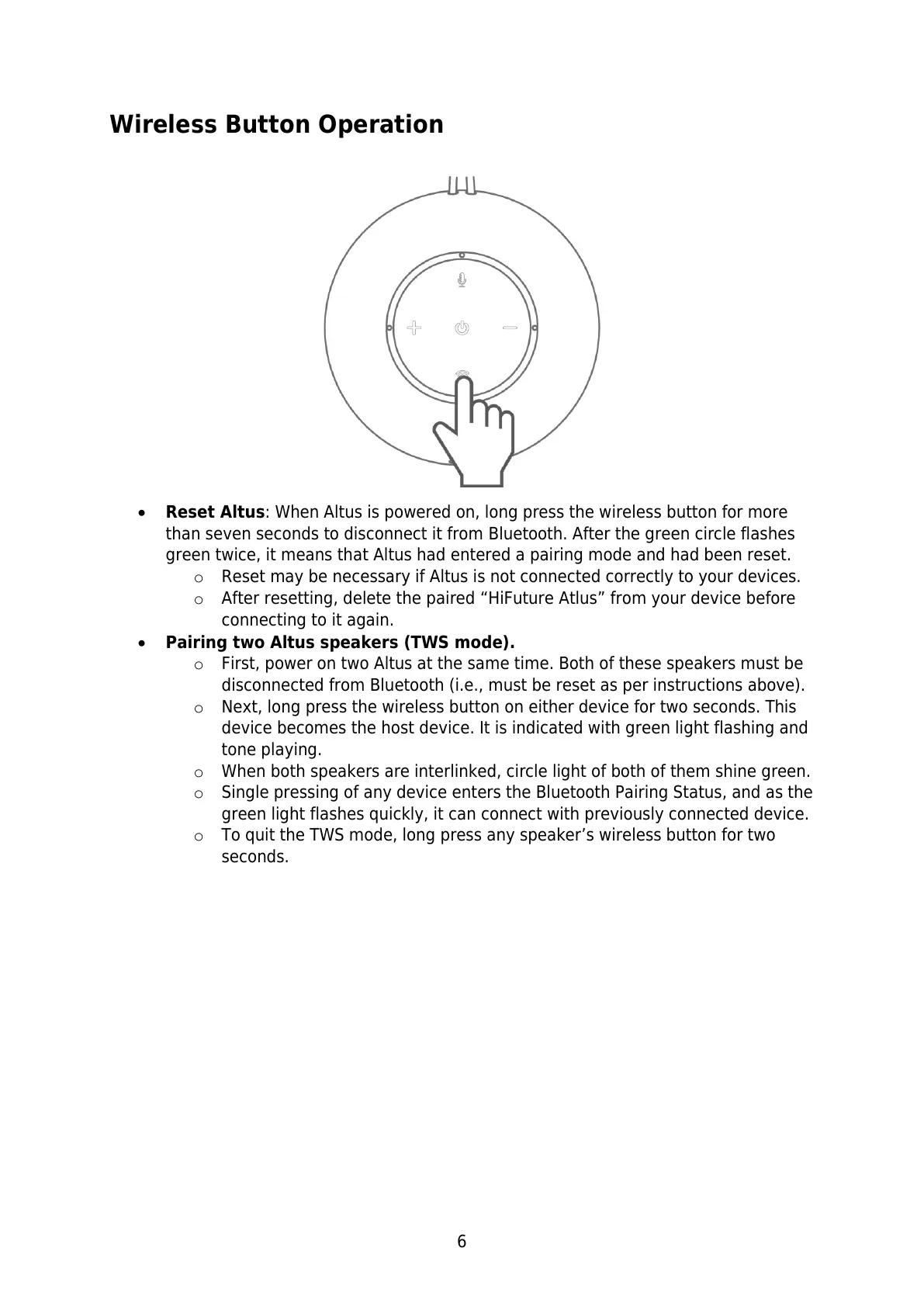
Reset Altus: When Altus is powered on, long press the wireless button for more
than seven seconds to disconnect it from Bluetooth. After the green circle flashes
green twice, it means that Altus had entered a pairing mode and had been reset.
o Reset may be necessary if Altus is not connected correctly to your devices.
o After resetting, delete the paired “HiFuture Atlus” from your device before
connecting to it again.
Pairing two Altus speakers (TWS mode).
o First, power on two Altus at the same time. Both of these speakers must be
disconnected from Bluetooth (i.e., must be reset as per instructions above).
o Next, long press the wireless button on either device for two seconds. This
device becomes the host device. It is indicated with green light flashing and
tone playing.
o When both speakers are interlinked, circle light of both of them shine green.
o Single pressing of any device enters the Bluetooth Pairing Status, and as the
green light flashes quickly, it can connect with previously connected device.
o To quit the TWS mode, long press any speaker’s wireless button for two
seconds.


 To Next Page