7
Operation Buttons
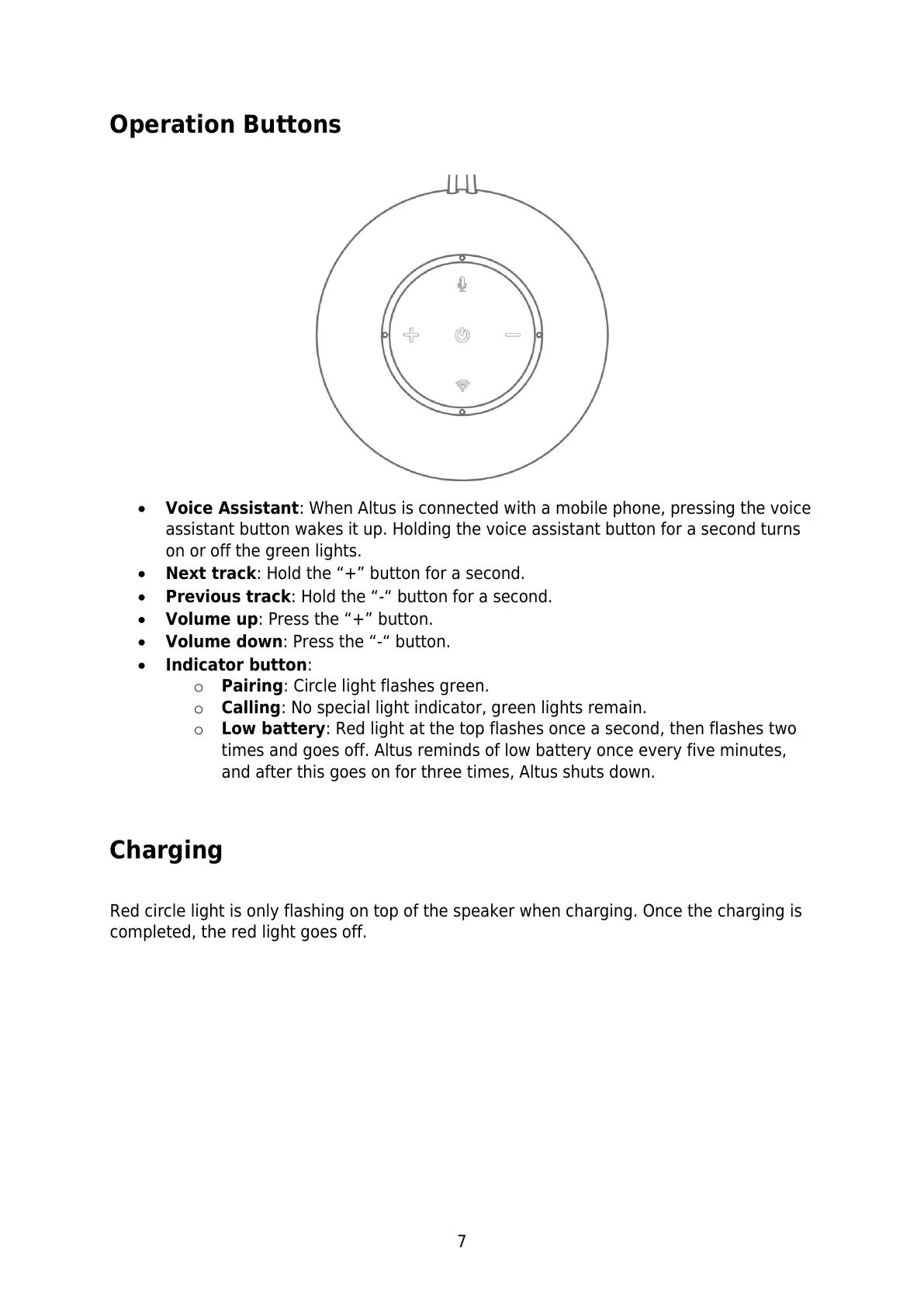
Voice Assistant: When Altus is connected with a mobile phone, pressing the voice
assistant button wakes it up. Holding the voice assistant button for a second turns
on or off the green lights.
Next track: Hold the “+” button for a second.
Previous track: Hold the “-“ button for a second.
Volume up: Press the “+” button.
Volume down: Press the “-“ button.
Indicator button:
o Pairing: Circle light flashes green.
o Calling: No special light indicator, green lights remain.
o Low battery: Red light at the top flashes once a second, then flashes two
times and goes off. Altus reminds of low battery once every five minutes,
and after this goes on for three times, Altus shuts down.
Charging
Red circle light is only flashing on top of the speaker when charging. Once the charging is
completed, the red light goes off.



 To Next Page