Need help?
Do you have a question about the HIK VISION DS-K4H258S and is the answer not in the manual?
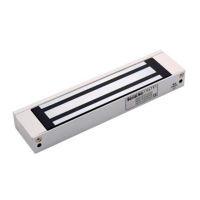
Connecting magnetic lock to access controller is mainly applied to swiping card to open the door for exiting.
Important notices and warnings before starting the connection process, including power cutoff and tool usage.
Instructions for connecting DS-K4H250S and DS-K4H258S magnetic locks to the access controller.
Instructions for connecting DS-K4H250D, DS-K4H450D, and DS-K4H258D magnetic locks.
Wiring details for DS-K4H250S using NC/COM interfaces for door magnetic signal output.
Wiring details for DS-K4H250D and DS-K4H450D using NC/COM interfaces.
Procedure to add the access controller device to the iVMS-4200 client software.
Checking the access controller arming status via iVMS-4200 Client.
Configuring door magnetic sensor and exit button settings in iVMS-4200.
Checking door status and magnetic lock LED status on iVMS-4200 Client.
Wiring details for DS-K4H250S using NO/COM interfaces for door magnetic signal output.
Wiring details for DS-K4H250D and DS-K4H450D using NO/COM interfaces.
 General
| Model | DS-K4H258S |
|---|---|
| Category | Controller |
| Operating System | Linux |
| Memory | 512 MB |
| Storage | 4 GB |
| Fingerprint Module | Optical Fingerprint Module |
| Event Capacity | 100, 000 |
| RS-485 Interface | 1 |
| Power Supply Current | 1A |
| Working Humidity | 10% to 90% (non-condensing) |
| Type | Fingerprint Access Control Terminal |
| Communication Interface | TCP/IP, RS-485 |
| Network Interface | 10/100M Ethernet |
| USB Ports | USB 2.0 |
| Input Interface | 4 |
| Output Interface | 2 Outputs |
| Power Supply | 12V DC |
| Working Temperature | -10°C to 55°C |


 To Next Page