VC2000 Series Vision Controller User Manual
22
Input Detection
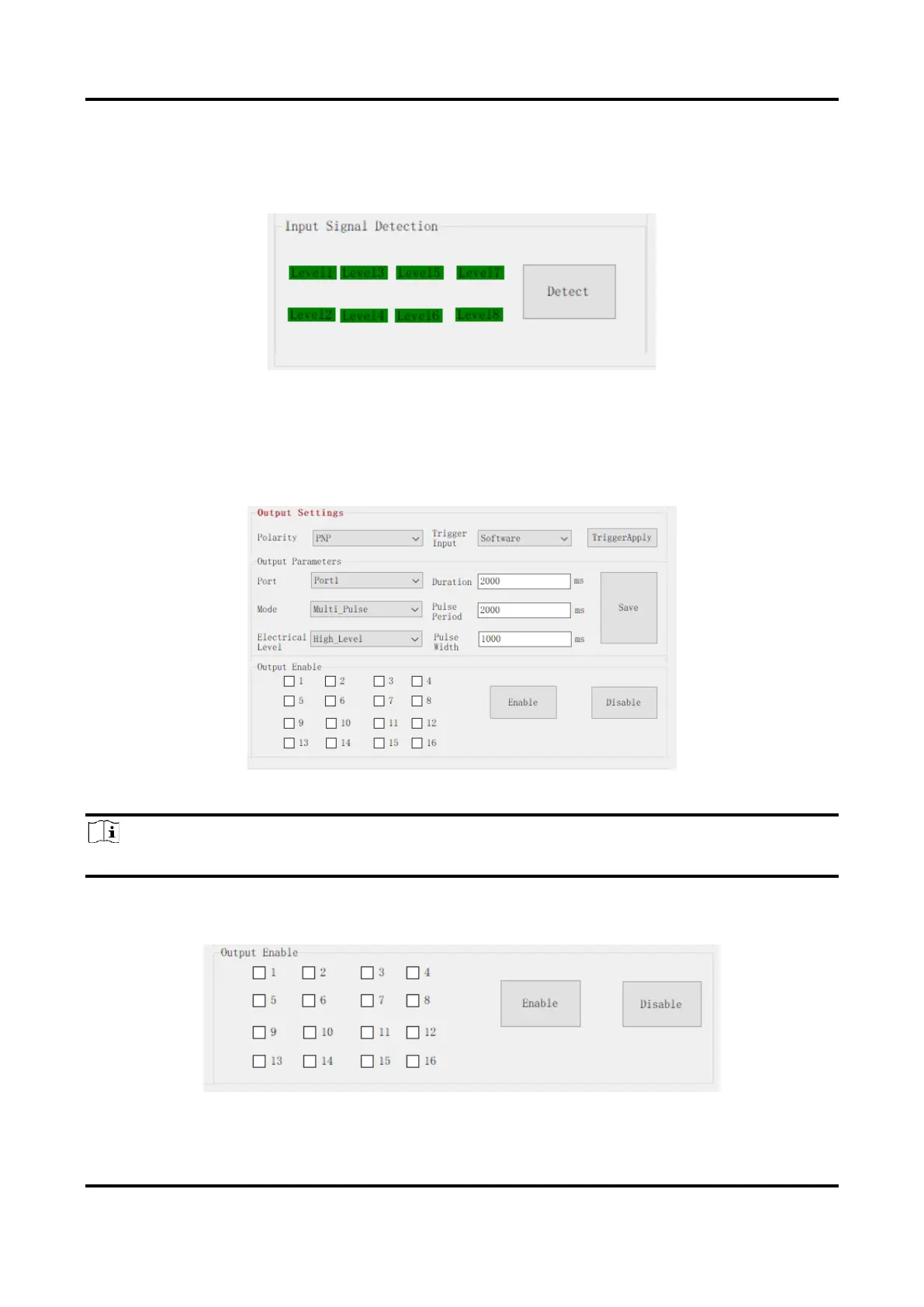
Click Detect in Input Signal Detection to get the electrical level of the input port. Red color
stands for the high electrical level, and green color stands for the low electrical level.
Figure 6-6 Input Detection
Output Settings
In Output Settings, you can set these parameters: Polarity, Trigger Input, Port, Mode,
Electrical Level, Duration, Pulse Period, and Pulse Width. Click Save after settings.
Figure 6-7 Output Settings
Note
Pulse Period and Pulse Width are only available when you select Multipulse as Mode.
After above-mentioned settings, if you want to let the port output signals, you should check
the specific port No., and click Enable. Otherwise, click Disable instead.
Figure 6-8 Enable Output


 To Next Page