VC2000 Series Vision Controller User Manual
16
NPN Device as External Device
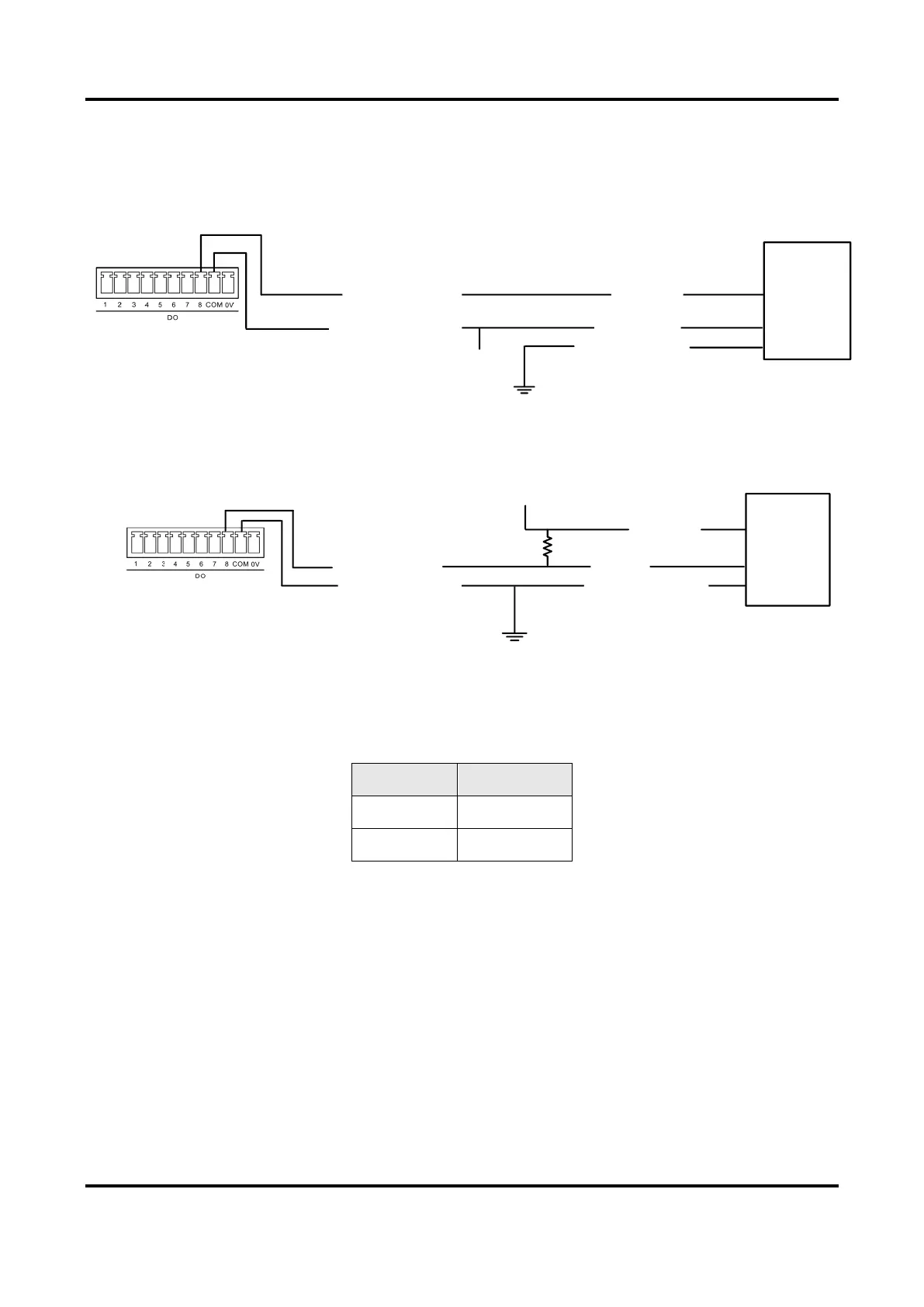
The wiring is as following if the VCC of NPN device is 12 V or 24 V and without external
resistance.
Opto-Isolated Output
NPN
Device
Signal Line
Device Power Ground
Device Power
VCC
GND of VCC
●
Output Common Port
Figure 5-8 Output Signal Connecting NPN Device without External Resistance
The wiring is as following if the VCC of NPN device is 12 V or 24 V and with pull-up resistance.
Opto-Isolated Output
Output Common Port
NPN
Device
Device Power Ground
Signal Line
VCC
GND of VCC
Device Power
●
●
●
R
Figure 5-9 Output Signal Connecting NPN Device with Pull-Up Resistance
The resistance value (R) in figure above is different when the VCC of the device changes.
Refer to the table below for details.
Table 5-3 Relation between VCC and Resistance
5.2 Serial Port
The device has a standard D-sub 9-pin communication interface. The serial port is RS-232
by default, and supports switching to RS-485 or RS-422 via BIOS settings.
Steps
1. Power on the device, and press DELETE to enter BIOS setting window.
2. Go to Advanced → SFB Chipset Feature → SIO UARTO Transfer Mode, and set it as
RS485 or RS422.



 To Next Page