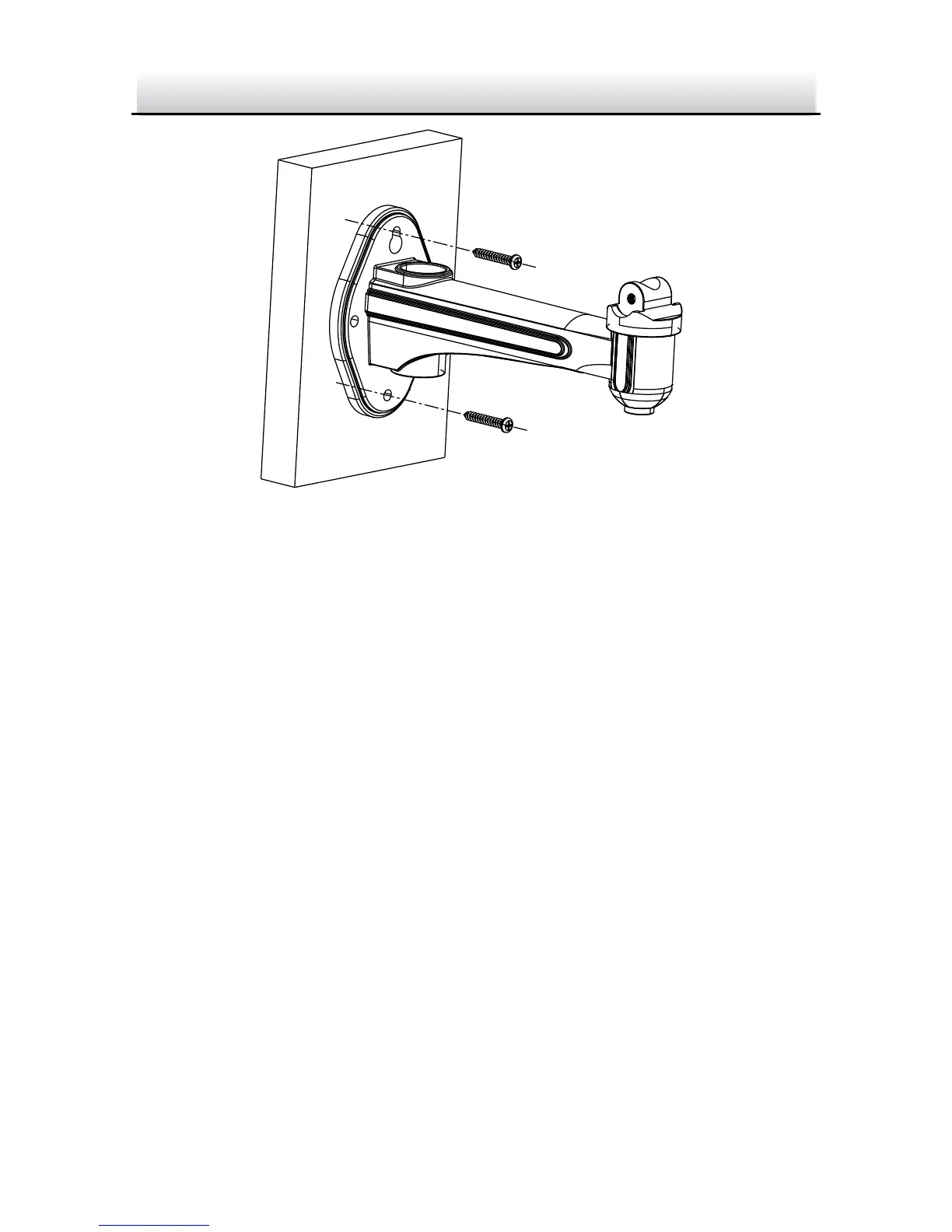
Install the Wall Mount Figure 2-7
6. Install the camera to the wall mount and tighten the two lock
screws.
7. Adjust the surveillance angle.
1). Loosen the pan nut to adjust the pan angle [0 °-360°].
2). Loosen the knob on the ceiling mount to adjust the tilt angle
[0°-±45°].
8. Adjust the Lens
1). Connect the VIDEO OUT interface of the camera to the
debugging monitor.
2). Adjust the focus level to obtain a perfect image on the
monitor.




 To Next Page