View Angle Adjusting
Purpose:
3-axis (pan/tilt/rotation) adjusting allows adjustment for optimum camera rotation and placement.
You can use this function to get the angle of view that you want.
Pan Adjustment
Steps:
1. Loosen the lock screw-1.
2. Adjust the panning position of the camera. The adjusting range is from 0 degrees to 360
degrees.
3. Tighten the lock screw-1.
Tilt Adjustment
Steps:
1. Loosen the lock screw-2.
2. Adjust the tilting position of the camera. The adjusting range is from 0 degrees to 90
degrees.
3. Tighten the lock screw-2.
Rotation Adjustment
Steps:
1. Loosen the lock screw-3.
2. Rotate the rotation position to adjust the azimuth angle of the image. The adjusting range is
from 0 degrees to 360 degrees.
3. Tighten the lock screw-3.
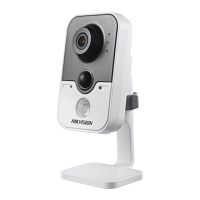
Figure 4-33 Lens Adjustment
Zoom and Focus Adjusting
Purpose:
You can use the zoom lever and focus lever to adjust the zoom value and focus value.
Steps:




 To Next Page


