1 5 B A C K U P V I D E O R E C O R D I N G S A N D C L I P S ( c o n t i n u e d )
Back Up Video Clips
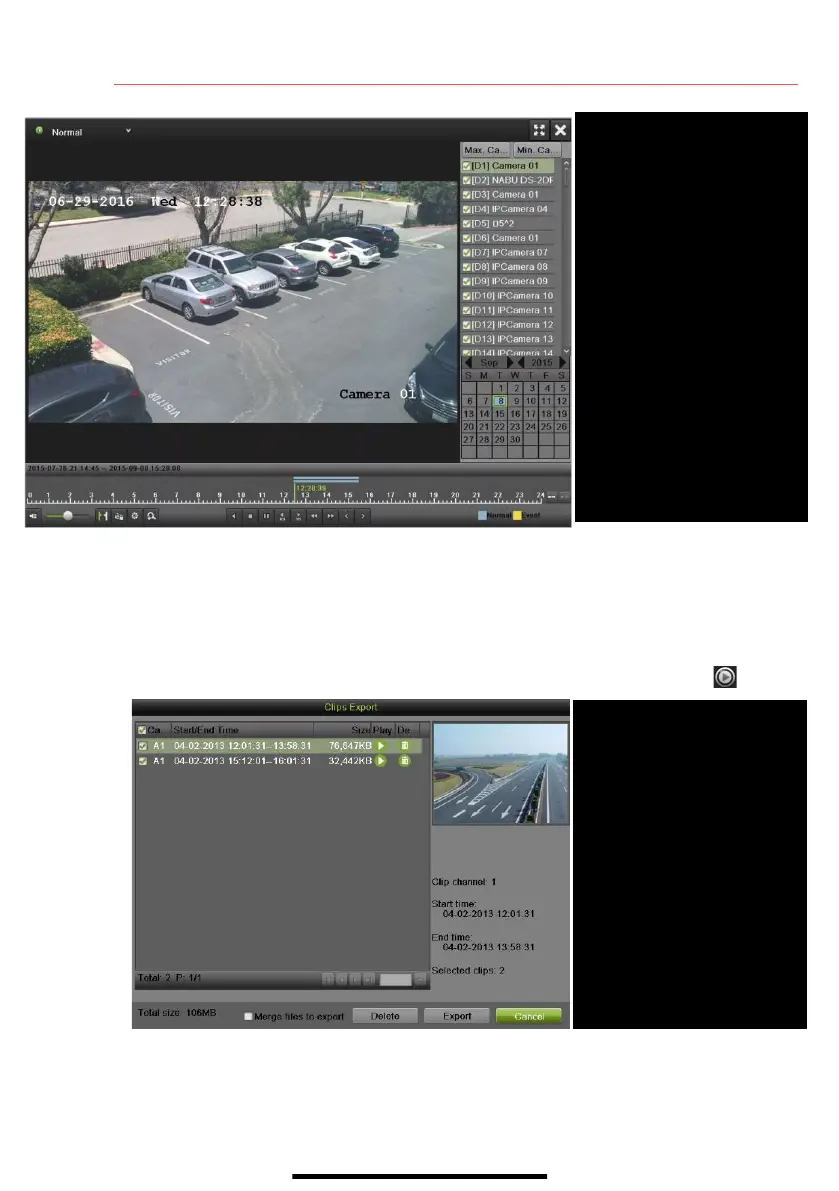
1. Connect a USB flash drive, HDD, or DVD writer to an available USB port.
2. In the Video Export interface, choose camera(s) to back up and click Quick Export button.
3. Choose backup device (USB flash drive, USB HDD, or DVD writer).
4. Click Export (to check backup, choose recorded file in Export interface and click button).
Select cameras to view
CALENDAR
Select dates to view
PLAY/STOP
Toggles between Play and Stop
START/STOP CLIPPING
Toggles between Start Clipping
and Stop Clipping
FILE MANAGEMENT
Displays Clips Export, a list of
saved clips
Select desired clips (multiple clips
selected from same camera will
be stitched together)
EXPORT
Save clips to USB device


 To Next Page
 Loading...