Chapter 2 Interface Descripon
Connect access control devices, secure door control unit, door locks, and other related output
devices ( you can choose connect Wiegand card reader) to establish
communicaon.
2.1 Cable Interface Descripon
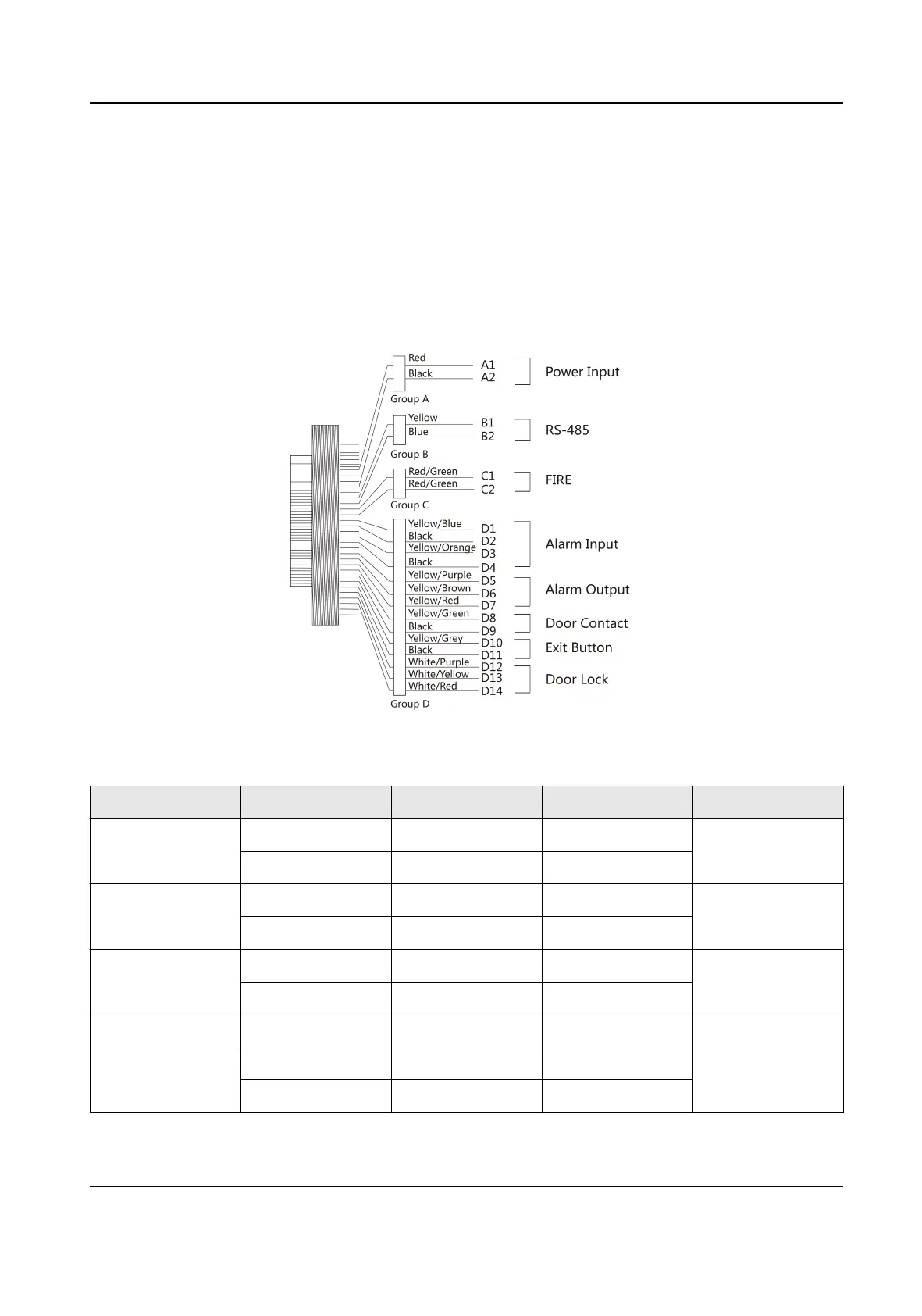
Figure 2-1 Cable Interface Descripon
Table 2-1 Cable Interface Descripon
Group No. Cable No. Color Name Descripon
Group A A1 Red +12 V Power Input
A2 Black GND
Group B B1 Yellow RS-485+ RS-485
B2 Blue RS-485-
Group C C1 Red/Green FIRE+ FIRE
C2 Red/Green FIRE-
Group D D1 Yellow/Blue ALM_IN1 Alarm Input
D2 Black GND
D3 Yellow/Orange ALM_IN2
DS-K2M061 Secure Door Control Unit User Manual
3


 To Next Page
 Loading...