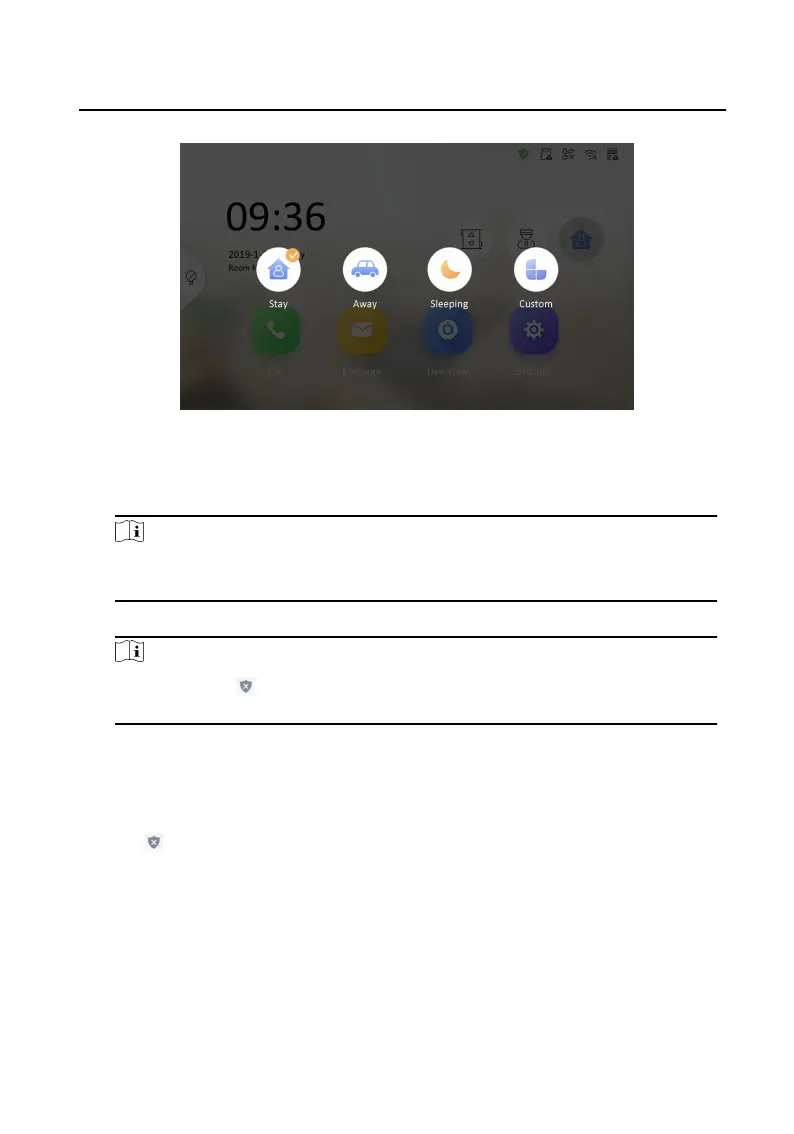
Figure 2-5 Arm Sengs page
2. Select Stay, Away, Sleeping or Custom.
3. Enter the arm/disarm password to enable the scene.
Note
You can set the arm/disarm password in the general sengs. For details, see the
conguraon guide.
4. Tap OK.
Note
You can also tap → One-Push to Arm at the upper right corner of the home
page to enable the scene.
2.4.2 Disarm Room
Steps
1.
Tap → One-Push to Disarm at the upper-right corner of the home page to
disarm.
Network Indoor
Staon Operaon Guide
7


 To Next Page
 Loading...