10
HOW TO ACCESS BALLASTS
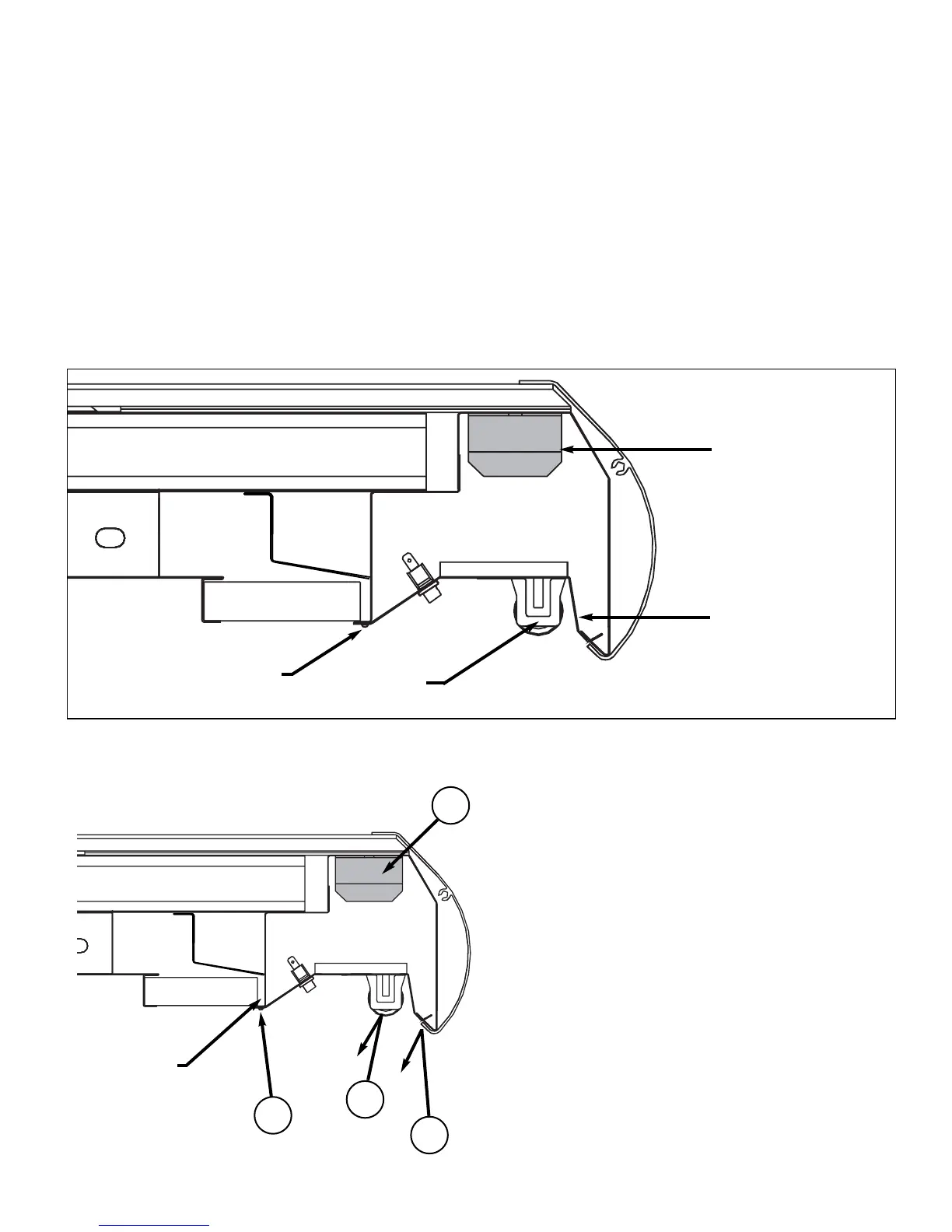
This display case is equipped with specially designed light reflectors in the cornice to improve
the illumination of products. Electronic ballasts operate both the cornice and shelf lights and
are located behind the reflectors.
To gain access to the ballasts the reflectors may be easily removed be removing a several
screws along the length of the reflector. See below.
1. Remove lamps by pulling
down at both ends.
2. Remove screws along length
of the reflector.
3. Reflector is now free to
remove.
4. Ballasts are located behind.
5. To replace, reverse procedure.
First insert reflector in front
channel then replace the
screws in the reflector.
BALLAST
REFLECTOR
CROSS SECTIONAL VIEW OF CORNICE LIGHT AREA
SCREWS
LAMP
1
2
3
4
REMOVE
SCREWS
ELECTRICAL HOOKUP


 To Next Page