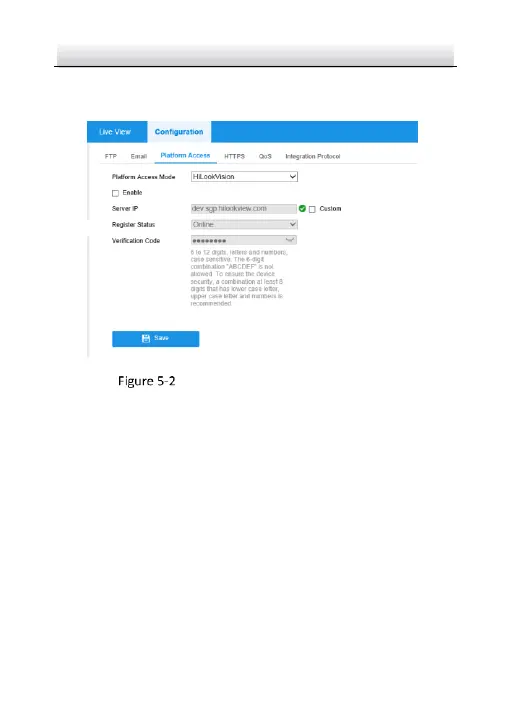
2. Enter platform access configuration interface: Configuration >
Network > Advanced Settings > Platform Access.
Platform Access Configuration (Web)
3. Select Platform Access Mode as HiLookVision.
4. Check the checkbox of Enable.
5. Click and read "Terms of Service" and "Privacy Policy" in pop-up
window.
6. Create a verification code or change the verification code for the
camera.
Note:
The verification code is required when you add the camera to
HiLookVision app.
7. Save the settings.


 To Next Page