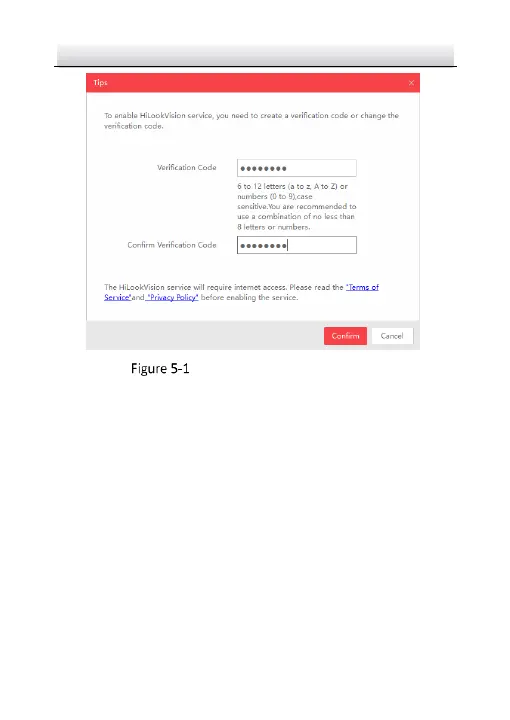
Verification Code Setting (SADP)
Note:
The verification code is required when you add the camera to
HiLookVision app.
3. Click and read "Terms of Service" and "Privacy Policy".
4. Confirm the settings.
5.1.2 Enable HiLookVision Service via Web Browser
Before you start:
You need to activate the camera before enabling the service. Refer to
Chapter 3.2.
Steps:
1. Access the camera via web browser. Refer to Chapter 4.


 To Next Page