EasyManua.ls Logo

Hilti NURON TE 5-22 - User Manual

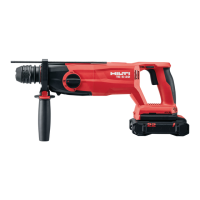
Hilti NURON TE 5-22
64 pages
Print Icon
To Next Page IconTo Next Page
Loading...
TE 5-22
English 1
Français 13
Español 27
Português 41

Other manuals for Hilti NURON TE 5-22

Questions and Answers

  • D
    Darrell WatsonAug 13, 2025
    Why doesn't the drive spindle rotate on my Hilti Tools?
    • M
      Mark BrownAug 13, 2025
      If the drive spindle of your Hilti Tools does not rotate, there are several possible causes. First, ensure the battery is fully inserted until you hear an audible click. Second, check that the forward/reverse switch is pushed to the right or left, and not centered. Finally, make sure the function selector switch is set to either “Drilling without hammering” or “Hammer drilling,” and not in the “Chiseling” or “Chisel positioning” position. Ensure the motor of the power tool is at a complete stop when adjusting the function selector switch.
  • B
    Bobby BrownAug 17, 2025
    Why is there no hammering action on my Hilti Tools?
    • N
      Nicole MaddenAug 17, 2025
      If your Hilti Tools has no hammering action, ensure that the function switch is set to “Hammer drilling” and not “Drilling without hammering”. Also, if the rotary hammer drill is too cold, bring the tip of the drill bit into contact with the working surface, switch the rotary hammer drill on and allow it to run. If necessary, repeat the procedure until the hammering mechanism begins to operate.
  • J
    Jennifer WardAug 20, 2025
    How to unlock the control switch on Hilti NURON TE 5-22 Tools?
    • M
      Mrs. Karla MurrayAug 20, 2025
      If the control switch of your Hilti Tools can’t be pressed because it is locked, the forward/reverse switch is likely centered. Push the forward/reverse switch to the right or left to unlock the control switch.
  • H
    Holly HowardAug 25, 2025
    What to do if my Hilti Tools accessory tool makes no progress?
    • J
      John MartinezAug 25, 2025
      If your accessory tool makes no progress with your Hilti Tools, first check that the forward/reverse switch is in the "Forward" position. Also, ensure the function switch is set to “Hammer drilling” and not “Drilling without hammering”.
  • D
    Denise GarzaAug 28, 2025
    What to do if Hilti Tools gets very hot?
    • P
      Patricia HughesAug 28, 2025
      If your Hilti rotary hammer drill or battery gets very hot, switch off the rotary hammer drill immediately. Remove the battery and keep it under observation, and allow it to cool down. Contact Hilti service.
  • D
    Diane PowellSep 1, 2025
    How to release an accessory tool from the Hilti NURON TE 5-22 Tools chuck?
    • C
      Cassandra DoyleSep 1, 2025
      If you cannot release the accessory tool from the chuck of your Hilti Tools, pull the locking sleeve back as far as it will go and remove the accessory tool.
  • D
    Daniel RyanSep 4, 2025
    Why doesn’t the battery engage with a click on my Hilti Tools?
    • S
      smithtraciSep 4, 2025
      If the battery of your Hilti Tools doesn’t engage with an audible click, the retaining lug on the battery may be dirty. Clean the retaining lug and refit the battery.
  • J
    John BryantSep 8, 2025
    Why do the LEDs of the battery show nothing on my Hilti NURON TE 5-22?
    • G
      Gerald HuntSep 9, 2025
      If the LEDs of the battery of your Hilti Tools show nothing, the battery may be defective. Contact Hilti Service.

Summary

Information about the operating instructions

About these operating instructions

Instructions on how to use the manual and its purpose.

Explanation of symbols

Explains DANGER, WARNING, CAUTION signal words, and symbols used in instructions and illustrations.

Safety

General power tool safety warnings

Provides essential safety instructions for operating power tools.

Hammer safety warnings

Specific safety advice for hammer operations, accessory use, and long drill bits.

Additional safety instructions

Further safety guidelines for personal use and handling.

Careful handling and use of batteries

Instructions for safe handling and usage of Li-ion batteries.

Description

Product overview

Detailed illustration and list of product components.

Intended use

Describes the product's designed applications and limitations.

Items supplied

Lists the components included with the product.

Status indicators of the Li-ion battery

Explains battery status indicators, fault messages, and health status checks.

Technical data

Battery

Technical specifications and operating conditions for the battery.

Preparations at the workplace

Charging the battery

Instructions for charging the Li-ion battery.

Inserting the battery

Steps for correctly inserting the battery into the tool.

Removing the battery

Procedure for safely removing the battery from the tool.

Installing auxiliary handle

Guide to attaching and positioning the auxiliary handle.

Fitting the depth gauge

Instructions for attaching the depth gauge to the auxiliary handle.

Removing the depth gauge

Procedure for removing the depth gauge.

Changing the accessory tool

Steps for safely changing drill bits or other accessories.

Installing dust collection module for overhead work (accessory)

How to attach the dust collection module for overhead applications.

Fitting the dust removal module (accessory)

Instructions for attaching the dust removal module.

Removing dust removal module (accessory)

Procedure for detaching the dust removal module.

Fall arrest

Safety instructions regarding tool tethering for fall protection.

Operation

Operation

Step-by-step instructions for using the tool.

Setting direction of rotation

How to change the drill's rotation direction.

Care and maintenance

Care of the product

Instructions for cleaning the tool's housing and components.

Care of the Li-ion batteries

Guidelines for cleaning and maintaining Li-ion batteries.

Maintenance

General maintenance checks and repair guidelines.

Cleaning dust cap

Steps for cleaning and maintaining the dust cap.

Replacing the dust shield

Procedure for replacing the dust cap/shield.

Transport and storage

Transport of cordless power tools and batteries

Safety precautions for transporting the tool and batteries.

Storage of cordless power tools and batteries

Instructions for proper storage of the tool and batteries.

Troubleshooting

Disposal

Manufacturers warranty

Further information

Hilti NURON TE 5-22 Specifications

General IconGeneral
Voltage22 V
Battery TypeLi-ion
Weight2.5 kg
No-load speed0 - 1, 100 rpm
Chuck typeSDS+
Working modeHammer drilling, drilling
Drilling Diameter (Steel)13 mm
Drilling Diameter (Masonry)22 mm
Hammer drilling diameter range4 - 22 mm
Dust removal moduleOptional
Tool body materialPlastic

Related product manuals